Most US driver's license photos are taken at the DMV — you don't bring your own. But some states now accept digital photo uploads for online renewals, using the standard 2×2 inch passport-size format. Whether you're going in person or renewing from home matters a lot for how you prepare.
This guide covers both situations: what happens when your photo is taken on-site, and what specs you need if your state lets you submit your own.
How US DMV Driver's License Photos Work
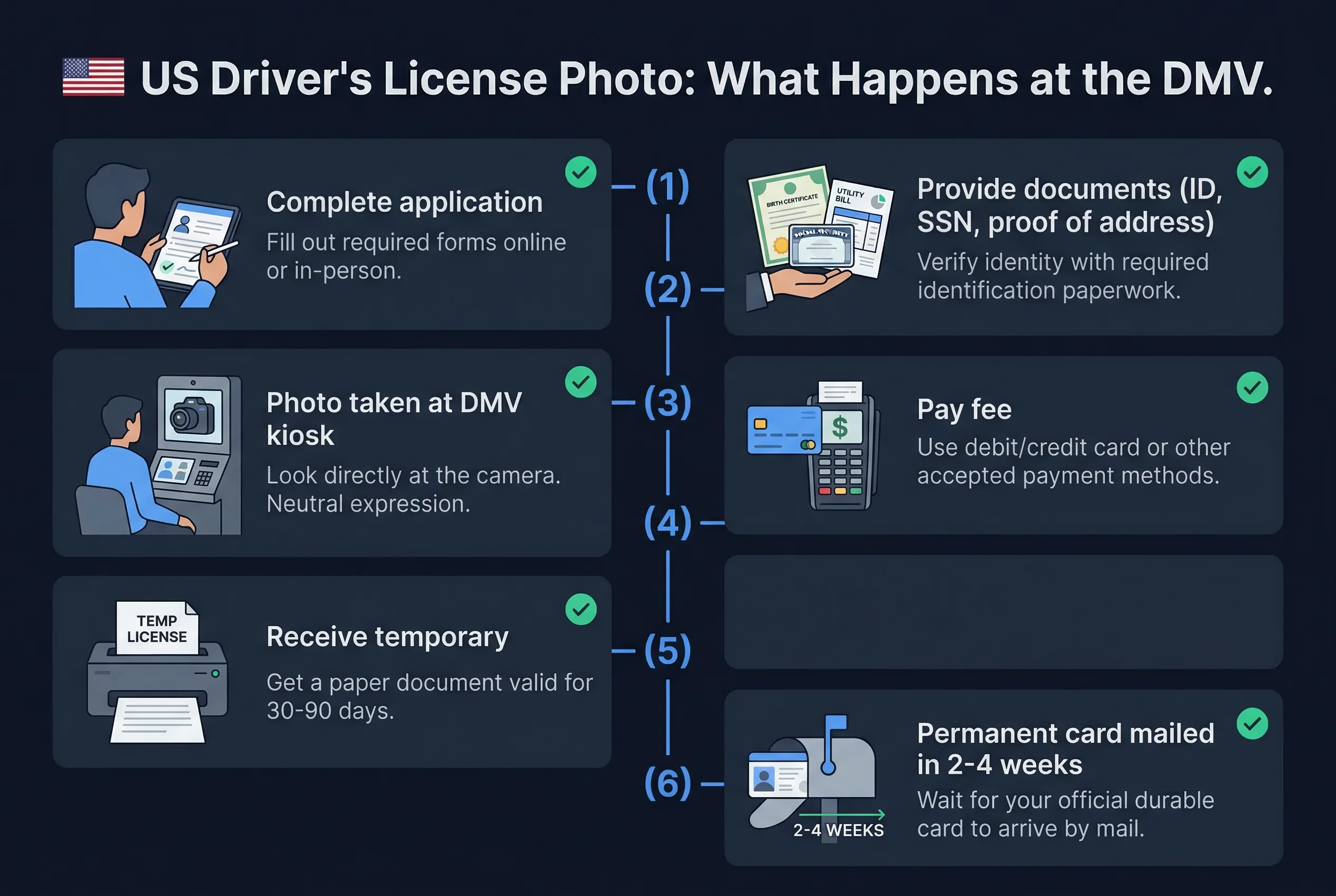
Walk into a DMV office for a new license or renewal, and you'll almost certainly have your photo taken there. A staff member operates the camera. You stand against a backdrop — usually light blue or gray, though this varies by state. You get one shot, sometimes two.
A few things to know going in:
You don't get to pick the photo. The DMV takes your photo as part of the transaction. Unlike a passport application where you bring your own prints, the DMV controls the equipment and the output. If you hate how it turned out, policies on retakes vary — some offices will offer one retake, others won't.
REAL ID compliance changed the requirements. The REAL ID Act (fully enforced since May 2025) requires states to capture a digital photo for identity verification. This means your license photo is stored in a state database and checked against other credentials. It also means photos with significant alterations or non-standard crops may be flagged.
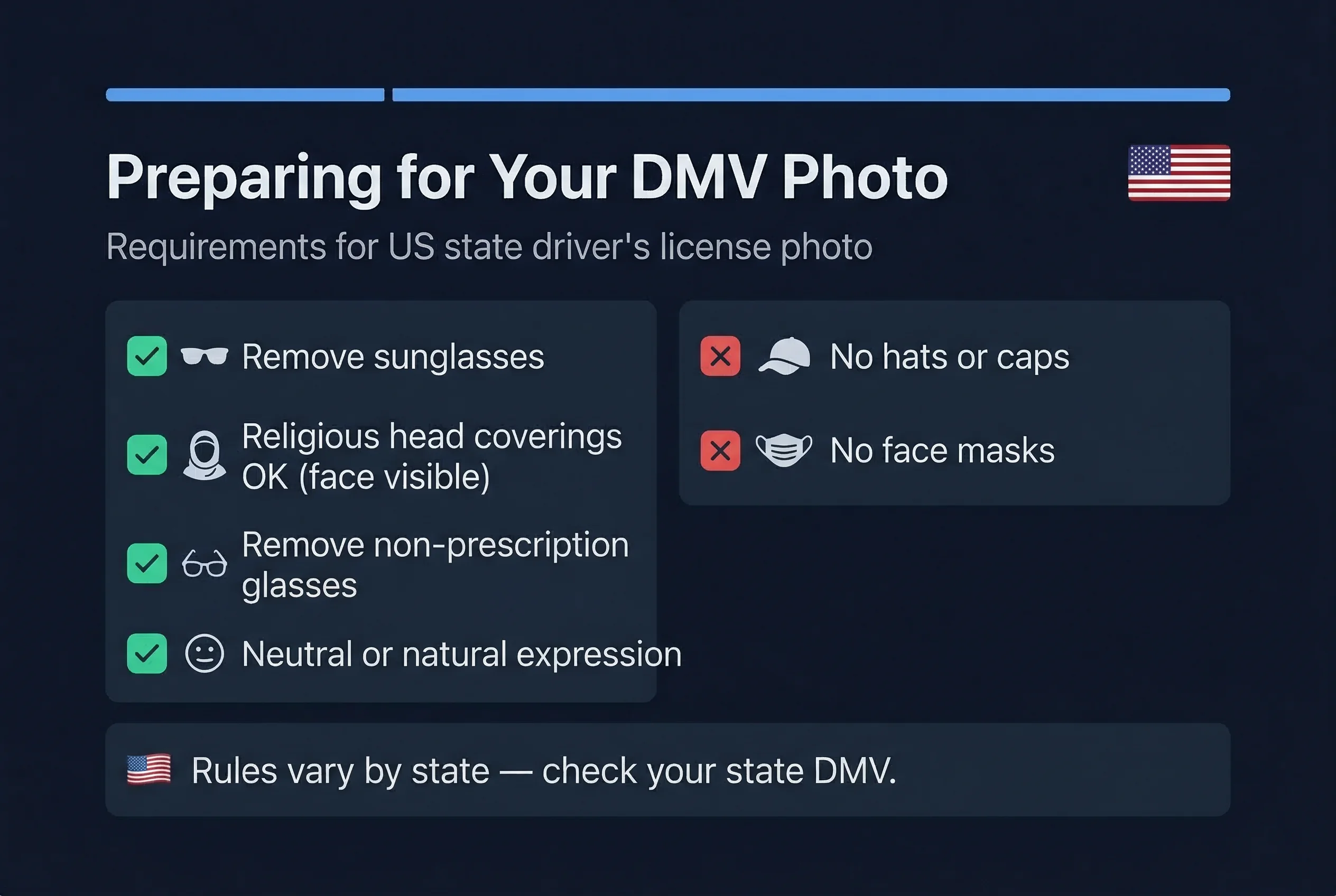
Most offices don't allow sunglasses. The specific rules vary by state, but most DMVs prohibit sunglasses and prescription glasses with heavy tints. Standard clear-lens prescription glasses are allowed in many states (unlike passport photos, which prohibit all glasses). Check your state's DMV website before your appointment.
Get a compliant passport photo online
US States That Accept Digital Driver's License Photos
A growing number of states allow photo uploads for online driver's license renewals. As of 2026, these include:
- Colorado — online renewals accept a digital photo meeting specific size and format requirements
- Virginia — the DMV's online renewal portal accepts uploaded photos for eligible drivers
- Arizona — online renewal available for some drivers, with photo upload option
- Delaware — online renewal with photo submission
- New Mexico — select renewal transactions accept uploaded photos
The list is expanding as states modernize their systems. Check your state DMV's website directly, because eligibility often depends on factors beyond just residence — age, license type, time since last in-person visit, and whether your state participates in REAL ID digital systems all affect whether you qualify for online renewal.
When photo uploads are accepted, the requirements typically align with AAMVA (American Association of Motor Vehicle Administrators) standards.
DMV Photo Specs for Digital Driver's License Submission
States that accept digital photo submissions generally follow these requirements:
| Requirement | Specification |
|---|---|
| Print size | 2×2 inches (51×51mm) |
| Digital dimensions | 600×600 pixels (square) |
| Resolution | 300 DPI |
| Background | White or light gray (state-dependent) |
| Head coverage | 50–69% of frame height |
| Expression | Neutral or natural |
| Glasses | State-dependent (some allow clear lenses) |
| File format | JPEG |
| File size | Usually 240 KB maximum |
These are close to passport photo standards. The main difference is background flexibility — some states accept light gray instead of pure white. And some states still permit clear-lens prescription glasses in driver's license photos even though passports prohibit them.
Check the specific requirements for your state before preparing your photo. Requirements vary, and some states have specific crop templates they want you to use.
US Driver's License Photo vs Passport Photo
For digital submissions, the specs are nearly identical — which makes sense, because both draw from the same international photo standards.
The practical differences:
- DMV photos are not used for international travel; standards can be slightly looser
- Background color flexibility varies by state (some accept light gray)
- Glasses rules differ — passports prohibit all glasses, some DMVs allow clear-lens prescription eyewear
- Retake windows are different — if a passport photo fails, you just take a new one; if a DMV photo is rejected during online submission, you typically get a chance to resubmit
If you need to verify your photo before uploading, use the passportsize-photo.online checker — it'll confirm the dimensions, face positioning, and background are correct. The same tool works for passport and US government document photos generally.
Tips for a Better In-Person DMV Driver's License Photo
Since most people get their license photo taken at the office, here's how to make it count:
Wear solid, mid-tone clothing. Avoid white shirts (they blend into light backgrounds) and very dark or busy patterns. A solid blue, navy, or dark gray shirt photographs cleanly.
Consider your hair. If you wear your hair up sometimes and down other times, think about which you want on a credential you'll carry for 4–8 years. Hair pulled back shows more of your face, which can actually make the photo look better against a light background.
No hats. Most states prohibit hats in license photos unless worn for religious reasons. Show up without one.
Go early. Most DMV offices are quieter when they first open. Staff aren't rushed. You're more likely to get a moment to settle before the photo is taken.
Neutral expression. Some states require a neutral expression; others allow a natural smile. Either way, avoid a forced grin. A relaxed, natural look photographs better under fluorescent DMV lighting.
Wear what you normally wear. This will be the photo on your ID for years. It should look like you on an average day, not you on a special occasion. Skip the dramatic outfit.
For photos you submit yourself — passports, visas, EADs, and other government documents — see the guide on what to wear in a passport photo for more detailed clothing guidance.
Expression and Appearance Rules for US Driver's License Photos
- Neutral expression — most states require neutral; some allow a natural smile
- Eyes open — both eyes fully visible, looking directly at the camera
- Glasses — varies by state; many DMVs now prohibit all glasses; some still allow clear prescription lenses; sunglasses always banned
- Hair away from face — forehead and both eyes clearly visible
- Head coverings — permitted for religious or medical reasons in all states; full face must remain visible
- No hats or caps — unless religious/medical
- Clean, even lighting — DMV offices handle this automatically with their camera setup
US Document Photo Comparison: DL vs Passport vs Green Card
| Document | Size | Background | Glasses | Smile |
|---|---|---|---|---|
| Driver's License | 2×2 in (51×51mm) | White or light grey | State-dependent | State-dependent |
| US Passport | 2×2 in (51×51mm) | White only | Not allowed | Allowed |
| Green Card | 2×2 in (51×51mm) | White only | Not allowed | Allowed |
| EAD | 2×2 in (51×51mm) | White only | Not allowed | Allowed |
| Naturalization (N-400) | 2×2 in (51×51mm) | White only | Not allowed | Allowed |
All US photo-bearing documents use the 2×2 inch format. Federal documents (passport, green card, EAD, naturalization) ban glasses universally. Driver's license rules vary by state. When in doubt, remove glasses.
Quick Checklist for US Driver's License Photos
- Check your specific state DMV website for photo rules
- Arrive with appropriate clothing (solid mid-tones)
- Remove glasses if your state prohibits them
- Neutral expression (or natural smile if state allows)
- Bring required documents (proof of identity, residency, SSN)
- Appointment booked (if your state requires it)