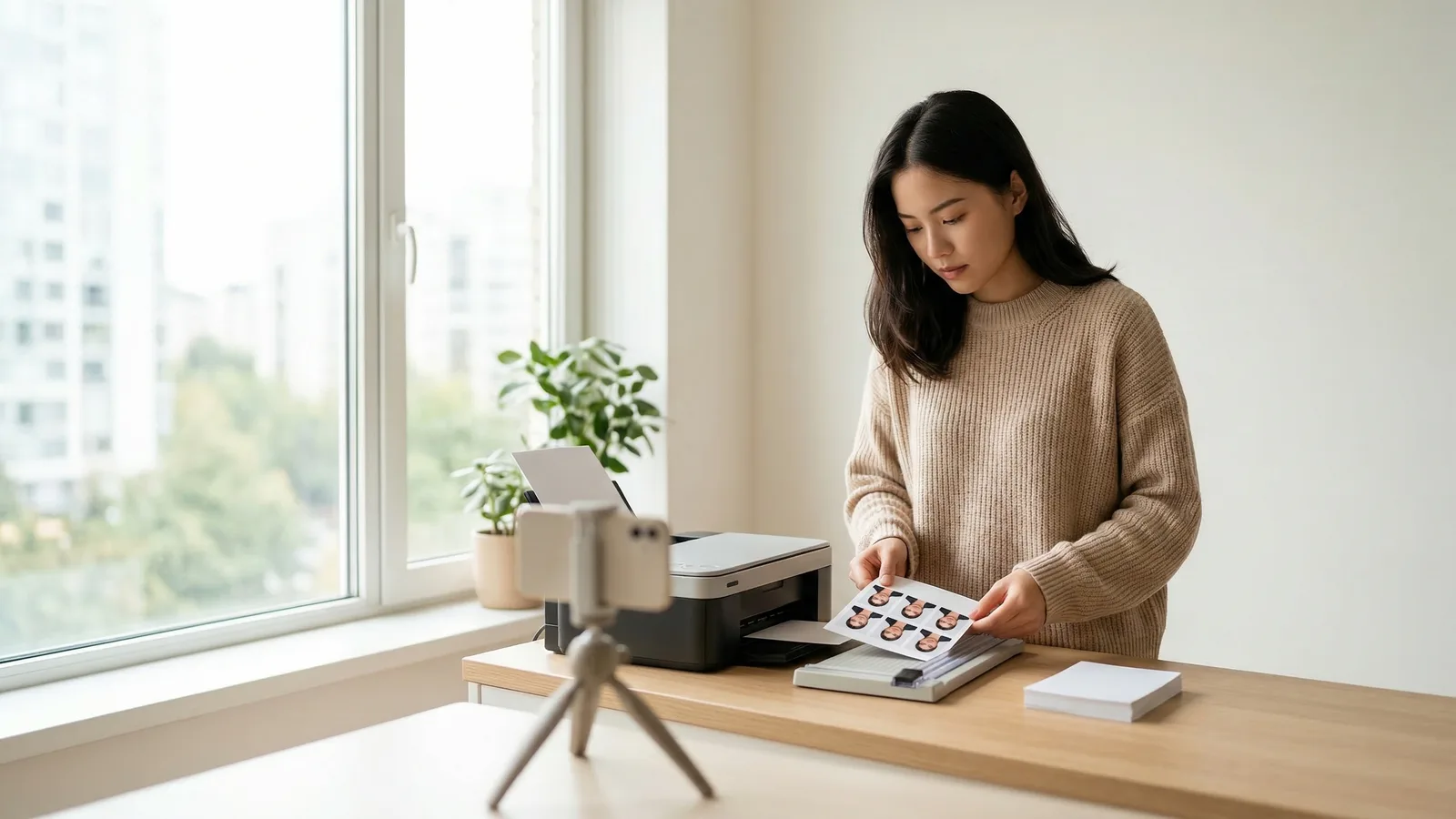
A standard 4×6 inch photo print fits two 2×2 inch US passport photos side by side, with room for crop marks. This makes it the most economical way to print multiple passport photos from a single sheet. Instead of wasting money on single prints or paying for professional services, you can produce exactly what you need with a basic home printer and the right technique.
4×6 Passport Photo Layout: How Many Photos Fit?
The geometry is straightforward: a 4×6 inch sheet gives you exactly twice the surface area of a single passport photo. Place two 2×2 inch photos horizontally across the 4×6 canvas, and you'll have approximately 1 inch of margin on the left and right edges, plus roughly 1 inch of space at the top and bottom. That's ample room for crop marks without cramping your images.
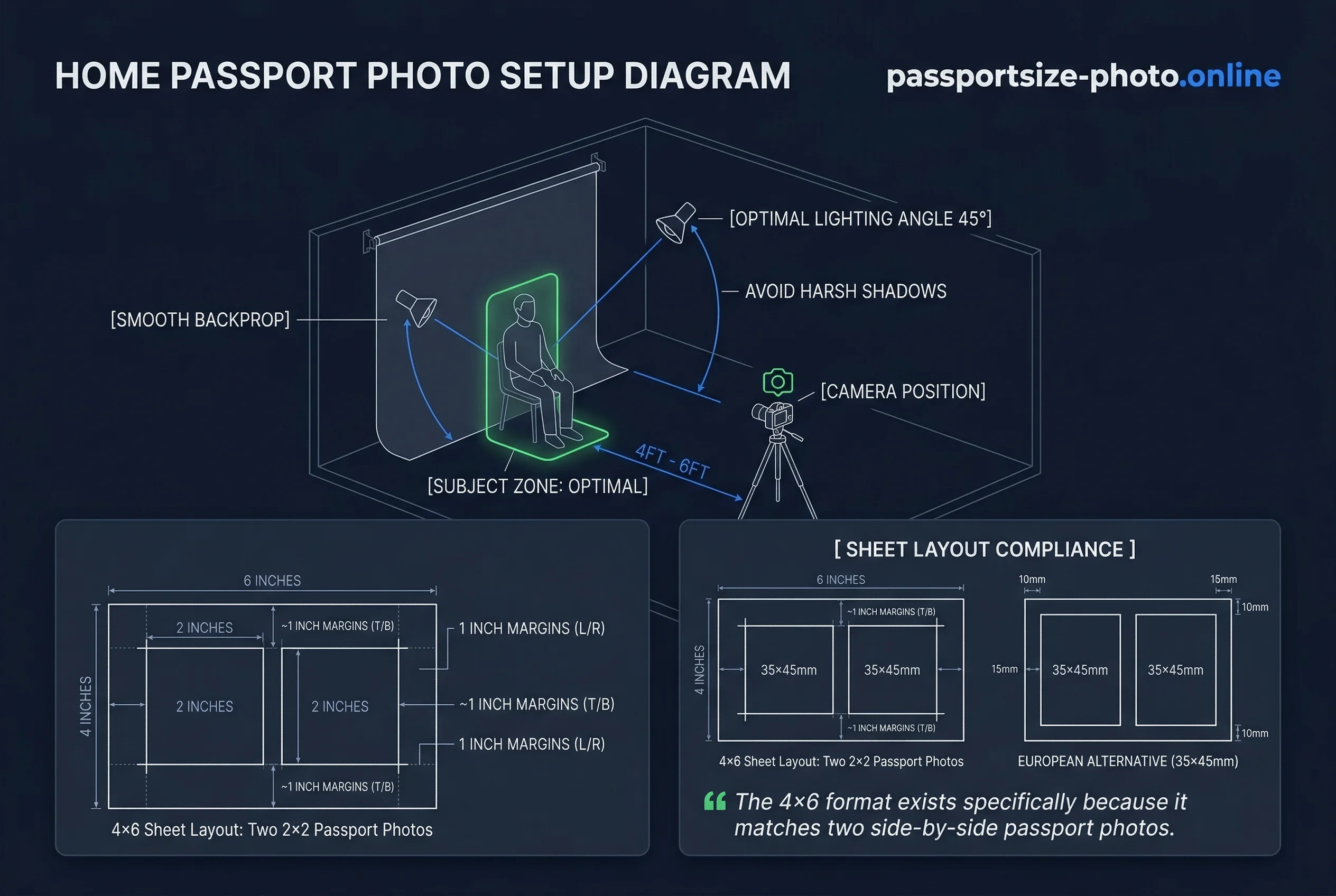
If you're preparing European 35×45mm photos instead of the US 2×2 inch format, the layout requires a slight adjustment. Two 35×45mm photos will fit on a 4×6 sheet, but the margins become asymmetric — approximately 15mm on the left and right, with about 10mm at the top and bottom. This still works perfectly well, though you'll need to exercise more precision when trimming. The key difference is that European photos are 35mm wide versus the US 50.8mm (2 inches), so the proportions differ slightly.
Most people don't realize that the 4×6 format exists specifically because it matches the 2×1 ratio of two side-by-side passport photos. This isn't a coincidence — photo printers have been optimized for this layout for decades.
Get a compliant passport photo online
Using Passport Size Photo for a Print-Ready 4×6 Template
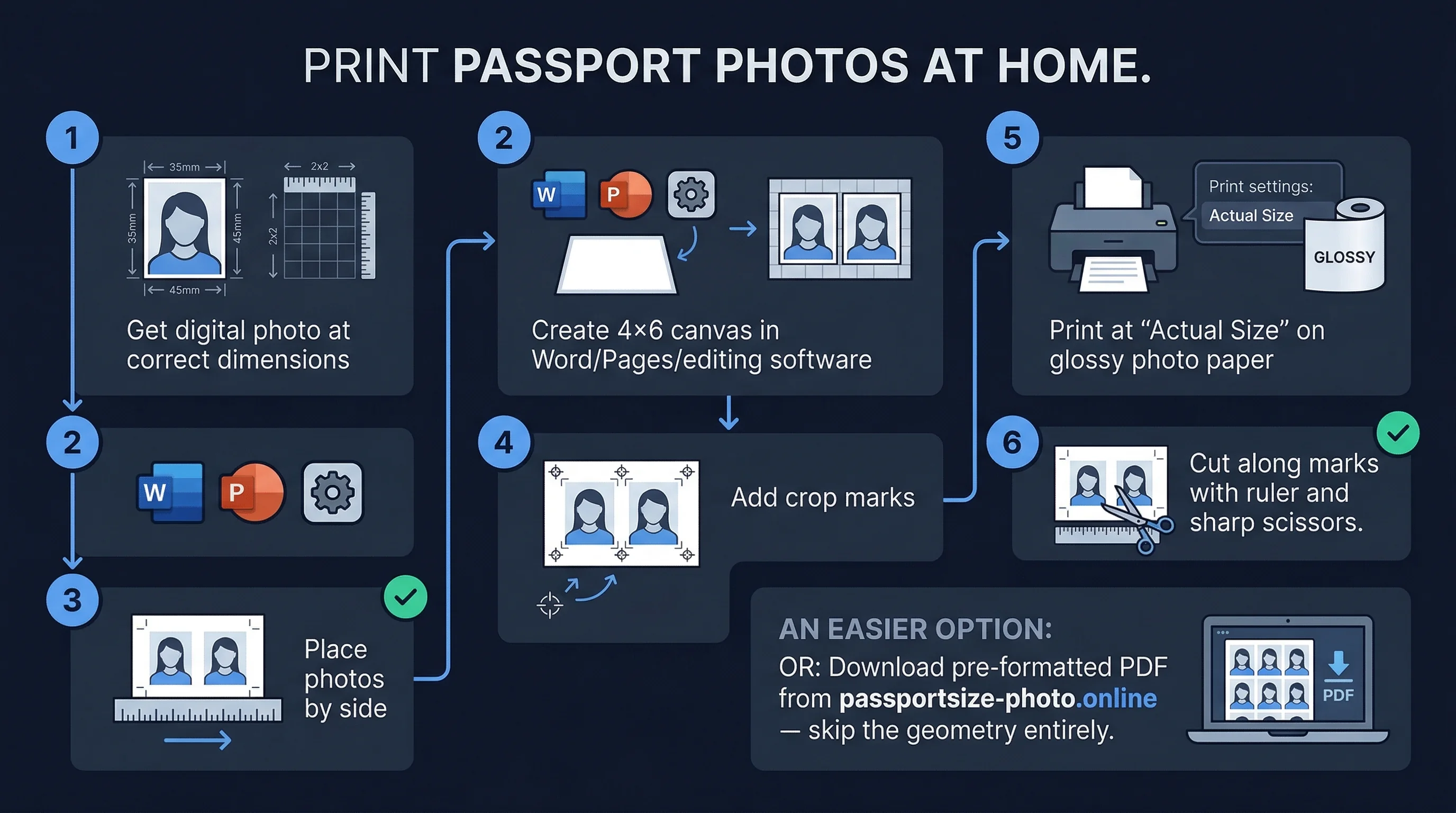
The simplest approach is to download a print-ready PDF that already has everything laid out correctly. passportsize-photo.online provides files pre-formatted with the exact positioning you need. You skip the geometry entirely. Just download, send the file to your printer, and cut along the indicated lines.
This method eliminates the most common errors: incorrect sizing, misaligned photos, and wrong margins. When you create your own layout manually, even small mistakes cascade into wasted prints. The PDF approach costs nothing extra and guarantees accuracy.
DIY Passport Photo Layout in Word or Pages
If you prefer to build your own layout — perhaps you want to add text labels, specific crop marks, or customize the arrangement — here's the step-by-step process:
First, open a new document in Microsoft Word, Apple Pages, or any word processor. Set the page size to exactly 4×6 inches using the custom page size option. Choose landscape orientation, which gives you the wider horizontal space needed for two side-by-side photos.
Next, insert your passport photo into the document. This is where most people trip up: you must set the image dimensions to exactly 2×2 inches using the formatting options. Don't rely on dragging the image to resize visually. Enter the precise measurements instead.
Now, duplicate the photo. Copy and paste it so you have two identical images. Position them side by side with equal horizontal spacing. Aim for centered alignment — the left photo's right edge should be roughly 2 inches from the right photo's left edge, giving you balanced margins on both sides.
The critical step comes when printing: disable any scaling, fitting, or auto-centering features. Look for "print at actual size" or "custom scale: 100%" in your print dialog. This seems minor, but it's the single most common reason DIY passport photo prints fail. If your printer shrinks the image to fit the page, you'll end up with undersized photos that won't work for official documents.
Passport Photo Print Settings That Matter for 4×6 Sheets
Three specific settings determine whether your passport photos look professional or disappointingly amateur. Pay attention to each one.
Resolution: Set your printer to 300 DPI or select "photo quality" from the dropdown. Standard document mode at 72 or 96 DPI produces visible pixelation that authorities may reject. Your photo might look fine on screen, but the printed version will look fuzzy when examined closely.
Paper type: Choose "photo paper," "glossy photo," or "matte photo" from the media type menu. This matters more than most people realize. Plain 80gsm printer paper absorbs ink inconsistently, creates muddy colors, and looks obviously homemade. The paper's coating controls how sharply the ink sits on the surface. Photo paper typically ranges from 180gsm to 260gsm — anything above 200gsm works well for passport photos.
Color adjustments: Turn off every automatic enhancement feature. Disable auto-correct, auto-enhance, auto-tone, and any "improve photo" algorithms. These well-intentioned features often alter skin tones, boost contrast inappropriately, and adjust color balance in ways that violate government specifications. Print exactly what you see on your screen — if the colors look right on your calibrated monitor, print that version.
Skip borderless printing for passport photos. While it works beautifully for artistic prints, the slight edge bleed that borderless mode creates can interfere with your crop marks and make clean cutting difficult. Leave a small margin instead — your printer's standard border setting works fine.
How to Cut Passport Photos from a 4×6 Print
This is where enthusiasm commonly leads to mistakes. Cutting seems simple, but it's where most DIY passport photo projects fall apart.
Use a metal ruler and a sharp craft knife, or use a paper cutter with a fresh blade. Scissors are nearly impossible to use for getting perfectly straight lines. Even good scissors introduce slight curves that accumulate into noticeably non-square corners.
The technique matters: measure twice, cut once. Use a pencil to lightly mark your cut lines before making any cuts. Cut outside the face area — never cut through facial features, even if it means wasting some of the photo border. If you're uncertain whether a photo will survive a particular cut, print another copy rather than risking your only acceptable image.
Professional passport photo services use guillotine cutters for a reason. The clean, square edge matters more than you'd think. Consular officers notice sloppy cuts.
Where to Print Passport Photos: Home, Walgreens, CVS, and More
You have several options, each with different trade-offs around cost, quality, and convenience.
Home printer: The cheapest per-sheet option, but requires a decent inkjet printer and quality photo paper. Expect to spend $0.15-0.25 per 4×6 sheet in materials. If you already own a printer, this makes sense for small batches.
Walgreens kiosk: About $0.35 per 4×6 sheet. Quick, convenient, and no equipment required. The downside: you can't control print settings or verify quality before paying.
CVS kiosk: Roughly $0.39 per 4×6 sheet. Similar experience to Walgreens with minor price variations. Both stores offer decent quality, though results vary by location and machine age.
Walmart kiosk: The cheapest mainstream option at around $0.25 per 4×6 sheet. Not available at every Walmart, so check your local store first.
Online print services: Sites like Snapfish, Walgreens.com, or Shutterfly can mail you 4×6 prints for $0.10-0.20 each. The math looks great, but you wait 5-7 business days for delivery. Not ideal if you need photos immediately.
For most people, printing at home or using a local kiosk hits the sweet spot between cost and convenience. Before printing, always check your photos against the US passport photo requirements to avoid wasting money on prints that won't work.
Ready to print your own passport photos? Use the passportsize-photo.online passport photo checker to verify your photos meet requirements before printing. For more printing tips, read our guide on passport photo paper types to choose the right finish for your needs.