Creating a compliant Japanese passport photo at home is entirely possible. The Japanese government accepts DIY photos for passport applications. The challenge lies in meeting Japan's specific requirements — particularly the strict face-to-frame ratio.
This guide walks you through the process step by step.
Key Requirements for Japanese Passport Photos at Home
Before setting up, understand what makes Japanese photos unique:
- Dimensions: 35×45mm standard
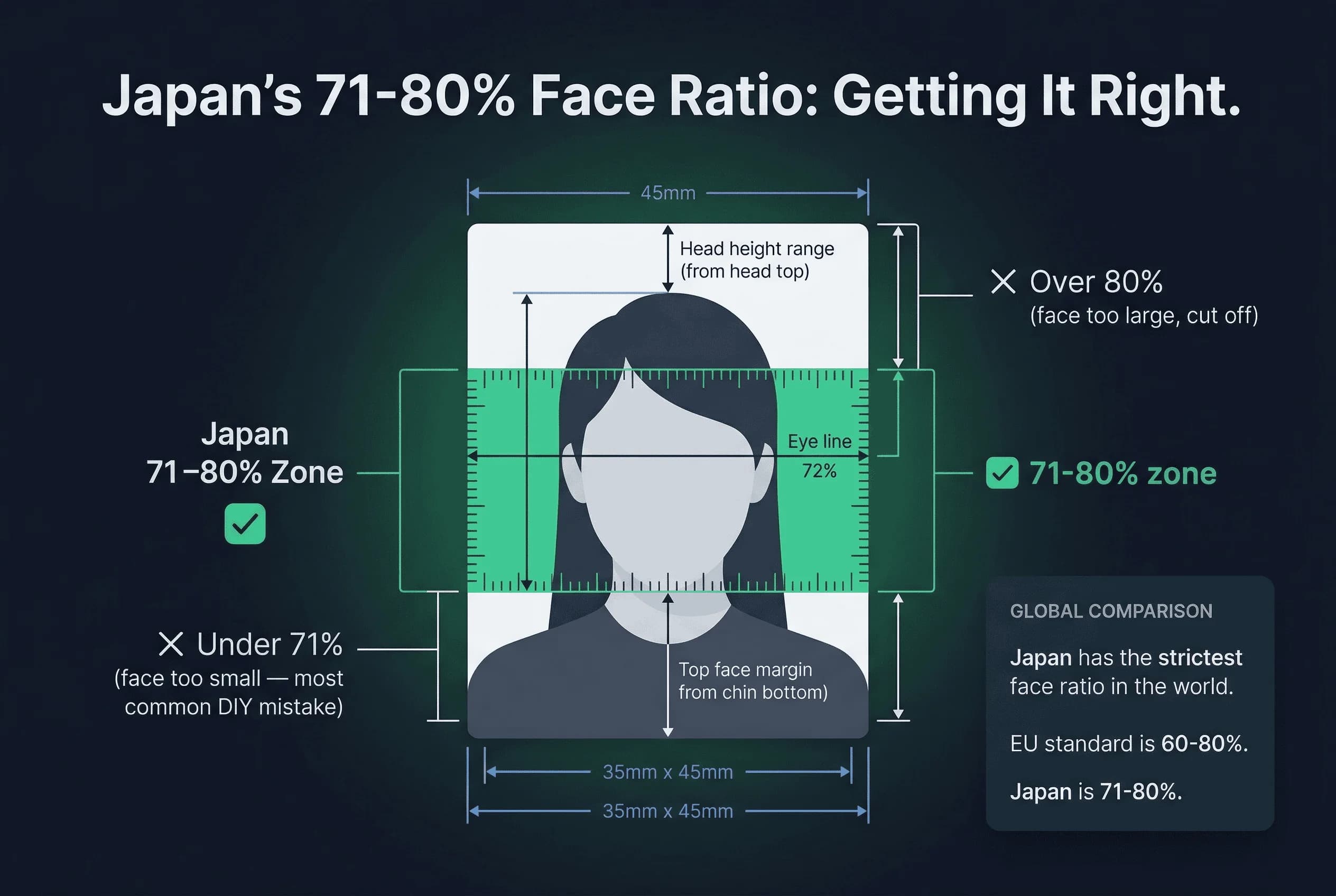
- Face ratio: 71-80% of frame height — the strictest in the world
- Background: Pure white (#FFFFFF)
- Expression: Neutral, mouth closed
- Glasses: Not allowed — remove all glasses
- Eyes: Open, visible
- DPI: 300 minimum
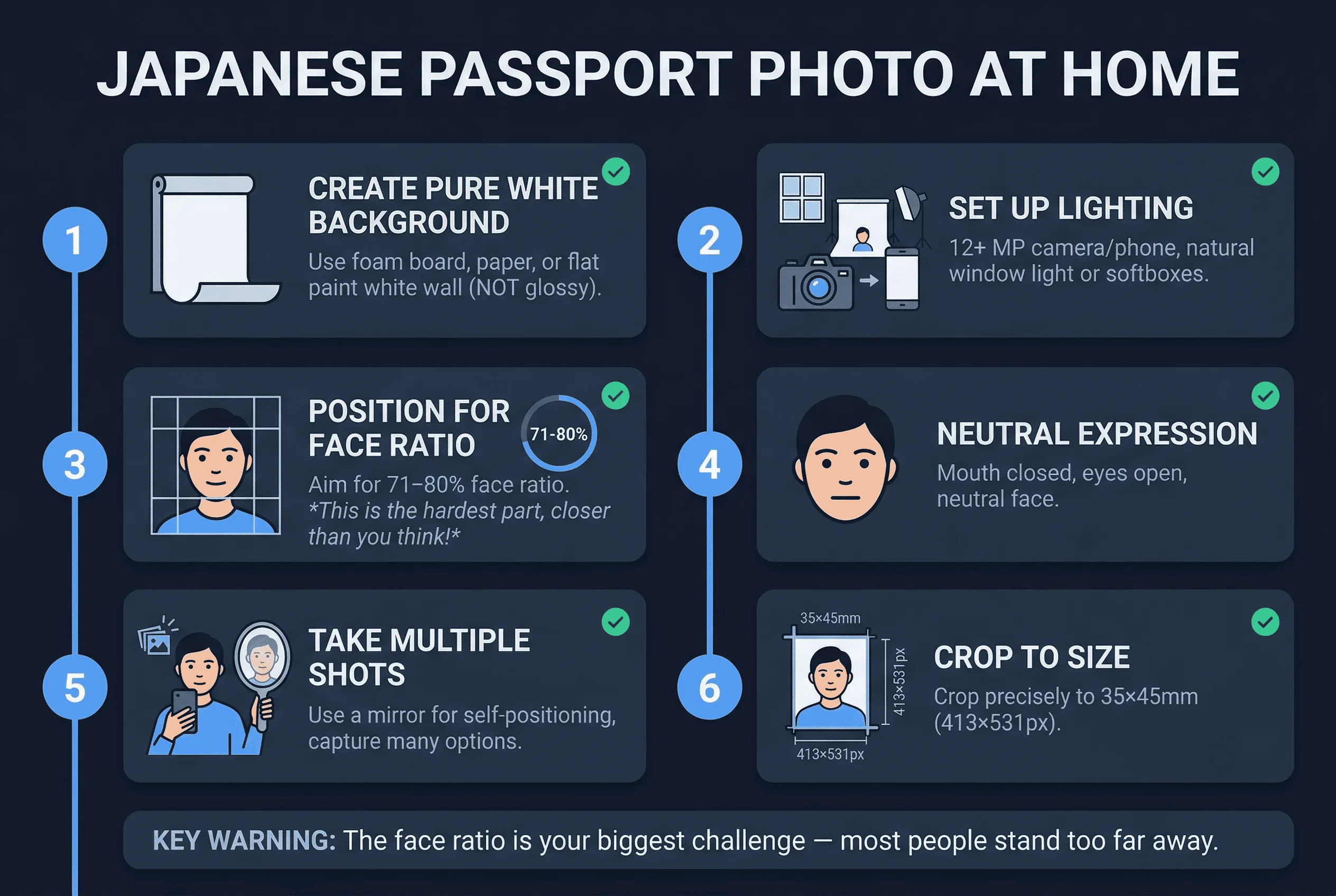
The face ratio is your biggest challenge. Most people naturally position themselves too far from the camera, creating faces that are too small.
Get a compliant passport photo online
Equipment Needed for DIY Japanese Passport Photos
You don't need professional gear. A smartphone with a good camera works well.
Essential items:
- Smartphone or digital camera (12+ megapixels)
- White background (continuous paper, white sheet, or painted wall)
- Good lighting (natural window light or softboxes)
- Mirror for positioning
- Photo editing software
Step 1: Set Up a White Background for Japanese Photos
Japan requires pure white. Not off-white. Not cream. Pure #FFFFFF.
At home, use:
- A large white foam board
- Continuous white photography paper
- A white wall (flat paint, not glossy)
- A white bedsheet, tightly stretched
Position the background behind where you'll stand. Ensure it covers the entire frame with margin for cropping.
Step 2: Set Up Lighting for Japanese Passport Photos
Even, shadow-free lighting is essential.
Natural light option
- Position yourself facing a large window
- The window should be in front, not behind you
- Use diffused light — direct sunlight creates harsh shadows
- Midday light through sheer curtains works beautifully
Artificial light option
- Use two softboxes or LED panels
- Place one on each side at 45-degree angles
- This creates even, shadow-free illumination
- Avoid overhead lights that create facial shadows
Test your lighting before shooting. Take a trial photo and check for shadows.
Step 3: Nail Japan's 71–80% Face-to-Frame Ratio
This is where most DIY photographers fail.
You need your face to fill 71-80% of the frame vertically. This is much larger than typical passport photos.
To achieve this:
- Move very close to the camera
- Position camera at eye level
- Fill most of the frame with your face
- Leave just enough room for shoulders
The average person needs to stand 2-3 feet from the camera, not the typical 6-8 feet used for casual photos.
Use a mirror beside your camera to preview your framing. Adjust until your face fills approximately 75% of the frame height.
Step 4: Achieve a Neutral Expression for Japanese Photos
Japan requires neutral expression. Mouth closed. No smile.
Practice in a mirror. Find your natural neutral face — lips touching lightly, no tension.
Don't force it. Relax your jaw. Think boring thoughts. Your face should rest naturally.
Step 5: Take Multiple Japanese Passport Photo Shots
Take at least 20 photos in quick succession. Use burst mode if available. Your face changes constantly — blinks, micro-expressions, and slight head movements happen between frames.
Review each on a larger screen (computer monitor or tablet). Delete any shot where:
- Face ratio is outside the 71–80% range
- Background has shadows, gradients, or colour casts
- Expression shows any hint of a smile or tension
- Eyes are partially closed or looking away
- Head is tilted, turned, or angled
- Glasses are visible (easy to forget)
- Hair covers the forehead or eyes
Keep your best 3–4 options for cropping. Having backups means you can choose the most natural-looking frame.
Step 6: Crop and Resize to 35×45mm for Japan
Crop to 35×45mm aspect ratio. Most photo editing apps include preset aspect ratios.
Ensure your final image meets file requirements:
- JPEG format
- 300 DPI minimum
- File size 20KB to 1MB
Don't over-edit. Minor brightness/contrast adjustments are acceptable. Heavy manipulation shows and triggers rejection.
Step 7: Verify Your Japanese Passport Photo Compliance
Before submitting, verify against Japanese requirements:
- Dimensions: 35×45mm
- Background: pure white (#FFFFFF)
- Face ratio: 71-80% of frame
- Expression: neutral, mouth closed
- Eyes: open, visible
- Glasses: removed (not allowed)
- Format: JPEG, proper file size
Remove Glasses for Japanese Passport Photos
Japan bans all glasses in passport photos. Remove prescription glasses, sunglasses, and reading glasses before taking the photo. This is a hard rule with no medical exceptions for the photo itself. If you wear contacts, keep them in.
Common DIY Mistakes in Japanese Passport Photos
Face too small. The number one rejection reason. Japan's 71–80% ratio is dramatically stricter than the 50–70% most countries use. Most people stand too far from the camera. If your face fills less than 71% of the frame height, it will fail.
Off-white background. Walls that look white to your eye but register as cream or pale yellow. Test by photographing the wall alone — if it looks warm on screen, use foam board.
Shadows. Any shadow on the background or face triggers rejection. Stand 12–18 inches from the wall. Use two light sources at 45° angles.
Expression. Even a slight upturn at the corners of the mouth can fail. Practice a relaxed neutral face.
Glasses. Japan bans all glasses. Double-check before every shot if you normally wear them.
Equipment Tips for Japanese Passport Photos at Home
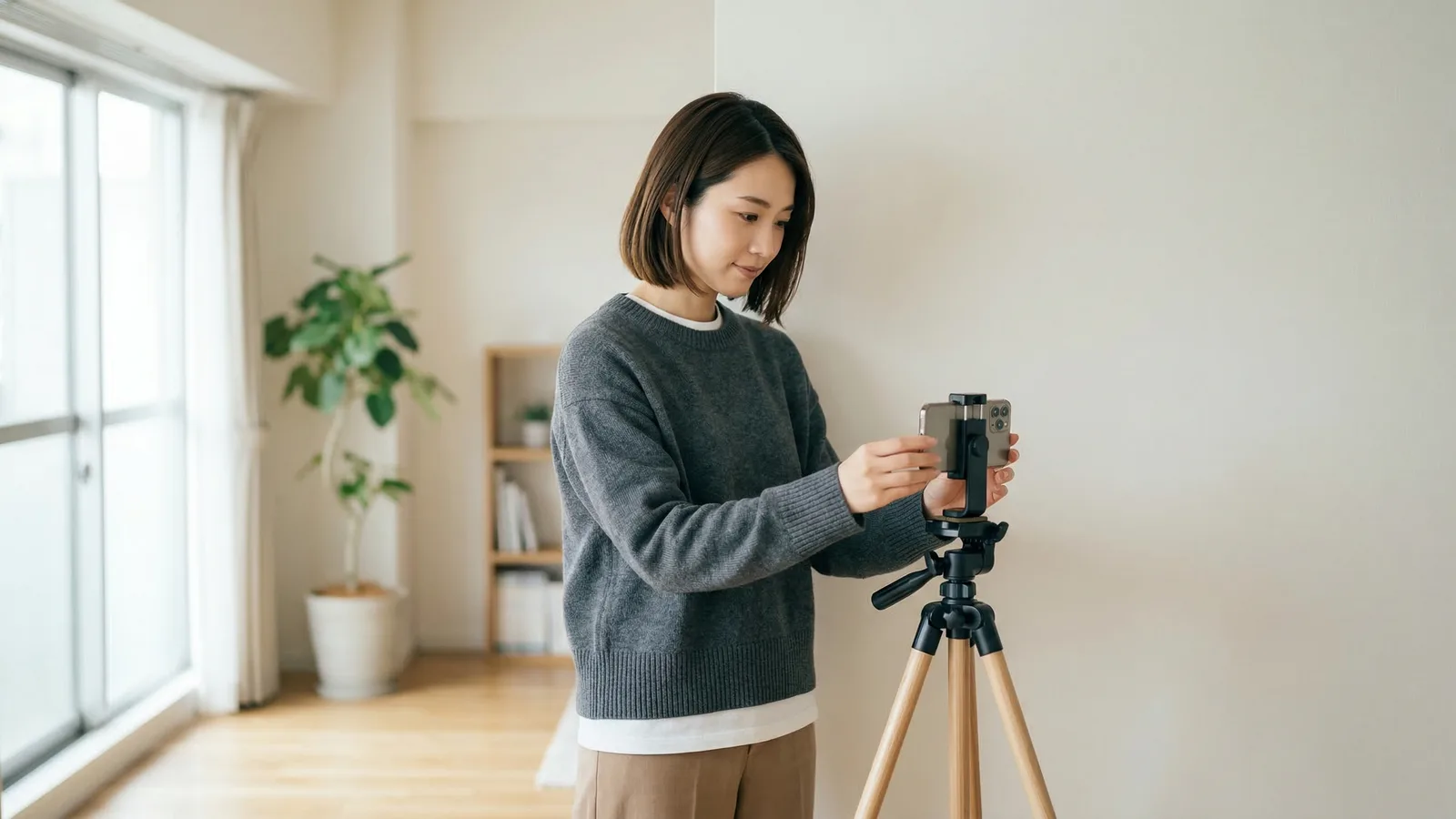
Phone vs. camera. A smartphone from the last 5 years is sufficient. Use the rear camera (not selfie) for better quality. Position the phone at eye level on a tripod or stable surface — 2–3 feet away for Japan's tight face ratio.
Lighting setup. Natural window light on an overcast day is ideal. If using artificial light, match bulb colour temperatures. Daylight bulbs (5000K–6500K) prevent yellow casts on the white background.
Burst mode. Take 15–20 shots in quick succession. Minor expression differences between frames mean some will be compliant and others won't.
Printing Your Japanese Passport Photo at Home
After cropping to 413×531 pixels at 300 DPI:
- Print on photo paper at 300 DPI. You can fit multiple 35×45mm photos on a single L-size (89×127mm) or 4×6 sheet.
- Matte or glossy — both are accepted.
- In Japan, print at a コンビニ (convenience store) using the multifunction printer (around ¥30–200), or at a 写真屋 (photo shop).
- Verify the printed size with a ruler — it must measure exactly 35mm × 45mm.
Submitting Your Photo to the パスポートセンター
Japanese passport applications are processed at the パスポートセンター (Passport Centre) in your prefecture. Bring printed photos. For online applications through マイナポータル, upload the digital file.
Photos taken at home are accepted if they meet all technical specifications. Staff at the passport centre may point out issues — bringing backup photos saves a return trip.
Taking Japanese Passport Photos at Home While Abroad
If renewing a Japanese passport abroad, the same 35×45mm requirements apply at Japanese embassies and consulates. Photo studios overseas may not understand Japan's strict face ratio — specify "Japanese passport photo, 35×45mm, face 71–80% of frame height, no glasses, white background."
Verify your photo with the passportsize-photo.online checker. For size details, see the Japan passport photo size guide. For full Japanese passport rules, visit the Japan hub.