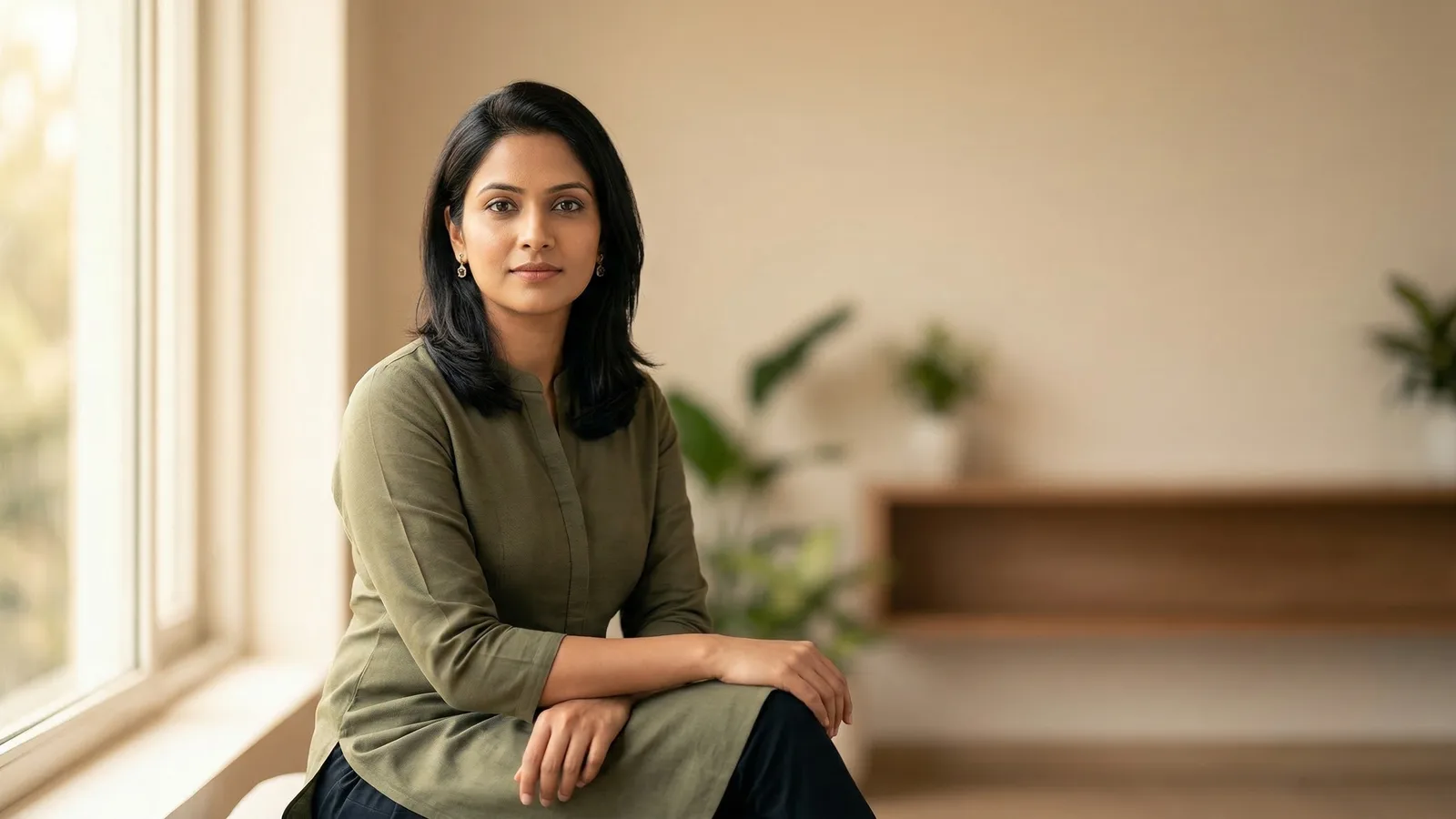
Aadhaar card photos are captured at the enrolment centre — you don't submit your own photo. UIDAI takes your picture, fingerprints, and iris scan during the biometric registration process. There is no size requirement, no background spec, no file format. Your job is just to show up looking like yourself.
This surprises a lot of people. They search for Aadhaar photo requirements expecting a table of dimensions. What they find instead is a process question: what happens at the centre, and how do you prepare for it?
What Happens at the Aadhaar Enrolment Centre
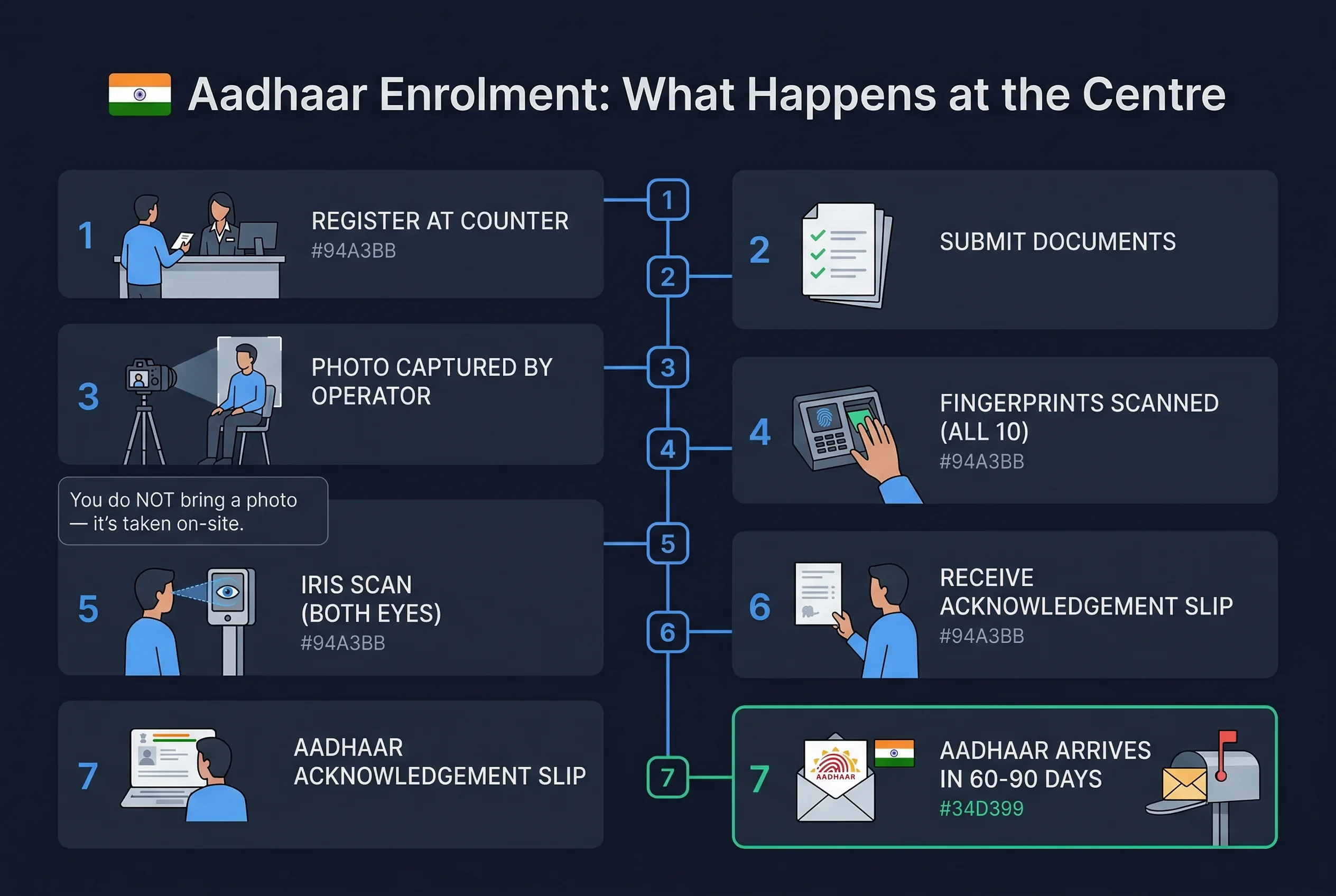
Aadhaar enrolment takes about 15-20 minutes. An operator registers your demographic details — name, date of birth, address, mobile number — and then captures your biometrics.
The photo is taken with a fixed camera at the enrolment station. You sit in a chair, face forward, and the operator captures your image. There's no special lighting, no printed photo to bring, no digital upload. The camera is standardized across all Aadhaar Seva Kendras and enrolment points.
After the photo, the operator scans all ten fingerprints. Then both iris prints. The combined biometric data is what makes Aadhaar unique — the photo is one piece of a larger identity record.
You'll receive an acknowledgement slip with your 28-digit enrolment ID. Your Aadhaar number arrives by post within 60-90 days, or you can download your e-Aadhaar from the UIDAI portal once processed.
Get a compliant passport photo online
How to Prepare for Your Aadhaar Photo
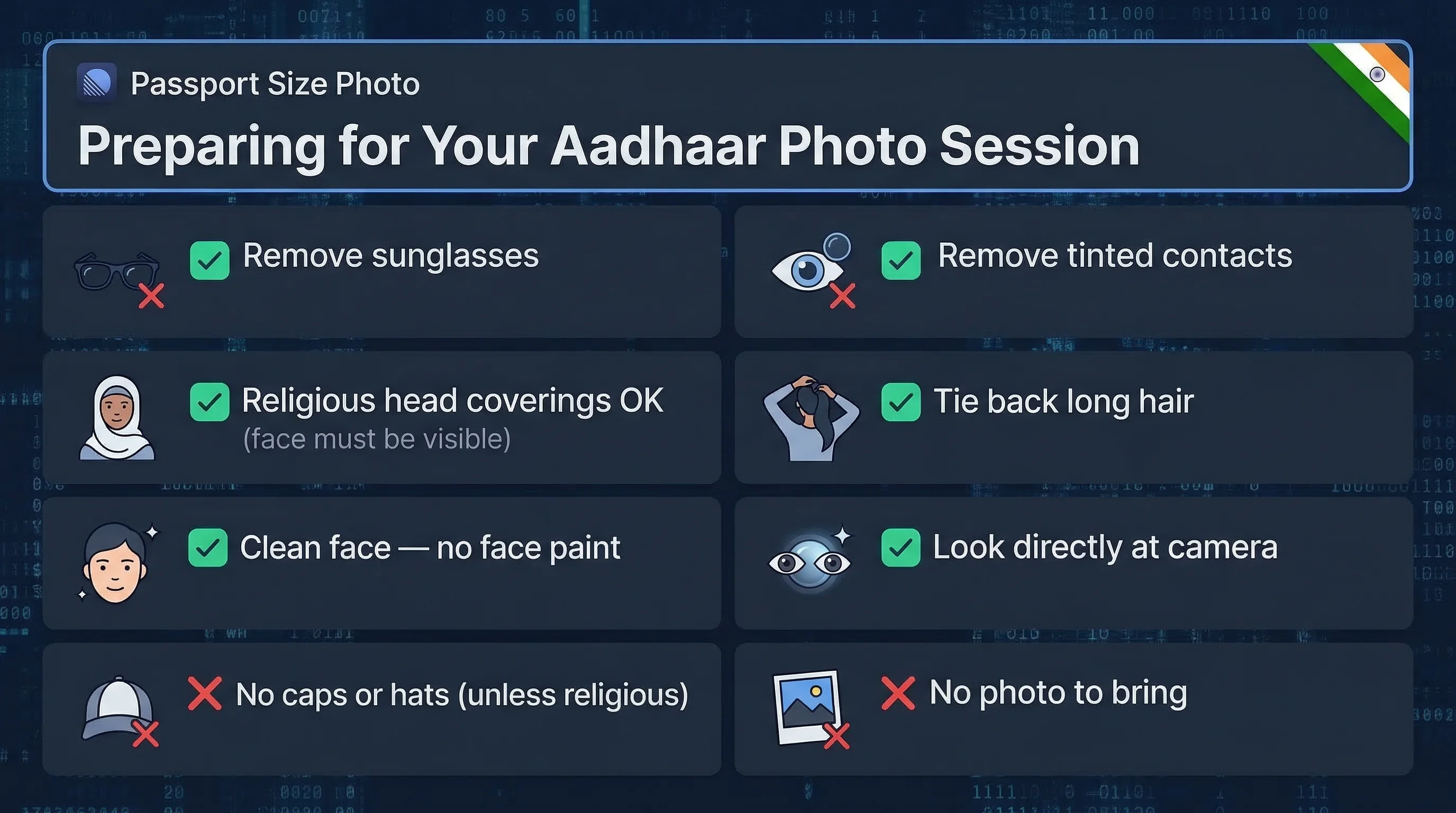
Since the photo is taken on-site, your appearance on the day is what matters. A few things to keep in mind:
Remove sunglasses and contact lenses. The iris scan requires your natural eyes. Sunglasses block the camera. Tinted contacts can interfere with iris capture.
No caps or hats unless worn for religious reasons. Head coverings worn as part of religious observance are permitted, but the face must remain fully visible.
Tie back long hair if it covers your face or eyes. The photo should clearly show your full face from hairline to chin.
Dress in contrast to your background. The station background is typically off-white or pale. A white or cream-coloured top can make the image harder to process. Wear something with a bit of contrast — a solid coloured shirt or kurta works well.
Come looking like yourself. This is the photo that goes on your Aadhaar card and is used for identity verification for years. If you normally wear a beard, keep it. If you normally wear glasses (non-tinted), you can wear them — though the operator may ask you to remove them briefly to check for glare. Update the photo if your appearance changes significantly (see below).
Aadhaar Photo for Online Updates
If you already have an Aadhaar and want to update your photo, there are two routes:
Visit an Aadhaar Seva Kendra. Walk-in or book an appointment via the UIDAI website. The operator re-captures your biometrics, including a fresh photo. The fee is ₹50 for any demographic update. Your updated Aadhaar is available for download within 90 days.
mAadhaar app photo update. UIDAI has been rolling out a face authentication-based update flow via the mAadhaar app, available for some users. This uses your phone's front camera and matches you against your existing biometric record. Availability varies — if the option isn't visible in the app, the Kendra visit is the reliable route.
There is no postal or courier-based photo update. You cannot email a photo to UIDAI. In-person biometric capture is the only verified method.
Aadhaar Photo vs Indian Passport Photo: Key Differences
These are fundamentally different processes.
For an Indian passport, you submit a physical 35×35mm photo with a white background. The photo is reviewed by the passport office against specific compliance standards — correct dimensions, correct background, no glasses, neutral expression. Submitting a non-compliant photo can delay or reject your application.
Aadhaar works the opposite way. The government captures the photo from you directly, at the time of enrolment. No standards to comply with because there's no submission. UIDAI controls the entire capture environment.
The framing standards are roughly similar — full face, forward-facing, no obstructions — because both systems are designed for identity verification. But the compliance burden is entirely on the applicant for passport and entirely on the UIDAI operator for Aadhaar.
Common Aadhaar Card Photo Issues
Blurry or poor-quality photo at the centre. This occasionally happens with older equipment at some enrolment points. If the photo on your e-Aadhaar looks clearly out of focus or poorly lit, you're entitled to request a re-capture. Visit any Aadhaar Seva Kendra and request a biometric update — the ₹50 fee applies.
Photo no longer resembles you. Weight change, ageing, major change in appearance — these are legitimate reasons to update. Aadhaar is used for KYC across banking, telecom, and government services. If the face in the photo causes failed matches, it's worth updating.
Lost or damaged Aadhaar card. The physical card can be reprinted from the UIDAI portal (uidai.gov.in) using your Aadhaar number or enrolment ID. The photo on the reprint will be whatever was captured during enrolment.
Name and photo mismatch due to name correction. If you update your name or other demographics, the photo is typically retained. The updated card will show the new name with the existing photo unless you also request a biometric update.
For Documents Where You Do Submit Your Own Photo
Aadhaar is the exception. Most Indian government documents — including the Indian passport, PAN card, and voter ID — require you to submit a photo that meets specific technical requirements. The stakes are higher because a non-compliant photo can delay your application.
For documents like PAN card, where you upload a digital photo, dimensions, background colour, and file size all matter. The passportsize-photo.online checker can verify your photo against these specs before you submit — saving the back-and-forth of a rejected application.
For Aadhaar specifically, just show up looking like yourself and let the operator do their job.
Appearance Tips for On-Site Aadhaar Photo Capture
- Neutral expression — a relaxed, natural look works best; avoid forced smiles
- Eyes open — both eyes fully visible, looking directly at the camera
- No sunglasses — the iris scan requires natural, uncovered eyes
- Prescription glasses — the operator may ask you to remove them briefly for the iris scan but you can wear them for the photo
- Hair away from face — forehead and both eyes clearly visible for the biometric record
- Head coverings — permitted for religious reasons; face must remain fully visible
- Wear a coloured shirt — provides contrast against the pale background at the enrolment station
- Look like yourself — this photo will represent you for years; match your everyday appearance
Indian Document Photo Comparison
| Document | Photo Source | Size | Background | Glasses |
|---|---|---|---|---|
| Aadhaar Card | Captured on-site | N/A — operator captures | Station backdrop | Operator-managed |
| Indian Passport | User-submitted | 35×45mm | White | Not allowed |
| PAN Card | User-submitted | 25×35mm | White | Not allowed |
| Voter ID (EPIC) | User-submitted | 50.8×50.8mm | White | Not allowed |
| Driving Licence | User-submitted | 35×45mm | White | Not allowed |
Aadhaar is the only Indian government document where you don't submit your own photo. Every other document requires you to provide a photo that meets specific technical requirements — correct size, white background, no glasses, neutral expression. The stakes are higher for those because a non-compliant photo delays your application.
Quick Checklist (Before Your Enrolment Visit)
- Valid ID proof and address proof ready
- Remove sunglasses and tinted contact lenses
- Hair away from face
- Wearing a coloured (not white) shirt
- Looking like your everyday self
- Enrolment centre or Aadhaar Seva Kendra identified
- ₹50 ready (for updates to existing Aadhaar)