
Indian Permanent Account Number (PAN) card applications require a photograph measuring exactly 25×35mm with a white background. For online applications, your digital photo must be under 200KB in file size. These specifications are non-negotiable — incorrect photos cause application rejection or delays at both NSDL and UTITSL processing centers.
The PAN card is essential for Indian taxpayers, financial transactions, and identity verification. Whether opening a bank account, filing income taxes, or conducting high-value transactions, the PAN serves as your universal identifier within India's financial ecosystem. Unlike passport or visa photos, PAN card specifications are relatively straightforward. However, the online upload process trips up many applicants.
If you're an Indian citizen residing abroad, understanding India photo requirements helps contextualize PAN-specific needs alongside passport and OCI documentation.
PAN Card Physical Photo Specifications (25×35mm)
Your PAN card photo must meet these exact measurements:
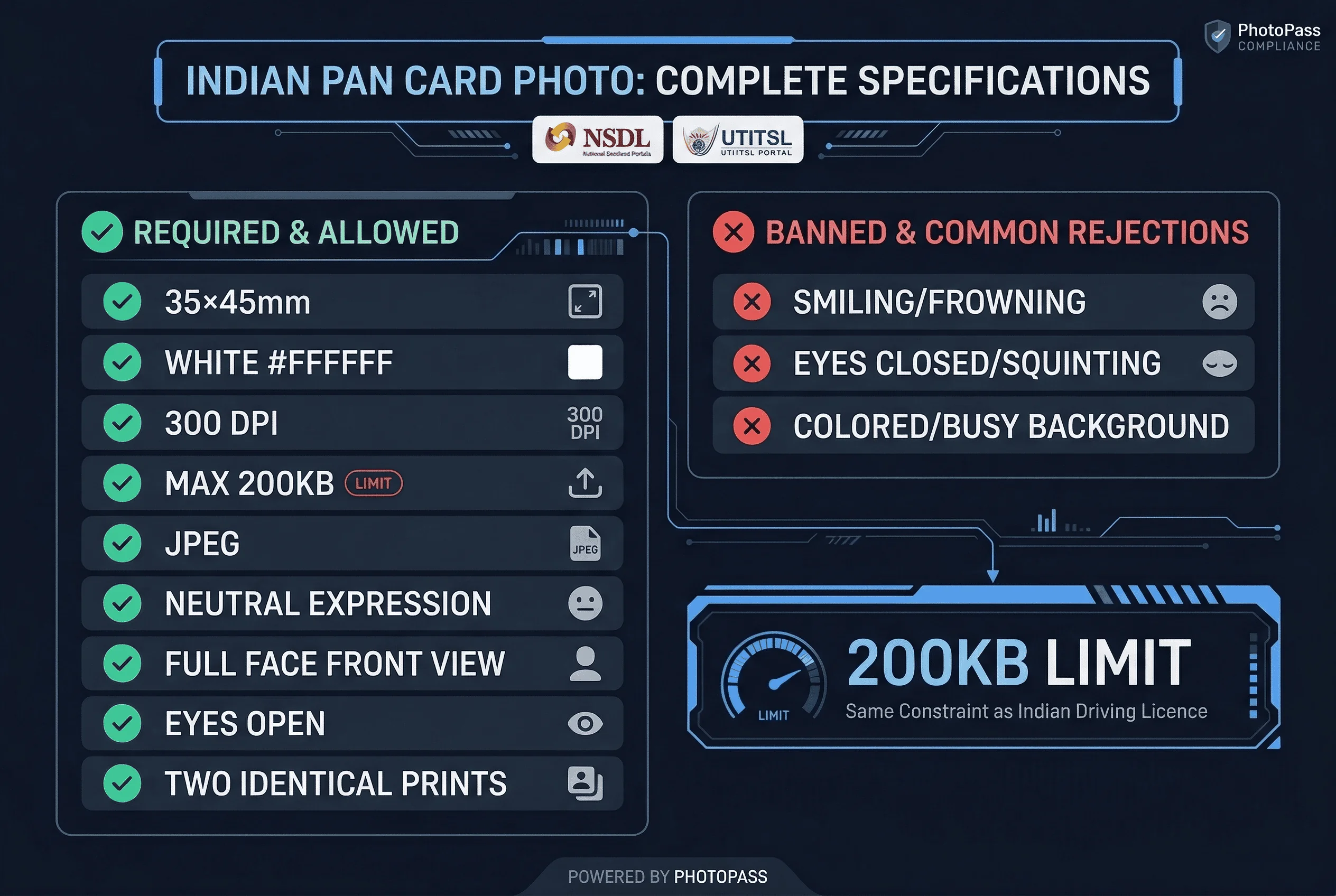
Dimensions: 25×35mm (2.5×3.5cm) Print size equivalent: Approximately 295×413 pixels at 300 DPI Background: Pure white (#FFFFFF) Photo type: Color, passport-style Appearance: Full face, front view, eyes open Expression: Neutral, mouth closed
Two identical 25×35mm prints are required if applying through physical Form 49A. For online applications, only the digital file matters.
Get a compliant passport photo online
PAN Card Digital Upload Requirements (JPEG Under 200KB)
When applying through the NSDL or UTITSL portals, your photo must meet these additional constraints:
File format: JPEG only File size: Maximum 200KB Dimensions: 213×213 pixels (square) Aspect ratio: 1:1 (square) Color mode: RGB
The 200KB limit is the most common stumbling block. High-resolution photos easily exceed this threshold. Compression reduces file size but risks degrading image quality below acceptable standards. Finding the right balance between file size and image quality requires careful adjustment.
NSDL vs UTITSL: Processing Differences
Two authorized agencies handle PAN card applications: NSDL (National Securities Limited) and UTITSL (UTI Infrastructure Technology and Services Limited). Both accept the same photo specifications, but their online portals differ in user experience.
NSDL processes the majority of PAN applications. Their portal at tin.nsdl.com handles individual applications, reprint requests, and changes to existing PAN details. The photo upload interface accepts files up to 200KB with clear error messages when specifications aren't met. NSDL offers both instant e-PAN downloads and physical card delivery options.
UTITSL offers similar services through their portal. Some applicants prefer one over the other based on processing time or past experiences. Both are equally valid choices for PAN submission. UTITSL also provides paperless PAN application options for Aadhaar-linked applicants.
Online vs Physical PAN Card Application Photo Differences
The application method affects how you submit your photo:
Online applications: Upload a digital JPEG file meeting the 200KB limit. The portal automatically resizes or rejects your submission if it doesn't conform. Online applications typically process within 2-5 business days for e-PAN issuance.
Physical applications: Submit two 25×35mm prints with your form. Physical submissions have slightly more flexibility since the 200KB digital limit doesn't apply. Physical processing takes 15-20 business days plus postal delivery time.
Most applicants now choose online processing due to faster turnaround times. The entire process can be completed from home without visiting a PAN center. However, first-time applicants without existing PAN numbers may need to visit a PAN center for biometric verification.
How PAN Photos Differ from Indian Passport Photos
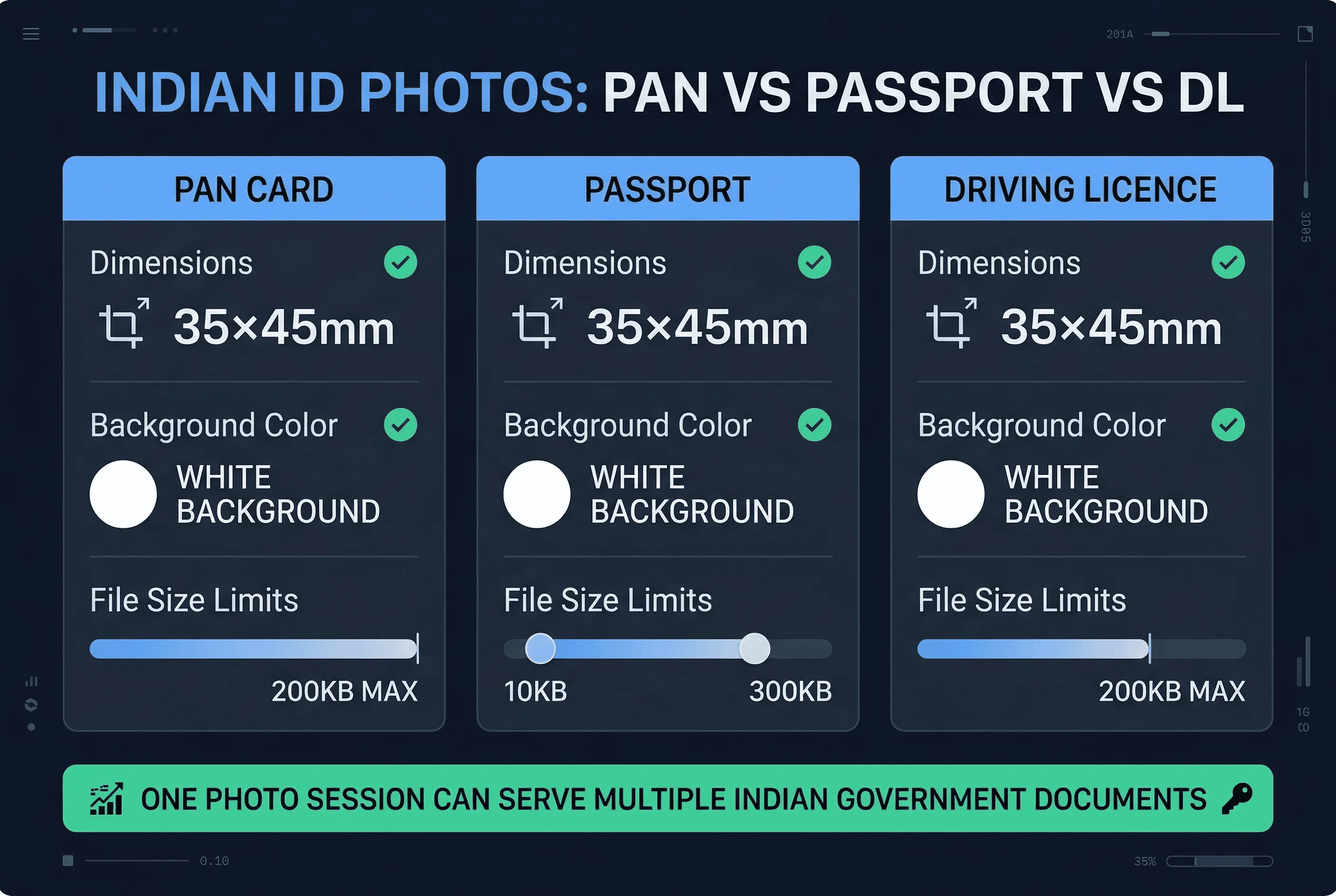
Despite common assumptions, these two documents use different photo sizes. The PAN card requires 25×35mm (rectangular), while the Indian passport uses 35×35mm (square). The PAN photo is 10mm narrower. You cannot use a passport photo for a PAN card application — the dimensions are wrong.
Both require white backgrounds, no glasses, and neutral expressions. But the size difference means separate photos are needed for each document.
For physical PAN applications (Form 49A), two 25×35mm prints are affixed to the acknowledgement form. For online applications, a 213×213px square JPEG is uploaded through the NSDL or UTITSL portal.
Common NSDL Portal Upload Errors for PAN Card Photos
The NSDL photo upload tool rejects submissions for several reasons:
File size exceeded. The 200KB limit is strict. Reduce resolution or apply compression to stay under this threshold. Aim for around 50-70KB for best results.
Invalid file format. Only JPEG is accepted. PNG, BMP, and other formats get rejected automatically. Convert your image before attempting upload.
Dimensions out of range. The system expects 213×213 pixels square. Significantly different dimensions cause upload failure. Resize to exact specifications before uploading.
Background color issues. Even slight off-white tones trigger rejection. Pure white backgrounds are essential. Check your photo against a pure white reference.
Photo too dark or bright. Automatic quality checks compare your image against expected standards. Extreme exposure values fail this check. Adjust brightness and contrast to natural levels.
Blurry or low-quality images. The system assesses sharpness and rejects images that appear grainy or out of focus. Use proper lighting when taking your photo.
Tips for Getting Compliant PAN Card Photos
Use these strategies to ensure your PAN card photo passes first-time:
Professional photographers understand the 25×35mm PAN card requirement. Request specifically that your photo be sized for PAN card applications — not the standard 35×35mm passport size. Ask for 25×35mm prints.
For digital uploads, use photo editing software to resize to 213×213 pixels (square) and compress the JPEG quality to approximately 70%. This typically achieves the 200KB target. Test the file size before finalizing.
Natural lighting produces the best results. Avoid harsh shadows or bright spots. The white background should appear truly white, not grayish or cream-colored. Position yourself against a white wall or use a white backdrop.
For digital submissions, use a tool like our passport photo checker to verify your photo meets all specifications before uploading. Catching issues early prevents application delays. Many applicants waste time completing forms only to fail at the photo stage.
State-wise Variations in PAN Card Photo Submission
While NSDL and UTITSL set the central guidelines, some state-specific PAN application centers have minor variations in their physical submission requirements. Karnataka and Maharashtra centers occasionally request slightly higher print quality.
For online applications, the requirements remain uniform across all states. Only physical applications at authorized dealer locations may have informal variations. When in doubt, check with your local application center before submitting.
When to Get a New Photo for Your PAN Card
PAN card photos don't expire officially, but using recent photos is advisable. Significant changes in appearance — weight gain or loss, new hairstyles, facial hair — can cause verification issues at the time of application.
If your PAN card is lost or stolen, the reprint process doesn't require a new photo. You can use your existing digital photo if it still meets current specifications. Keep digital copies of your PAN photo saved securely.
For name changes or other updates requiring reapplication, always take a fresh photo. Requirements may have changed since your original submission. What worked three years ago may not pass current automated checks.
e-PAN Card: Digital-Only Option via Aadhaar
The Income Tax Department now offers e-PAN, a digital-only PAN card that's instantly issued via email. For e-PAN applications, the photo requirements remain identical to regular online applications.
The advantage of e-PAN is speed — processing takes just minutes for eligible applicants with valid Aadhaar. The PDF-based e-PAN carries the same legal validity as physical PAN cards for most purposes, including bank account opening and income tax filings.
Aadhaar-linked applications have additional benefits. Your photograph from Aadhaar can sometimes auto-populate the PAN application, eliminating separate photo uploads. However, this feature only works when your Aadhaar details are fully updated and verified.
Document Checklist for PAN Card Application
Before starting your application, gather these items:
- Valid identity proof (Aadhaar, passport, voter ID)
- Address proof (utility bill, bank statement, rental agreement)
- Date of birth proof (birth certificate, school certificate, passport)
- One 25×35mm photograph (or 213×213px digital file under 200KB)
- Pan card application fee (₹110 for physical, ₹50-100 for e-PAN)
Having everything ready before starting prevents mid-process delays that could cause photo upload timeouts.
Troubleshooting PAN Card Photo Upload Issues
When your photo fails upload repeatedly, try these solutions:
Use mobile phone camera apps set to medium resolution. Modern phones capture excellent photos at file sizes well under 200KB. Avoid using professional DSLR cameras that produce massive files.
Convert all images to JPEG format before attempting upload. Online converters work well for this purpose.
Crop your image to a square aspect ratio before resizing. The 213×213 pixel requirement works best with pre-squared images.
As a last resort, take a new photo specifically for the PAN application using good lighting against a white background.
Related Articles
- OCI Card Photo Requirements — Similar Indian ID photo requirements
- Strictest Passport Photo Rules Ranked — Countries with the toughest photo requirements