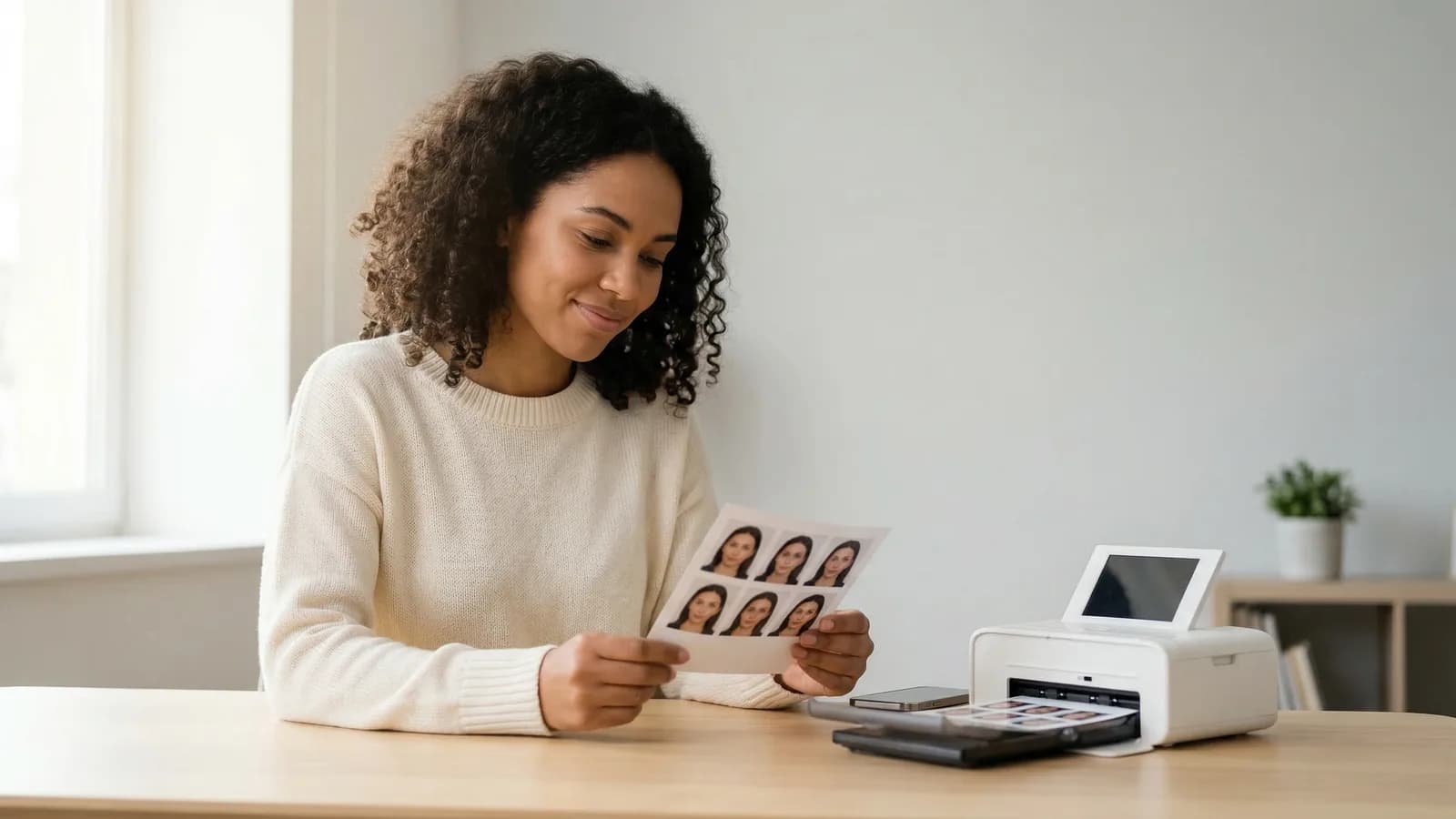
Walgreens charges $16.99 for their full passport photo service—an employee takes the picture and hands you prints. But you can bypass that entirely by bringing your own digital photo file and using their self-serve photo kiosk.
The kiosk prints cost $0.35-$0.50 per 4×6 print, and you get the exact same paper quality. You handle the cropping yourself at the kiosk, skipping the $16.99 fee entirely.
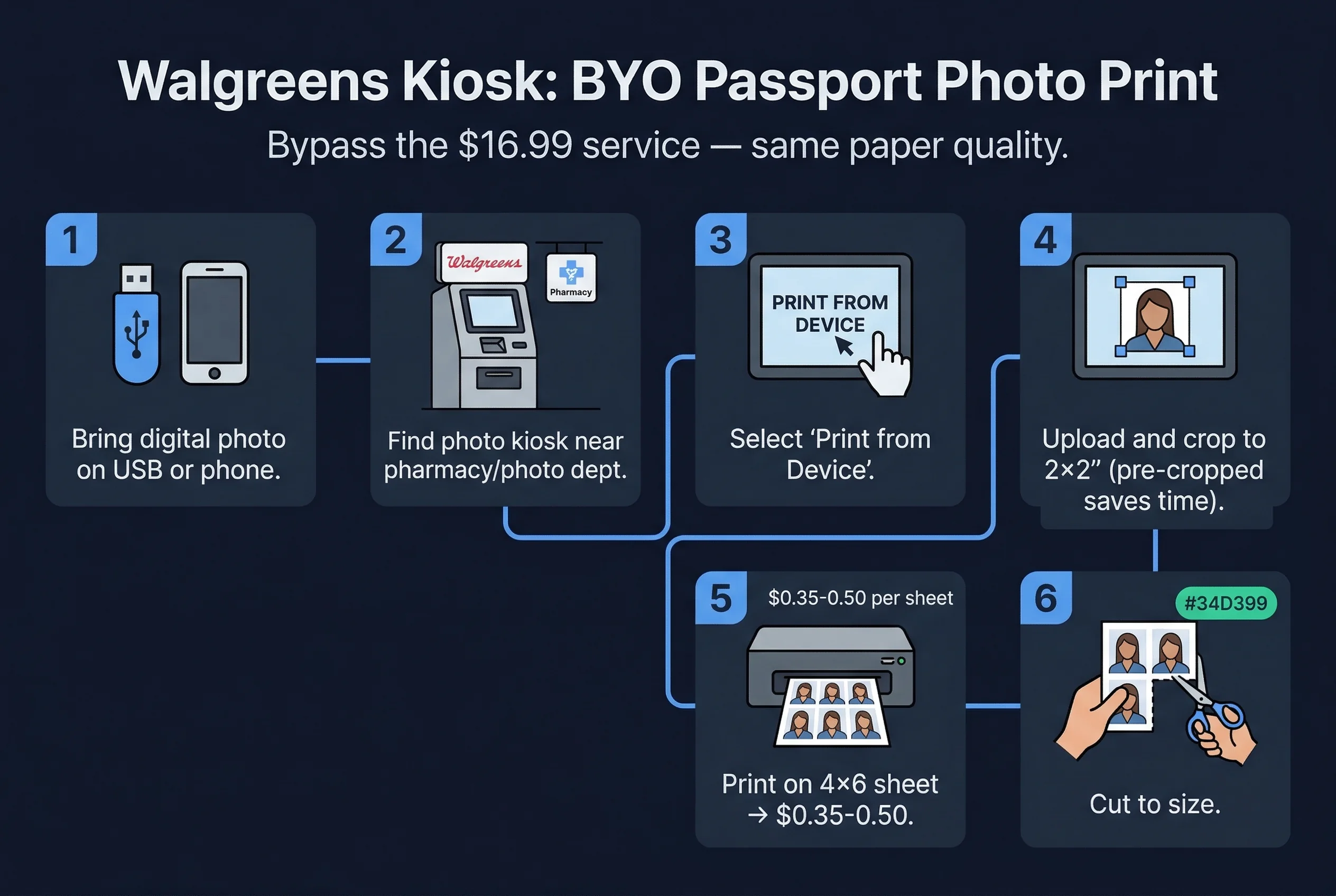
What You Need to Print Passport Photos at Walgreens
- Digital passport photo on a USB drive OR your phone — The Walgreens kiosk accepts both.
- Photo already cropped to 2×2 inches or close — The kiosk can crop, but having it pre-cropped saves time.
- Walgreens store with a photo kiosk — Most locations have them. Check online or call ahead.
- $0.35-0.50 in cash or card — The exact price varies by location.
Get a compliant passport photo online
Step-by-Step: Using the Walgreens Photo Kiosk
1. Locate the Walgreens Photo Kiosk
Walgreens stores have photo kiosks near the pharmacy counter or in the photo department. They're usually small kiosks with a touchscreen and a printer underneath.
2. Select "Print from Device"
On the home screen, tap "Print from Device" or "Print from USB/Phone." The exact wording varies by kiosk model.
3. Connect Your USB Drive or Phone
- USB drive: Plug it into the USB port on the kiosk.
- Phone: Some kiosks connect via Bluetooth or a specific app. Look for "Connect Phone" or use the Walgreens Photo App.
4. Select Your Passport Photo File
Browse to your passport photo file. Tap to select it.
5. Choose the 4×6 Print Size
Select "4×6" as the paper size. The kiosk will print one 4×6 sheet with your cropped photo.
6. Crop Your Photo if Needed at the Kiosk
If your photo isn't already cropped to 2×2, use the on-screen tools to adjust. Most kiosks let you pinch-to-zoom and drag to reposition.
Important: Do NOT use any auto-enhance, auto-correct, or filter options. These modify your photo and could make it non-compliant.
7. Select Glossy or Matte Paper
Choose "Glossy" or "Matte" depending on your preference. Both work for passport photos. Matte is slightly preferred for US government documents.
8. Confirm Your Print Quantity
You need two 2×2 prints. One 4×6 sheet holds one 2×2 photo (or two if you arrange them beforehand). Order one 4×6 print and cut it at home, or order two if the kiosk arranges two per sheet.
9. Pay and Collect Your Prints
Pay at the kiosk (or go to the register if required). Your prints will emerge from the printer within a minute or two.
10. Cut to Exact 2×2 Inch Size
Using scissors and a ruler, cut your 4×6 print to 2×2 inches. Measure carefully—each side must be exactly 2 inches.
Kiosk vs. Full Service: Cost Comparison
| Service | Cost | What's Included |
|---|---|---|
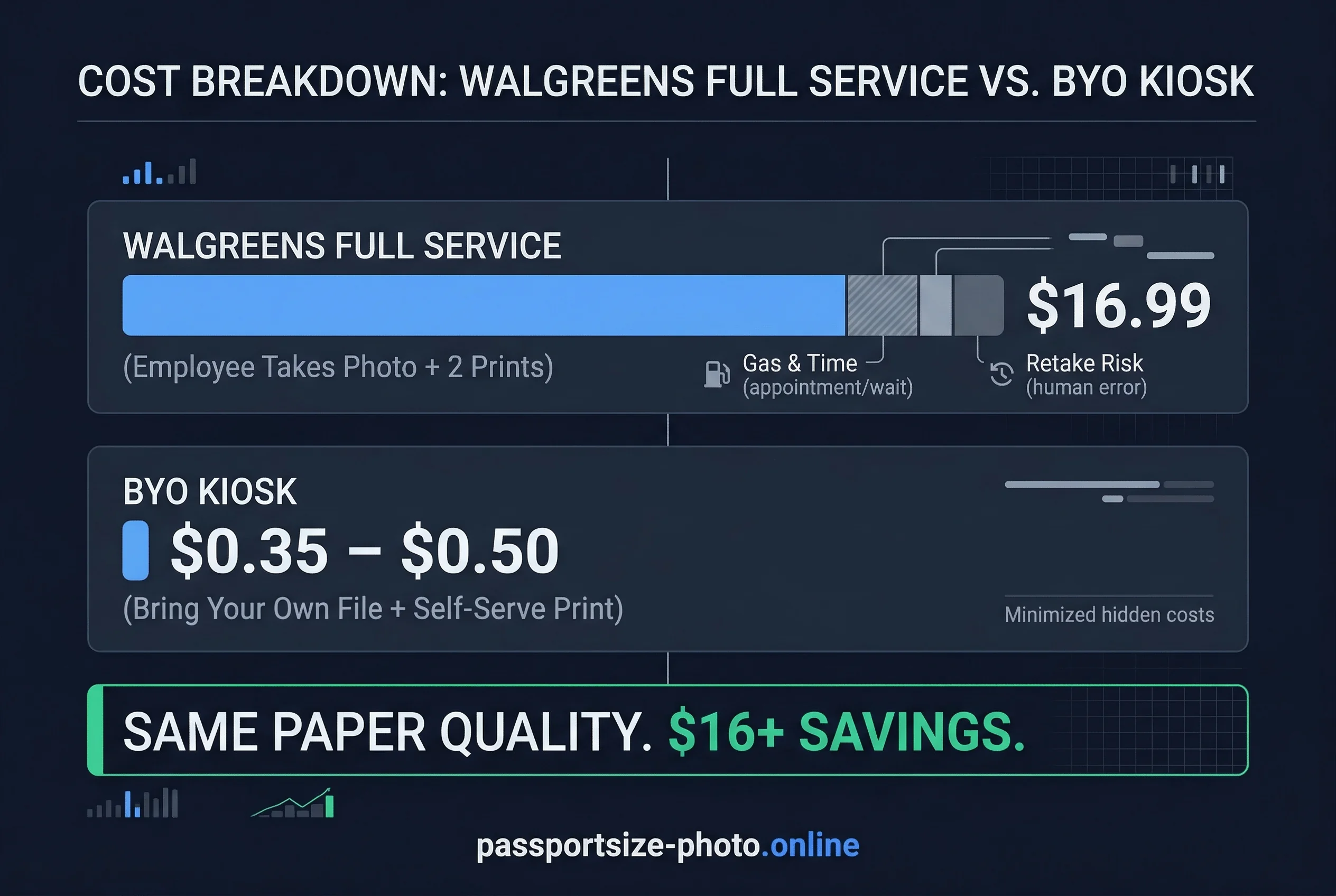
| Kiosk (BYO file) | $0.35-0.50 | 4×6 print, you handle everything |
| Full service | $16.99 | Employee takes photo, prints, guarantees compliance |
The kiosk method saves $16+ per passport application. If you're applying for a family of four, that's $64+ in savings.
Pros and Cons of the Walgreens Kiosk Method
Pros of Self-Serve Passport Photo Printing
- Much cheaper — $0.50 vs $16.99
- You control the photo — Use one you've already taken and verified
- Fast — Takes 5 minutes in-store
- Same paper quality — Uses the same photo paper as full service
Cons of the Self-Serve Kiosk Approach
- You handle cropping — Takes some extra time at the kiosk
- No guarantee — Walgreens won't guarantee the photo meets government standards (though their employee service does)
- Store hours — You need to visit during store hours
- Kiosk availability — Some smaller locations may not have kiosks
Walgreens Paper Quality: What Passes for Passports
Walgreens kiosks use the same photo paper as the full passport photo service — either glossy or matte finish. Both finishes are accepted by the US State Department, HMPO (UK), and virtually every other government agency.
The print resolution from the kiosk is 300 DPI, which meets the requirements for all countries. The colours are calibrated — Walgreens photo printers undergo regular colour calibration, so your print should closely match what you see on screen. If the colour looks noticeably different from your digital file (too warm, too cool, or washed out), the printer may need recalibration. Ask an employee or try a different location.
Don't use regular paper printers. If a Walgreens employee offers to print from behind the counter on a standard office printer, decline. Passport photos must be printed on photo paper — standard printer paper is too thin, absorbs ink differently, and produces visible dot patterns under magnification.
What If the Kiosk Doesn't Work?
Not all Walgreens locations have working kiosks. If you arrive and the kiosk is broken or out of paper:
- Ask an employee if the photo counter can print from your file using the professional printer (not a regular printer) for a small fee
- Try another nearby Walgreens or CVS location — CVS kiosks work similarly
- Use the Walgreens mobile app to order prints for in-store pickup (typically ready in 1 hour)
- Consider the full $16.99 service as a backup
Preparing a 4×6 Layout Before You Go
The smartest approach is to arrange your passport photos into a 4×6 layout on your computer before visiting the store. This way, you skip the kiosk's clunky cropping tools and just hit "print."
For US passports (2×2 inches): A 4×6 sheet fits two 2×2 photos side by side with a 2-inch gap. Some online tools and our passport photo checker can generate this layout automatically — you download one 4×6 JPEG file with two passport photos already arranged. Print it as-is, cut along the edges, and you're done.
For UK passports (35×45mm): A 4×6 sheet fits four 35×45mm photos. Arrange them in a 2×2 grid. This gives you spare copies in case one gets damaged.
For Canadian passports (50×70mm): The 50×70mm format is large enough that only one photo fits comfortably on a 4×6 sheet. You may need two prints.
Save your layout as JPEG at 300 DPI. Do not save as PNG — some kiosks don't handle PNG files well. Check that the file is under 10MB; larger files can cause the kiosk to freeze.
Tips for a Successful Walgreens Passport Photo Print
Crop before you go. Spend time on a computer getting your photo to exactly 2×2 inches at 300 DPI before you visit the store. The kiosk's cropping tools are basic.
Bring multiple copies. Save your photo to two USB drives or email it to yourself. Technology fails, and you don't want to make a second trip.
Avoid auto-correct. This is the most common mistake. The kiosk will offer "enhance" or "fix" options. Say no. Your pre-verified passport photo shouldn't need modification.
Check the print before leaving. Look at your cut photo before you leave the store. If something went wrong, you can reprint immediately.
How to Verify Your Passport Photo Before You Go
Before heading to Walgreens, upload your digital photo to passportsize-photo.online's free passport photo checker. Confirm it meets your country's requirements. This ensures you arrive at the kiosk with a compliant file, so there's no back-and-forth.
The Walgreens self-serve kiosk is an underused money-saving option. You get the same paper quality as their full service for a fraction of the cost—you just handle the cropping yourself. Once you've printed and cut your photos, verify the final dimensions against US passport requirements before mailing your application.