Poland requires a plain white background for passport photos. The background must be uniform, smooth, and completely free of shadows, patterns, or gradients. This aligns Poland with most EU and ICAO-compliant countries that use white.
Exact Background Rules for Polish Passport Photos
The background must be:
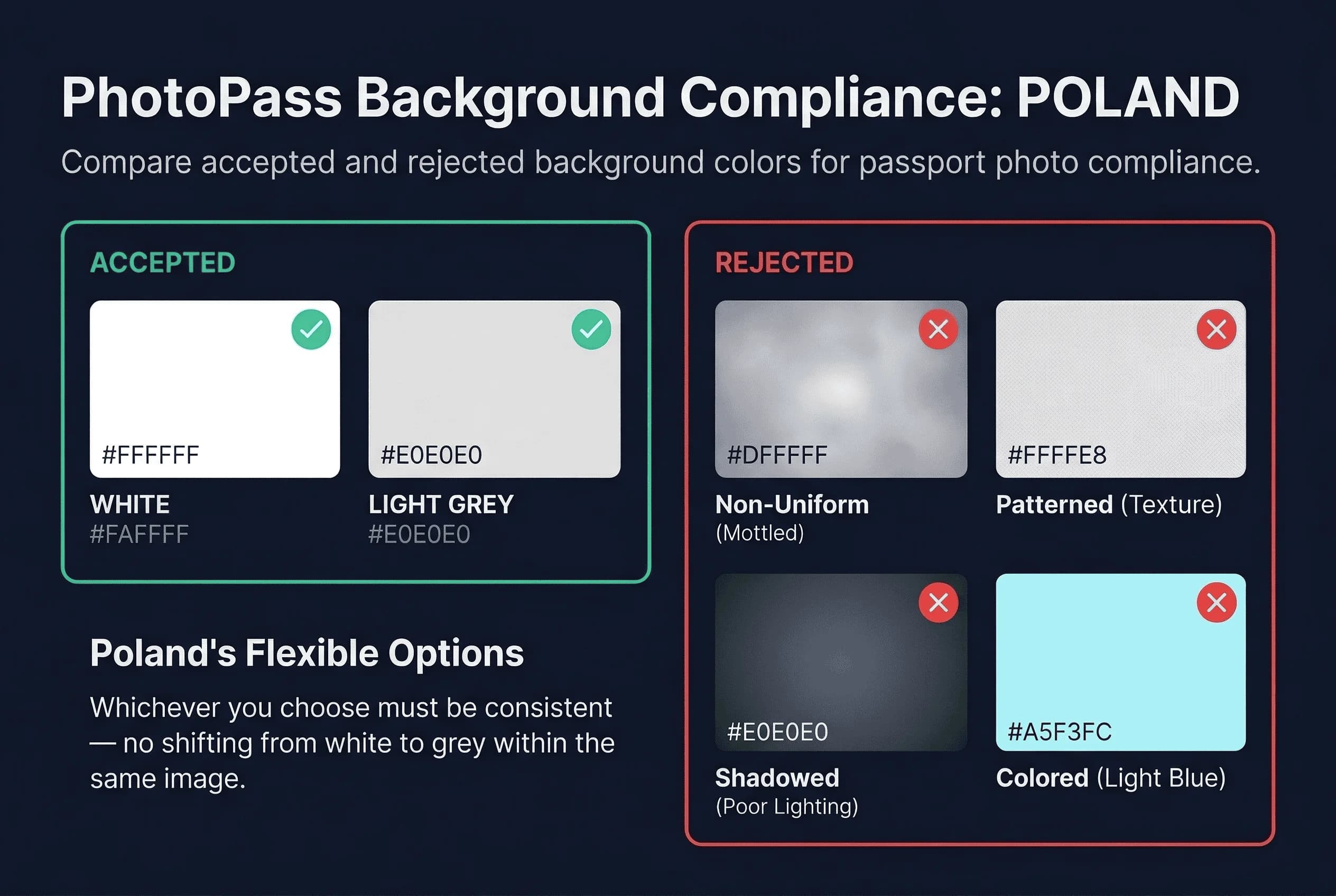
- White (#FFFFFF) — pure white, not off-white, cream, or ivory
- Uniform — the same shade from edge to edge
- Smooth — no visible texture, grain, or pattern
- Shadow-free — no shadows from your head, body, or hair
This requirement applies to both printed photos submitted at the urząd wojewódzki and digital uploads through the GOV.pl portal.
Get a compliant passport photo online
What Background Colors Fail for Polish Passport Photos?
Off-white and cream. Walls that appear white to the naked eye often photograph as cream or pale yellow under warm indoor lighting. Polish processing systems detect the colour difference even when your eye cannot.
Shadows. Standing too close to the wall casts a body shadow behind you. Your head shadow is the most common culprit — it creates a dark halo that automated systems flag as non-uniform background.
Gradients. A single overhead light source (ceiling lamp, overhead fluorescent) makes the background brighter at the top and darker at the bottom. The system expects uniform white across the entire frame.
Textured walls. Polish apartment walls with roughcast plaster (tynk), wallpaper, or visible brush strokes create texture that photographs poorly. Smooth surfaces only.
Background too small. If using a foam board, sheet, or paper roll, it must extend well beyond the photo frame edges. Any visible edge of the background material will cause rejection.
Coloured tints. Pale blue, pale green, pale yellow, and other "almost white" shades fail. The system detects colour tints that may look white in your room.
Polish Passport Photo Background vs Other EU Countries
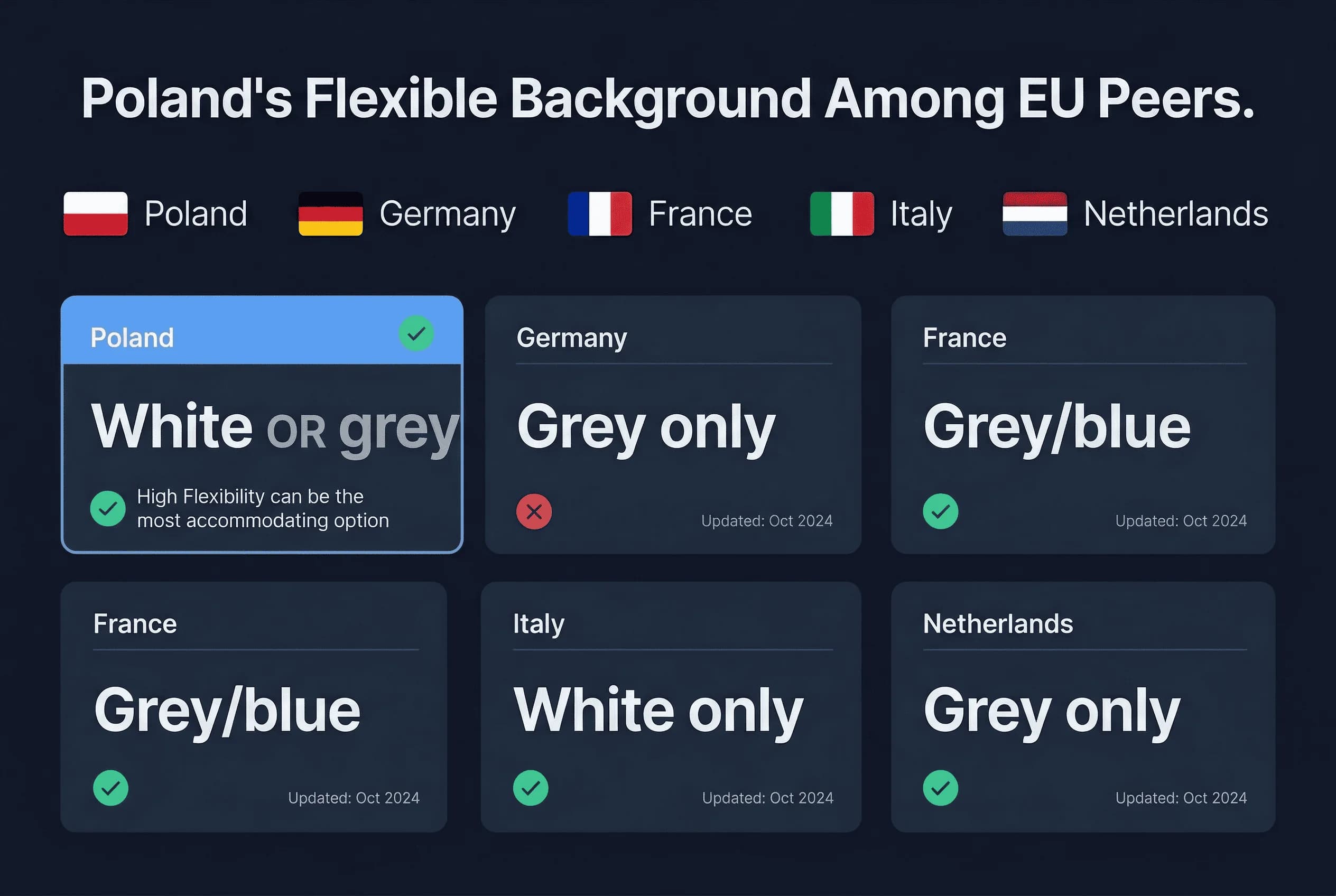
| Country | Background | Notes |
|---|---|---|
| Poland | White | Plain white required |
| France | White | Same as Poland |
| Italy | White | Same as Poland |
| Netherlands | White | Same as Poland |
| Germany | Light grey | Different — 230,230,230 |
| United Kingdom | Light grey | Different — 230,230,230 |
| Spain | White | Same as Poland |
| Switzerland | White | Same as Poland |
Poland shares its white background requirement with most EU countries. If you have a compliant white-background photo for France, Italy, or the Netherlands, the background colour will also work for Poland (verify size and other rules separately). Photos taken against a light grey background for Germany or the UK will not pass Polish requirements.
For Polish citizens with dual EU nationality, this matters: a German passport photo (grey background) cannot be reused for a Polish passport (white background).
How to Create a White Background at Home for Polish Photos
The White Wall Method for Polish Passport Photos
- Find a smooth white wall. Interior walls painted in flat or matte white work best. Avoid glossy or semi-gloss finishes — they reflect light unevenly and can create hot spots.
- Stand 40–60cm away from the wall. This gap eliminates your body shadow. The further you stand, the softer any remaining shadow becomes.
- Use two light sources. Place one lamp at roughly 45 degrees to your left and another at 45 degrees to your right. This cross-lighting cancels out shadows on both sides.
- Use daylight bulbs. 5000K–5500K colour temperature ("dzienne" / daylight bulbs) produces neutral white. Standard warm bulbs (2700K) cast yellow tones that make white backgrounds appear cream.
- Check the result on a computer screen. Phone screens can be misleading. Open the photo on a laptop or monitor and zoom into the background — it should look uniformly white with no grey patches, cream tones, or shadows.
The Foam Board Method for Polish Passport Photos
If your walls are not white, textured, or in poor condition, use a large white foam board (pianka) from a papierniczy (stationery shop) or art supplies store. Sizes of 70cm × 100cm or larger work well. Prop it behind you and light it evenly. Foam board produces a perfectly smooth, matte white surface.
The Paper Roll Method for Polish Passport Photos
Professional photographers use white seamless background paper (tło papierowe). A 1.35m-wide roll provides enough coverage. Mount it on a curtain rod or between two chairs and let it curve down behind you. This eliminates the visible seam where wall meets floor.
Professional Polish Passport Photo Studio Options
Zakłady fotograficzne (photo studios). Dedicated studios near urzędy wojewódzkie handle the highest volume and know exactly what passes. Prices range from 20–50 złotych for prints plus digital file. This is the most reliable option.
Photo kiosks. Self-service booths in shopping centres, train stations, and post offices offer passport photos at 20–35 złotych. Quality varies — check the preview screen carefully. Kiosk backgrounds are usually compliant, but lighting can be uneven.
Pharmacy chains. Some Rossmann and Super-Pharm locations offer passport photo printing. Ask whether they have a proper white background setup.
The Shadow Problem in Polish Passport Photo Backgrounds
Shadows are the number-one background issue in DIY passport photos. The physics are simple: any light source creates a shadow on the opposite side of the subject. When you stand against a wall, that shadow falls directly on the background.
The fix: distance. Stand 40–60cm from the wall. This gap gives the shadow space to fall below the frame or diffuse to near-invisibility.
Still seeing shadows? Add a third light source aimed at the background from below or from the side. This "fill light" eliminates any remaining shadow.
Phone flash creates the worst shadows. The built-in flash is a single hard light source directly in front of you. It casts a sharp, dark shadow right behind your head. Always disable the flash and use room lighting or natural light.
Lighting Setup for Polish Passport Photo Backgrounds
The goal is flat, uniform lighting across both your face and the background.
Two-lamp setup (minimum): Place desk lamps or standing lamps at 45-degree angles on either side of the camera. Use daylight LED bulbs (5000K+). This creates even illumination with no harsh shadows.
Three-lamp setup (best): Same as above, plus one light aimed at the background from below or beside you. This ensures the background is evenly lit even if the subject absorbs some of the ambient light.
Natural light: Stand facing a large window during overcast daylight. Position the white background behind you. Overcast light is naturally soft and even. Avoid direct sunlight — it creates hard shadows and uneven exposure.
Common Polish Passport Photo Background Mistakes
Yellow lighting. Standard warm bulbs (żarówki ciepłe, 2700K) make white walls photograph as cream or pale yellow. Switch to daylight bulbs (5000K+).
Overexposing the background. While a bright background is better than a dark one, extreme overexposure creates a glow around your head (lens flare). The background should be white, not blindingly bright.
Using a bedsheet. Fabric wrinkles and sags, creating visible shadows and texture. If you must use fabric, stretch it taut across a frame and iron it completely flat first.
Editing the background in software. Minor brightness/contrast adjustments are fine. Aggressive background replacement, cloning, or masking can create artefacts that automated systems detect.
Inconsistent background across the frame. Check all four corners and the centre. If the top is brighter than the bottom, or the left is different from the right, adjust your lighting until it is uniform.
Verifying Your Polish Passport Photo Background
Before submitting, check:
- Background is white across the entire frame (no cream, no grey, no tint)
- No visible shadows anywhere behind you
- No texture, pattern, or seam visible
- Background extends beyond all edges of the photo
- Lighting is even from top to bottom, left to right
Use our passport photo checker to validate your background before submitting. For Polish passport photo size requirements, see the Poland passport photo size guide. View the complete requirements on the Poland hub page.