You can take your India passport photo at home with just a smartphone. The Ministry of External Affairs accepts digital photos meeting their specifications — no trip to a studio required.
This guide walks you through exactly what you need, the step-by-step process, and how to verify your photo before submitting it through Passport Seva.
What You Need for a DIY Indian Passport Photo
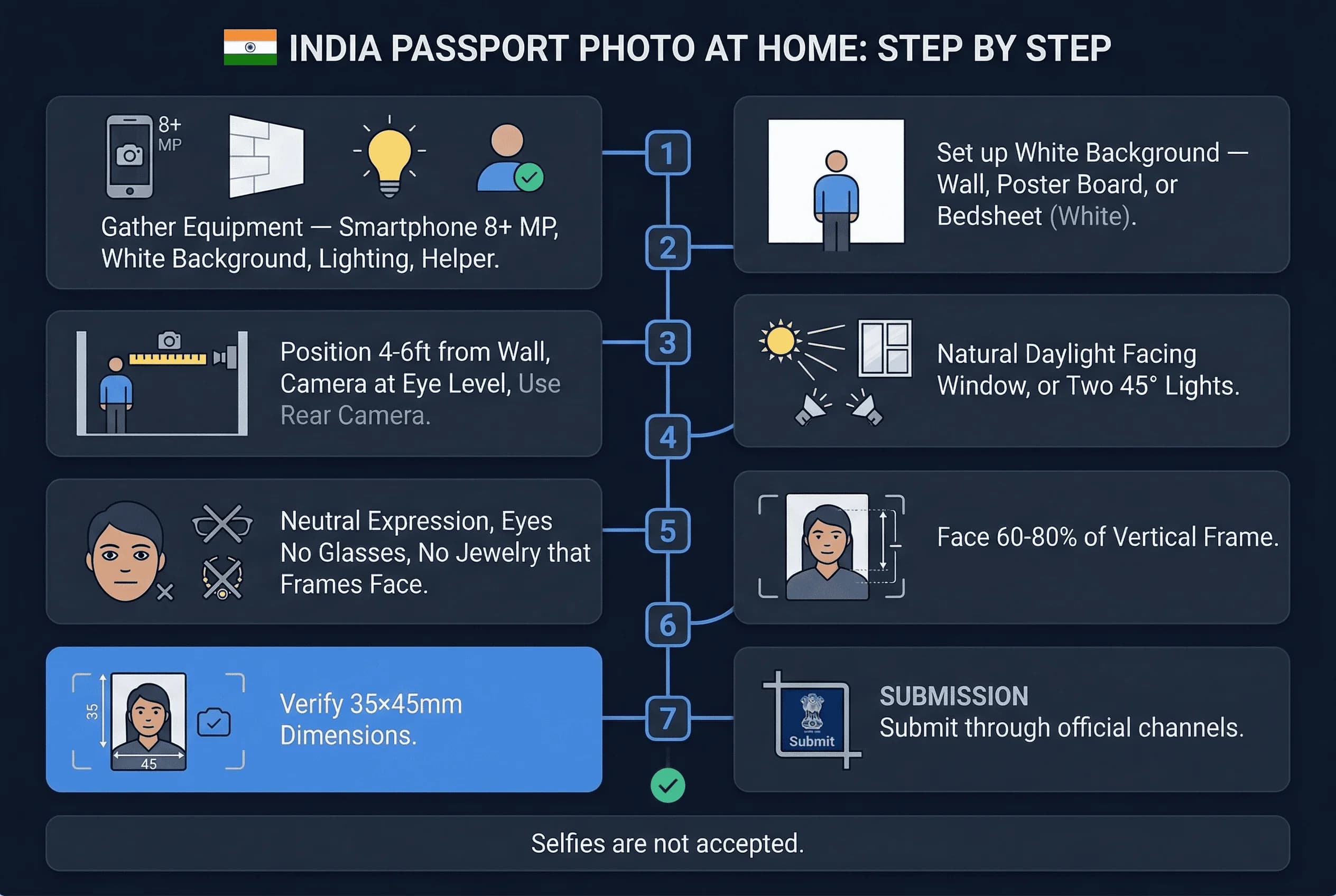
Before you start, gather these items:
- Smartphone — any modern phone with a decent camera (8MP or higher)
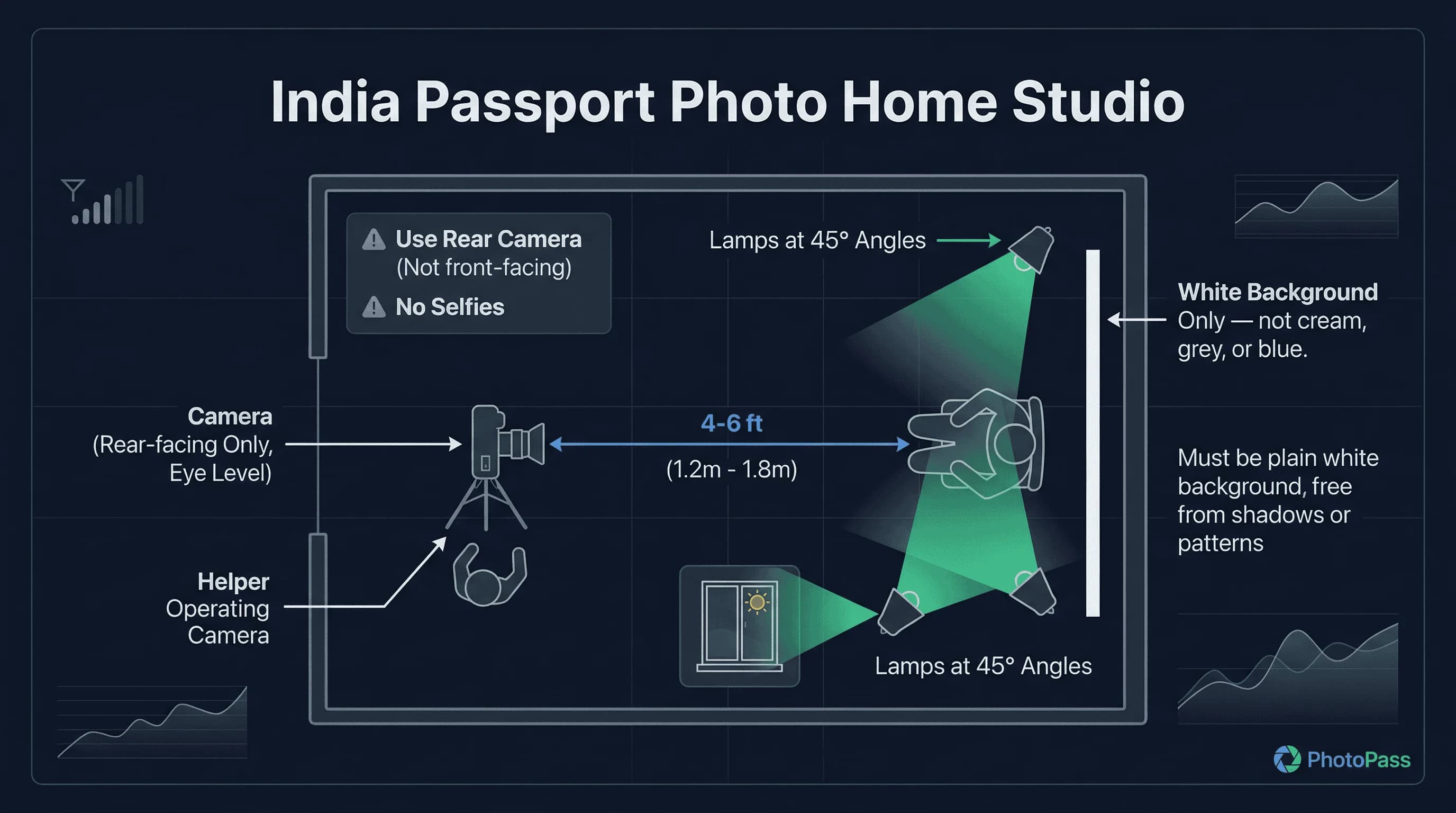
- White background — a plain white wall, bedsheet, or poster board
- Good lighting — natural daylight from a window works best
- Someone to help — you need a second person to take the photo (selfies are not accepted)
- Measuring tool — a ruler to verify dimensions
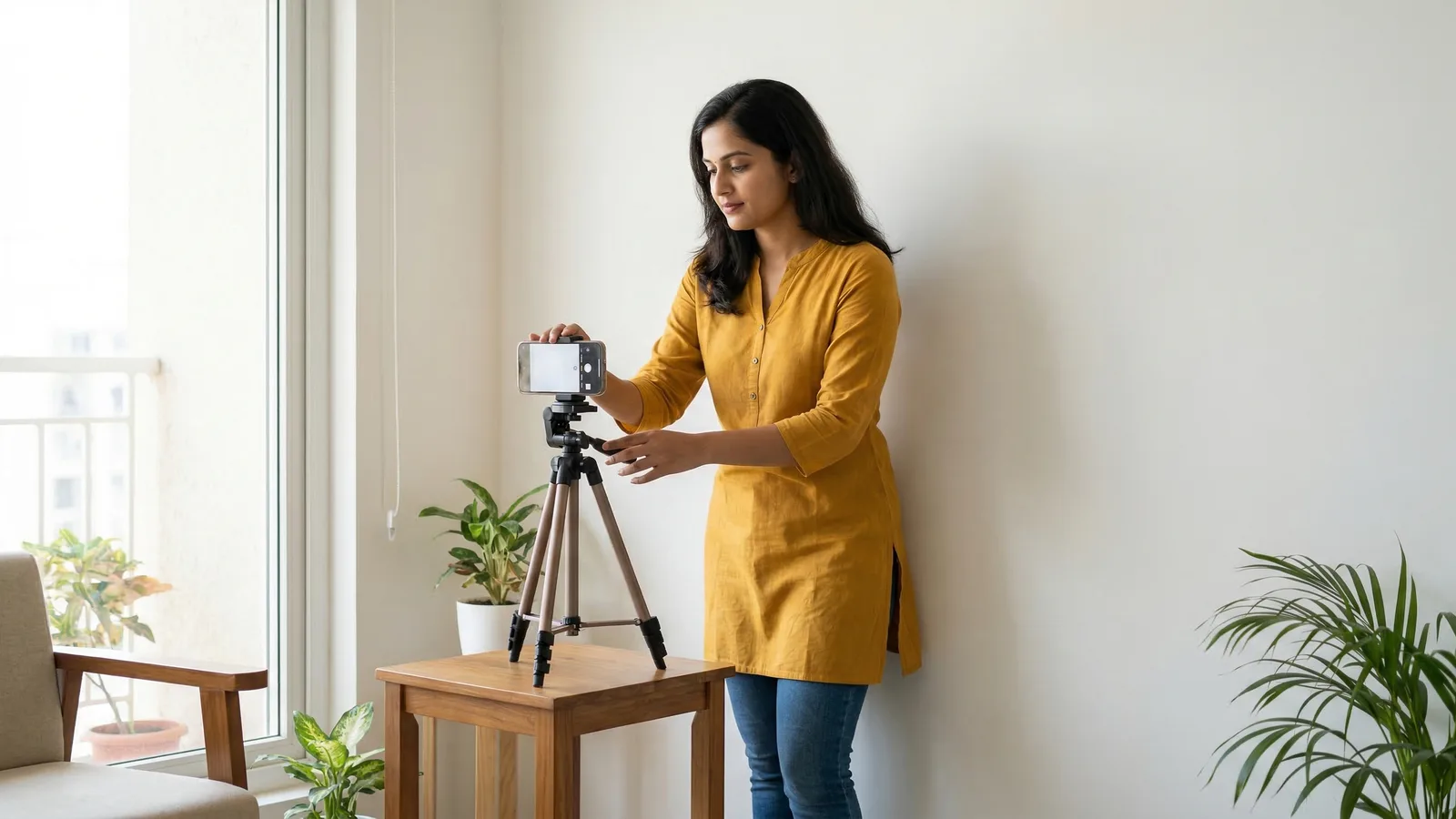
Your phone's rear camera produces better results than the front-facing camera. Place your phone on a stable surface or use a tripod if you have one.
Get a compliant passport photo online
Step-by-Step Indian Passport Photo Process at Home
Step 1: Set Up a White Background for Indian Photos
India requires a pure white background (#FFFFFF) with no patterns, shadows, or objects visible behind you.
Your best options:
- Plain white wall — inspect for scuff marks, nail holes, or yellowing. Freshly painted walls work best.
- White bedsheet — iron flat and pin taut. Even minor wrinkles create micro-shadows.
- White foam board — available at any stationery shop for ₹50–100. The most reliable option.
Stand 12–18 inches away from the background to prevent your body from casting shadows onto it. The background must fill the entire frame with generous margin for cropping.
Step 2: Position Yourself for the Square Format
Sit or stand 4–6 feet (1.2–1.8m) from the camera. Your face should be centred in the frame with equal space on both sides. The camera lens should be at eye level — not looking up or down at you.
Frame from the shoulders up with space above your head. Since India uses a square format, you'll need more headroom vertically than you might expect from countries that use rectangular photos.
Step 3: Check the Lighting for Even White Coverage
Natural daylight from a window is ideal. Position yourself facing the window so light falls evenly on your face. Overcast days produce the softest, most even light. Avoid direct sunlight, which creates harsh shadows.
If using artificial light, place two identical lamps at 45° angles on either side with daylight-temperature bulbs (5000K–6500K). This eliminates one-sided shadows. Avoid overhead-only lighting, which creates dark shadows under your eyes and nose.
Test your lighting before taking the actual photo. Take a trial shot and check for shadows on the background and face. Even faint chin shadows can cause rejection.
Step 4: Take the Photo with No Glasses
Follow these exact specifications:
- Look directly at the camera
- Keep a neutral expression — mouth closed, no smile
- Both eyes must be open and clearly visible
- Your face should occupy 60-80% of the vertical frame
- Remove all glasses — India bans glasses in passport photos. Contact lenses must not be tinted.
- No jewelry that frames your face
- No headphones or earbuds visible
Step 5: Verify 35×35mm Square Dimensions
India passport photos must be:
- Print size: 35mm × 35mm (square)
- Digital size: 413 × 413 pixels at 300 DPI
- Aspect ratio: 1:1 (square)
India is one of the few countries that uses a square passport photo format. Do not use rectangular templates from other countries. If editing manually, crop to a perfect square and resize to 413×413 pixels.
Country-Specific Tips for Indian Passport Photos
The Passport Seva system is particular about a few things:
Square format. India uses 35×35mm — one of the few countries with a square passport photo. Do not use 35×45mm or 2×2-inch templates from other countries.
Head size matters. Your face (chin to top of head) must be between 60–80% of the frame. Too small or too large and the Passport Seva system will reject it.
White background is non-negotiable. Unlike the UK and Germany which accept light grey, India requires pure white (#FFFFFF). Even off-white or cream will get rejected.
Glasses banned. India bans all glasses — prescription, sunglasses, reading glasses. Remove them before every shot.
No retouching allowed. The system detects digital manipulation. Don't smooth skin, remove blemishes, or alter your appearance in any way.
File format matters. Upload as JPEG only, with file size between 20KB and 200KB.
How to Check Your Indian Passport Photo Compliance
Before uploading to Passport Seva, run your photo through a compliance checker. passportsize-photo.online validates all the specifications — dimensions, resolution, file size, background color, and facial positioning.
Check your India passport photo now →
Common mistakes that cause rejection include:
- Using 35×45mm instead of 35×35mm (India requires square)
- Dark or patterned background
- Shadows on the face or background
- Wearing glasses (all glasses are banned)
- Uneven lighting
- Incorrect file size (must be 20KB–200KB JPEG)
- Face too small or too large in frame
How to Print Your Indian Passport Photo at Home
After cropping to 413×413 pixels at 300 DPI:
- Print at 300 DPI on photo paper. The square format means you can fit multiple photos on a 4×6 sheet.
- Verify the printed size with a ruler — it must measure exactly 35mm × 35mm (square).
- In India, print at a local photo studio or print shop for ₹10–50.
- Matte or glossy paper — both are accepted.
Take Multiple Shots for the Best Indian Passport Photo
Take 15–20 photos in quick succession. Use burst mode if available. Review each on a computer screen — phone screens are too small to spot subtle problems.
Eliminate any shot where:
- Background has visible shadows or discoloration
- Face is not perfectly centred
- Eyes are partially closed or looking away
- Expression looks forced or tense
- Glasses are visible (easy to forget if you normally wear them)
- Hair covers the forehead or eyes
Select your best 3–4 frames for cropping to the square format.
Submitting Your Indian Passport Photo to Passport Seva
Indian passport applications are processed through the Passport Seva Kendra (PSK). Upload the digital file through the Passport Seva portal. The system runs automated checks on dimensions, background, and file size.
For the Passport Seva upload, ensure:
- JPEG format only
- File size 20KB–200KB
- 413×413 pixels (square)
- White background
- No glasses
The system is strict about file size. If your photo exceeds 200KB, use JPEG compression to reduce it. If it's under 20KB, your resolution may be too low.
Indian Passport Photo DIY Rules for Citizens Abroad
If applying from abroad, the same 35×35mm square requirements apply at Indian embassies and consulates worldwide. Photo studios overseas typically default to 35×45mm or 2×2 inches — specify "Indian passport photo, 35×35mm square, white background, no glasses" to avoid the wrong crop.
Taking it at home and printing to the correct square dimensions is often easier than finding a studio abroad that knows India's unique format. Indian embassies in Washington DC, London, Dubai, Singapore, Toronto, and Sydney process thousands of applications — they are strict about the square crop.
Verify your photo with the passportsize-photo.online checker. For size details, see the India passport photo size guide. For full Indian passport rules, visit the India hub.