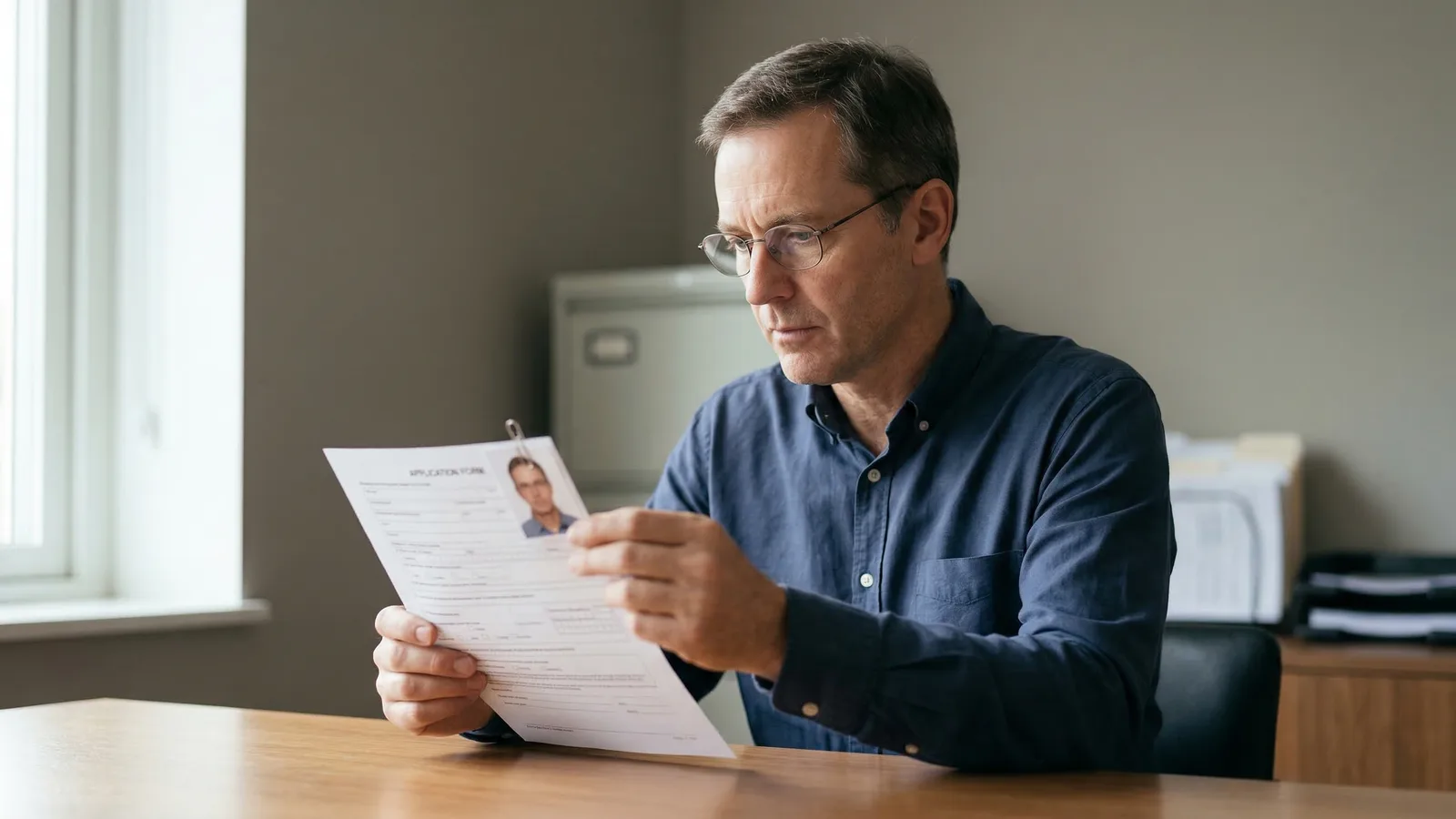
If your passport photo was rejected, you need to take a new one that addresses the specific issue cited in the rejection notice. The notice will specify what went wrong — use that information to guide your fix. Don't guess; the notice tells you what to fix.
Rejection isn't the end of the world, but it adds time. Plan for 2-4 weeks of delay while you get a new photo and your application is reprocessed. The exact delay depends on how quickly you can get a new photo and how backed up the processing system is.
Getting rejected is frustrating, but it's also common. Understanding why photos get rejected helps you avoid the same problems in the future.
Most Common Passport Photo Rejection Reasons
Wrong size or dimensions is the most frequent issue. US passport photos must be exactly 2×2 inches (600×600 pixels at 300 DPI) with the head occupying 50–69% of the frame height — that's 1 to 1.38 inches from chin to top of head. Small deviations get rejected. This is usually the easiest issue to fix — just get photos from a place that knows the specifications.
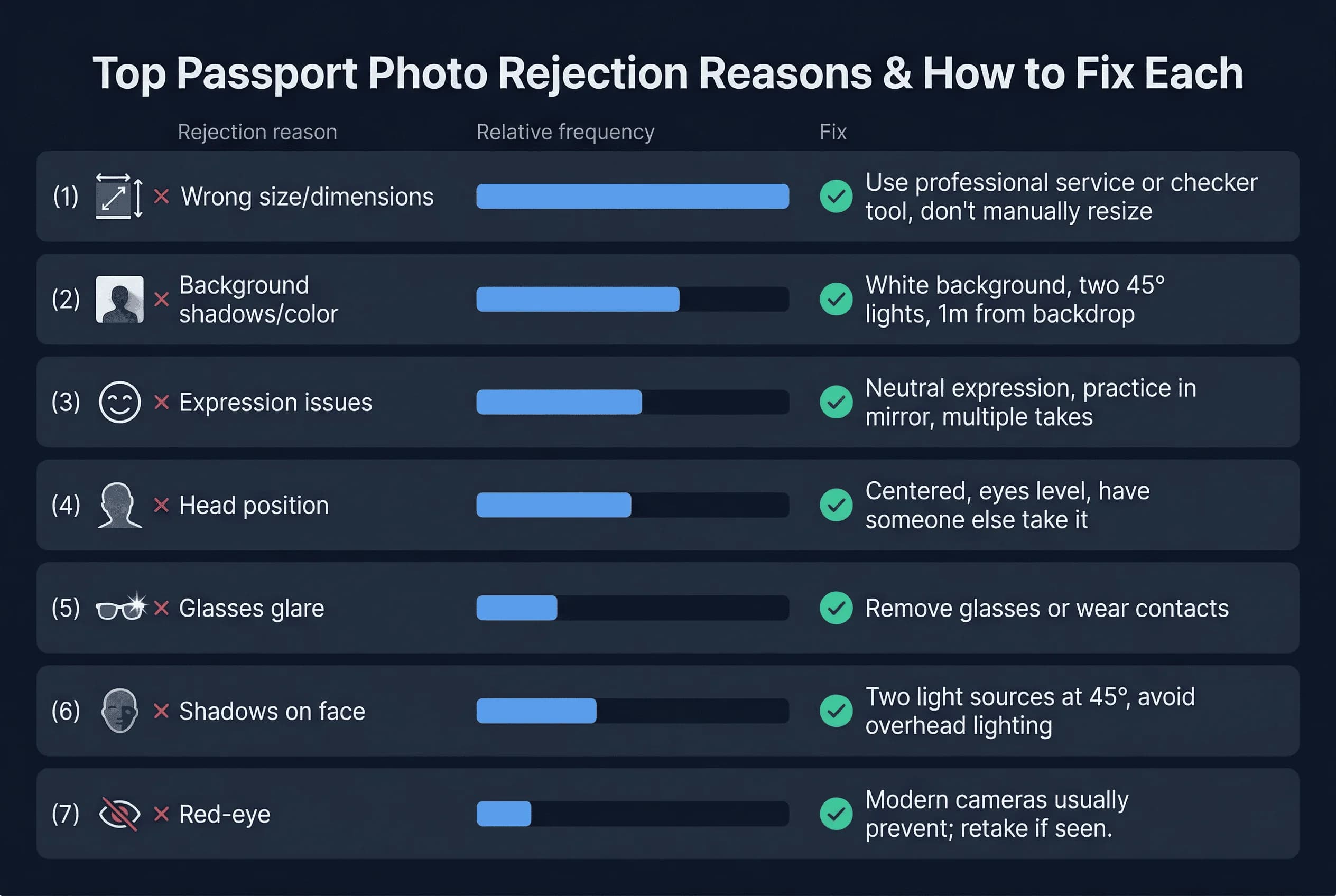
Background problems include shadows, uneven color, non-white backgrounds, or textures. Even a slight shadow on one side of your face triggers rejection. The background must be pure white with no variation. Any texture, fold, or uneven lighting gets flagged by automated systems.
Facial expression issues occur when your mouth is too open, your eyes are closed, or your expression appears forced. For US photos, a neutral expression or a natural, relaxed smile are both accepted — but exaggerated grins, squinting, and raised eyebrows are rejected. Both eyes must be open and clearly visible.
Head position errors happen when your face isn't centered, you're looking to the side, or your head is tilted. Both eyes must be at the same level. This is harder to fix with a mirror but easy with a helper or professional photographer.
Glasses are banned entirely in US passport photos — not just because of glare, but as a blanket rule since November 2016. Remove all glasses, including prescription eyewear with clear lenses. Some other countries (UK, Canada) still allow glasses but reject photos with glare on the lenses.
Shadows under your eyes, nose, or chin are common in DIY photos. Even slight shadows create depth that the automated system flags. The solution is better, more even lighting.
Red-eye is less common with modern cameras but still happens. It's an instant rejection. Modern cameras usually prevent it, but if you see red-eye in your preview, retake the photo.
Skin tone issues are rare but do occur. Photos that are too dark or too light get rejected because facial features must be clearly visible. This is more of an issue with darker skin tones, where lighting needs extra attention.
Get a compliant passport photo online
How to Identify Why Your Passport Photo Was Rejected
Your rejection notice should state the reason clearly. Read it carefully. Don't assume — the notice tells you exactly what was wrong.
If it says "photo does not meet size requirements," measure your photo. If it says "background does not meet standards," examine your background for shadows or color issues.
If you don't receive a specific reason, look at your photo critically. Compare it against official requirements. The issue is usually obvious once you know what to look for.
Common issues and what they look like: If your face looks too small, the dimensions are wrong. If there's a dark patch on one side, there's a shadow. If your eyes look different sizes, the head position is off.
How to Fix Each Passport Photo Problem
For size problems: Use a professional service or a reliable passport photo checker tool that outputs exact dimensions. Don't try to resize in editing software — this distorts proportions and will get rejected. Get new photos taken with correct specifications.
For background issues: Use a plain white background with even lighting. If taking at home, use a white sheet or professional backdrop. Ensure no shadows fall on the background or your face. Consider hiring a professional if you've tried multiple times without success.
For expression issues: Practice in a mirror before your photo. For US photos, a neutral expression or a natural, relaxed smile both work — avoid exaggerated grins or teeth-heavy smiles. Look directly at the camera lens and relax your face. For UK photos, keep your expression completely neutral with your mouth closed.
For head position errors: Position yourself so your face is centered. Keep your shoulders level. Have someone take the photo rather than using a timer or mirror. Use a reference point on the screen to ensure your eyes are level.
For glasses issues: For US photos, simply remove your glasses — they're banned regardless of glare. For countries that allow glasses (UK, Canada), tilt the frames slightly down so the lenses don't catch the flash, and use diffused lighting to minimise reflections. Contact lenses are the best solution if you can wear them and your country prohibits glasses.
For shadows: Improve your lighting setup. Use two light sources at 45-degree angles to your face. Avoid direct overhead lighting. Natural daylight from a window often works well. Position the window to the side, not directly in front or behind you.
How to Verify Your New Passport Photo Before Resubmitting
Before you submit again, check your new photo against every requirement. Use an automated checker if available. Print a test copy and measure it.
Take the photo to the location where you'll submit it and ask them to verify it meets requirements. Many post offices and passport acceptance facilities will check photos before you submit. This is a free service that can save you from another rejection.
Review your photo with fresh eyes. Look at it critically, as if you were the person checking it. Ask yourself: Is the background perfect? Is my face centered? Are my eyes level? Does my expression look natural?
If you're using a professional service, ask them to confirm the photos meet all requirements before you leave. They should know the specifications and be able to verify their work.
How Long Does a Passport Photo Rejection Delay Your Application?
Once your photo is rejected, expect these delays:
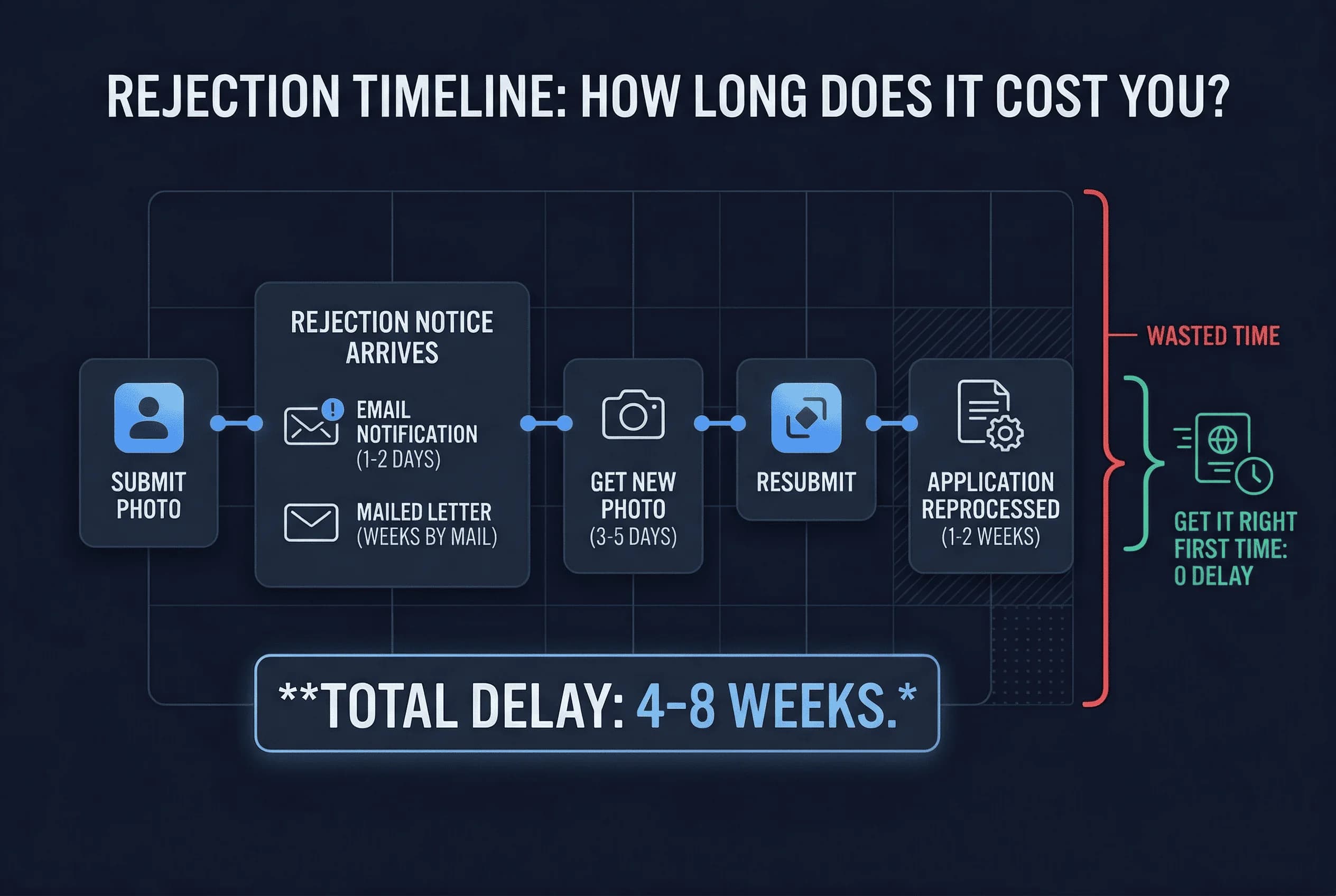
1-2 days for the rejection notice to arrive by mail (or check your email if you applied online) 3-5 days to get a new photo taken (or longer if using a professional service) 1-2 weeks for your application to be reprocessed after receiving the new photo
Total delay: typically 4-8 weeks beyond your original processing time. This is why it's so important to get the photo right the first time.
If you need your passport urgently, you can pay for expedited processing after your application is accepted. There's no way to speed up the initial acceptance — you have to wait for the new photo to be processed.
Some agencies offer in-person processing with faster turnaround, but this is only available in certain locations and costs more. If you're in a hurry, research your options carefully. For US applications, check the US passport photo requirements.
How to Prevent Future Passport Photo Rejections
After a rejection, learn from the experience. Note what went wrong and make sure your next photo addresses that specific issue.
Use a reputable service with experience. Ask about their rejection rate. If they've had many similar photos accepted, they're likely doing something right. Our guide to passport photo costs by country can help you find affordable options.
Take your time with the photo session. Rushing leads to mistakes. If possible, take multiple photos and choose the best one.
For a deeper look at why photos fail and how to prevent it, see why passport photos get rejected — including the 7 most common reasons and how to fix each one.