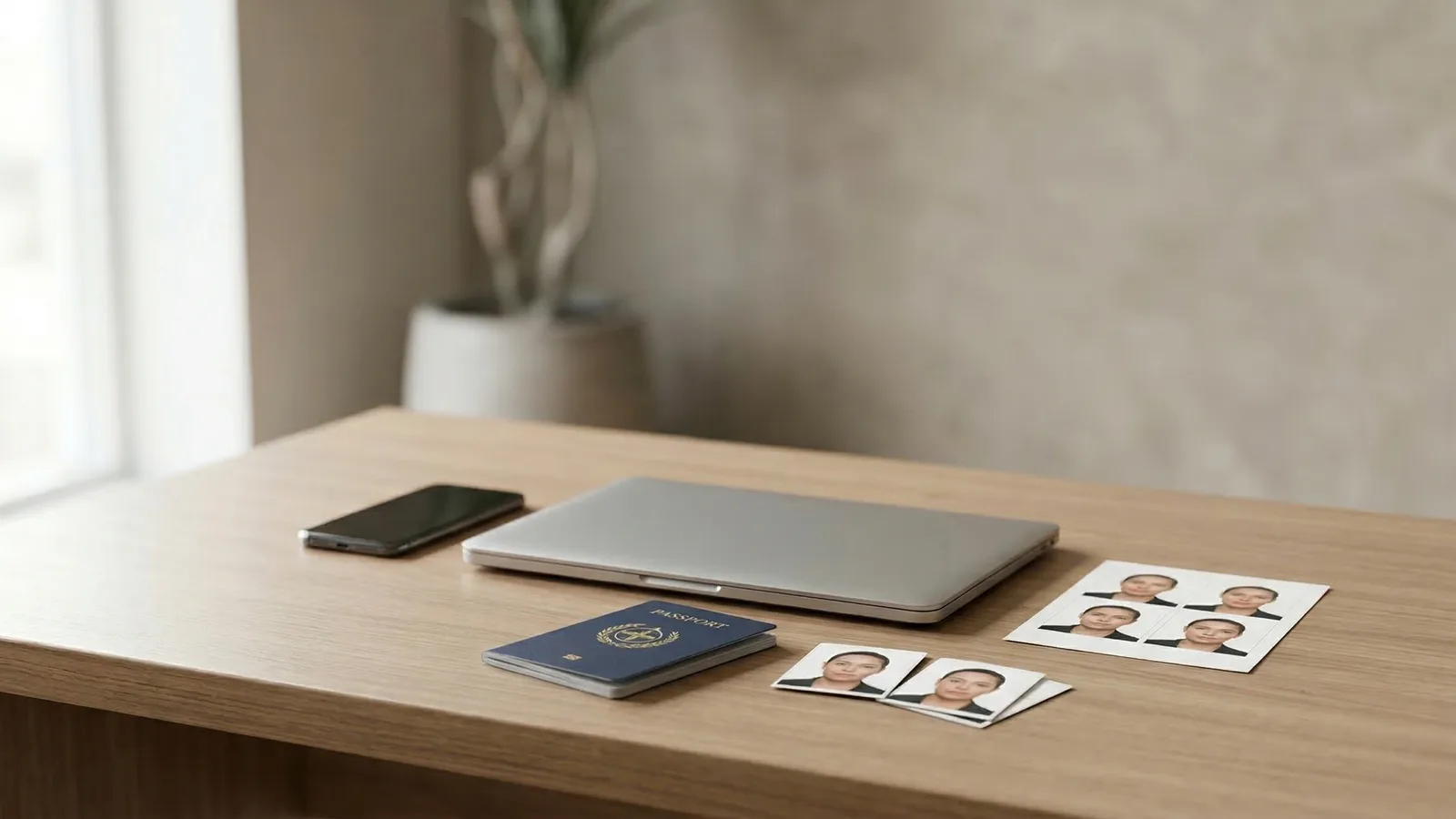
Passport photos now come in two formats: digital files you upload online and physical prints you attach to paper applications. Some countries accept both. Some require one or the other. A growing number want the digital version and are phasing out printed photos entirely.
Knowing which format you need — and the specific requirements for each — prevents a surprisingly common mistake: getting a perfect photo in the wrong format.
When Do You Need a Digital Passport Photo?
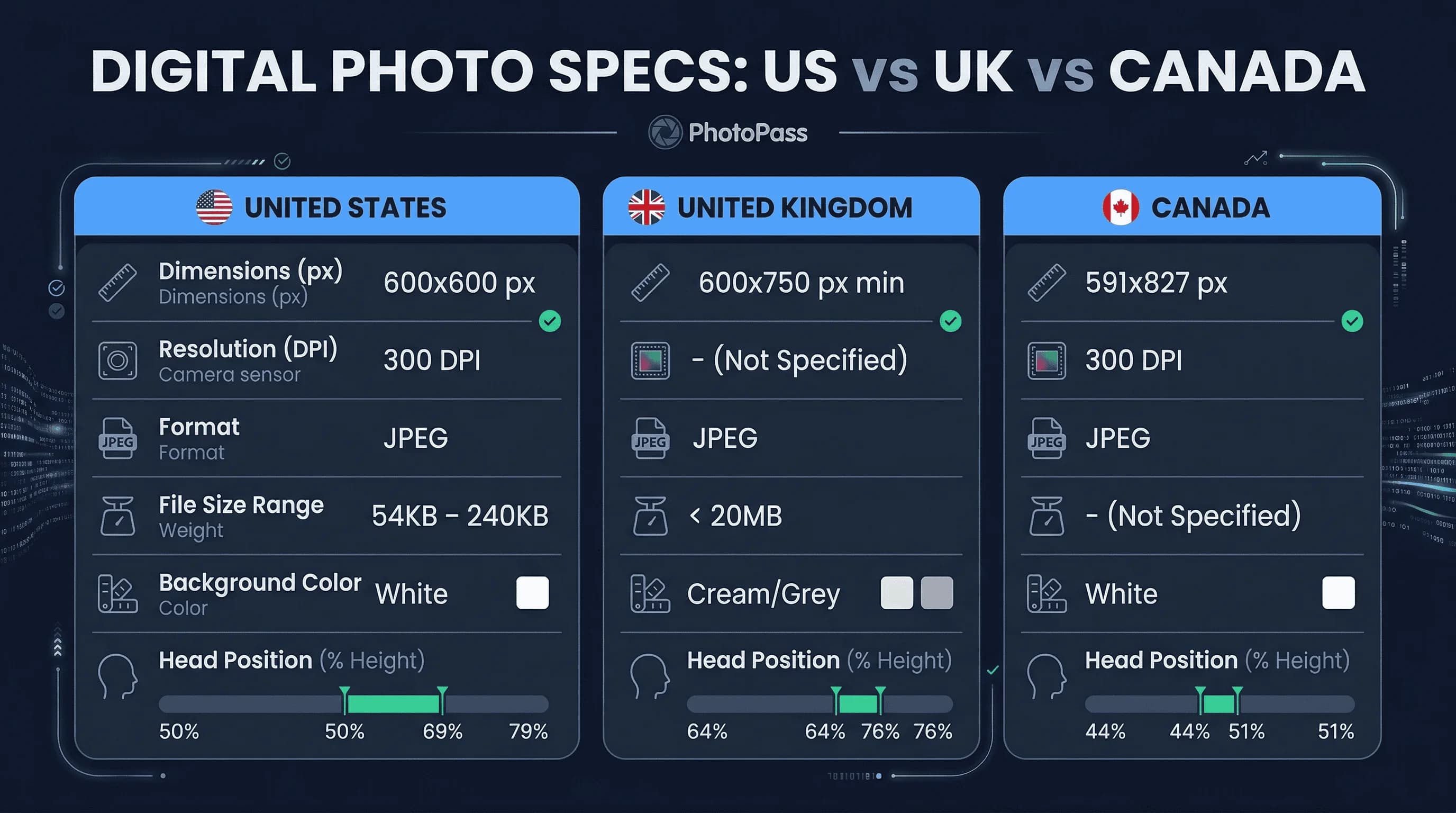
Online passport applications. The US State Department now accepts digital passport photos for online renewals. Upload a JPEG file that meets their specifications: 600×600 pixels, 300 DPI, white background, between 54KB and 240KB file size. The UK's online passport service similarly accepts uploaded photos.
DS-160 visa applications. Every US visa application requires a digital photo uploaded through the DS-160 form on the CEAC website. The requirements: 600×600 pixels, JPEG format, file size between 54KB and 240KB.
Canadian online passport renewals. Canada's online renewal system accepts digital photos meeting IRCC specifications: 591×827 pixels, 300 DPI, JPEG format.
Digital ID submissions. Many countries are moving toward digital-first document applications. India's passport seva portal, Australia's ImmiAccount, and the EU's visa information system all accept or require digital photo uploads.
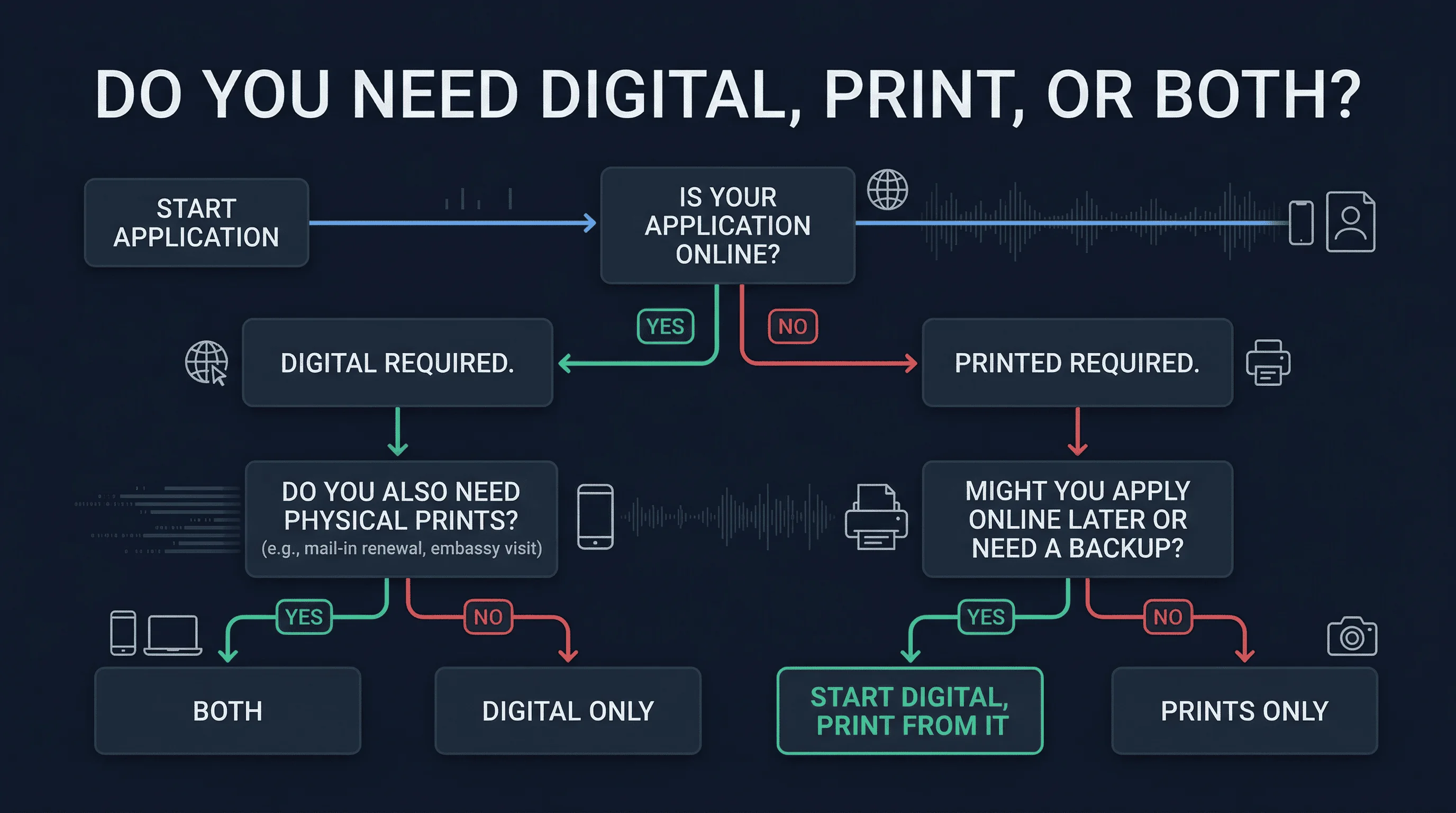
If your application is online, you need a digital file. Physical prints won't help.
Get a compliant passport photo online
When Do You Need a Printed Passport Photo?
In-person passport applications. First-time US passport applicants must apply in person at a passport acceptance facility and include two printed photos. Printed photos are also required for mailed passport renewals using Form DS-82.
Visa applications at embassies. Many embassies and consulates still require physical prints stapled or glued to application forms. Requirements vary by country — some want glossy prints, others want matte. Some want one photo, others want two or four.
UK passport renewals by post. While the UK's online service accepts digital photos, postal applications still require two printed photos.
Canadian in-person applications. IRCC requires two printed photos for in-person passport applications, with a guarantor's signature on the back of one.
If you're submitting a paper application, you need prints. A digital file on your phone won't suffice.
When Do You Need Both Digital and Printed Passport Photos?
This is more common than you'd think.
US passport + visa combo. Applying for a new passport and a visa for your trip? The passport application might be mailed (requiring prints) while the visa application is submitted online (requiring a digital file). Same photo, two formats.
Multiple document applications. Renewing your passport and applying for a Global Entry card simultaneously? Different agencies, different submission methods, both needing compliant photos.
Future-proofing. Even if your current application only needs prints, having a digital copy means you're ready for the next application without retaking the photo. Digital files don't degrade. Prints can get creased, stained, or lost.
The safest approach: start with a digital file and print from it. One source produces both formats.
Digital Passport Photo Requirements by Country
Digital passport photos have specific technical requirements beyond just looking correct.
US Digital Passport Photo Specs
| Specification | Requirement |
|---|---|
| Dimensions | 600 × 600 pixels |
| Resolution | 300 DPI |
| File format | JPEG |
| File size | 54KB–240KB |
| Colour space | sRGB |
| Background | White (RGB 255,255,255) |
| Head size | 50–69% of frame height |
UK Digital Passport Photo Specs
| Specification | Requirement |
|---|---|
| Minimum dimensions | 600 × 750 pixels |
| File format | JPEG |
| File size | Under 20MB |
| Background | Plain cream or light grey |
| Head size | 64–76% of frame height |
Canadian Digital Passport Photo Specs
| Specification | Requirement |
|---|---|
| Dimensions | 591 × 827 pixels |
| Resolution | 300 DPI |
| File format | JPEG |
| Background | White |
| Head size | 44–51% of frame height |
Printed Passport Photo Requirements and Paper Standards
Printed photos must meet the same compositional standards as digital — same background, same head size, same expression rules. But print-specific requirements add another layer.
Paper type. Most countries require glossy photo paper. The US State Department specifies glossy or matte — both are accepted. The UK allows either. Some visa applications specifically require matte to avoid glare during scanning.
Print size. US: 2×2 inches (51×51mm). UK: 45×35mm. Canada: 50×70mm. These must be exact. Cutting a larger print down to size with scissors often produces uneven edges that can be flagged.
Print quality. Images must be sharp with accurate colour. Inkjet prints on standard paper won't pass — the resolution and colour accuracy are too low. Use photo-grade paper on a capable printer, or print at a pharmacy kiosk that uses thermal photo printing.
No digital artifacts. Printed photos shouldn't show visible JPEG compression, banding, or pixelation. This happens when printing from low-resolution source files or over-compressed images. Start with a file that meets the pixel dimensions above and you'll avoid this.
How to Get Both Digital and Printed Passport Photos Right
The cleanest workflow starts digital and ends with prints.
Step 1: Take the photo. Use a smartphone with the rear camera. Stand against the correct background for your country. Good lighting — natural daylight or well-positioned indoor lights.
Step 2: Verify compliance. Upload to passportsize-photo.online for instant AI verification against your country's exact specifications. Fix any issues and re-upload until all nine checks pass.
Step 3: Download the digital file. The verified file meets digital submission requirements for online applications.
Step 4: Print from the digital file. Use the same verified file for prints. Print at home on glossy photo paper, or take the file to a pharmacy photo kiosk. The self-serve kiosks at CVS, Walgreens, and Walmart print 4×6 sheets for $0.25–$0.50.
This approach guarantees consistency. The digital file and the prints come from the same verified source. No mismatch between your online submission and your printed photos.
Common Digital and Printed Passport Photo Mistakes
Scanning prints to create a digital file. If you have retail prints but need a digital version, scanning them introduces problems: dust, colour shifts, resolution loss, moire patterns, and edge shadows. A scanned print is almost never as good as the original digital source.
Printing from a screenshot or compressed file. Screenshots reduce resolution. Sending a photo through WhatsApp or iMessage compresses it. Always print from the original high-resolution file.
Wrong colour profile. Photos should use the sRGB colour space. Printing in CMYK or Adobe RGB can produce colours that look different from what you see on screen.
Cropping the digital file for print. Don't add borders or adjust the crop when printing. The verified file is already at the correct dimensions and aspect ratio. Print at the exact pixel size without scaling.
Digital or Printed Passport Photo: Our Verdict
Digital is the future. More countries are accepting digital submissions, and the trend is accelerating. A verified digital file is the most versatile format — it works for online applications and can be printed for paper submissions.
Start digital. Verify compliance. Print if needed. That sequence covers every application type at the lowest cost.
Check your photo now with passportsize-photo.online. See the exact specifications for US, UK, or Canadian passport photos. Or learn about matte vs glossy finishes for printed passport photos.