If you need a US passport photo, you have two broad options: walk into a CVS store and have an employee take one, or use an online service from your phone or computer. Both produce a photo, but the experience, cost, and risk of rejection are very different. This guide compares the two so you can make an informed choice.
What Does a US Passport Photo Actually Need to Be?
Before comparing where to get the photo, it helps to know what the State Department requires. Every US passport photo must meet the same standard regardless of where it was taken:
- Size: exactly 2 × 2 inches (51 × 51 mm)
- Resolution: 600 × 600 pixels at 300 DPI for digital submissions
- Background: plain white
- Head height: between 50% and 69% of the frame (1 inch to 1⅜ inches from chin to crown)
- Glasses: not allowed
- Expression: neutral or natural (a slight, closed-mouth smile is acceptable)
- File format for digital use: JPEG, maximum 240 KB
- Recency: taken within the last six months
A photo that fails any of these will be rejected, whether it came from a pharmacy counter or an online tool. The question is which option gives you the better shot at meeting every specification the first time.
Get a compliant passport photo online
The CVS Passport Photo Experience
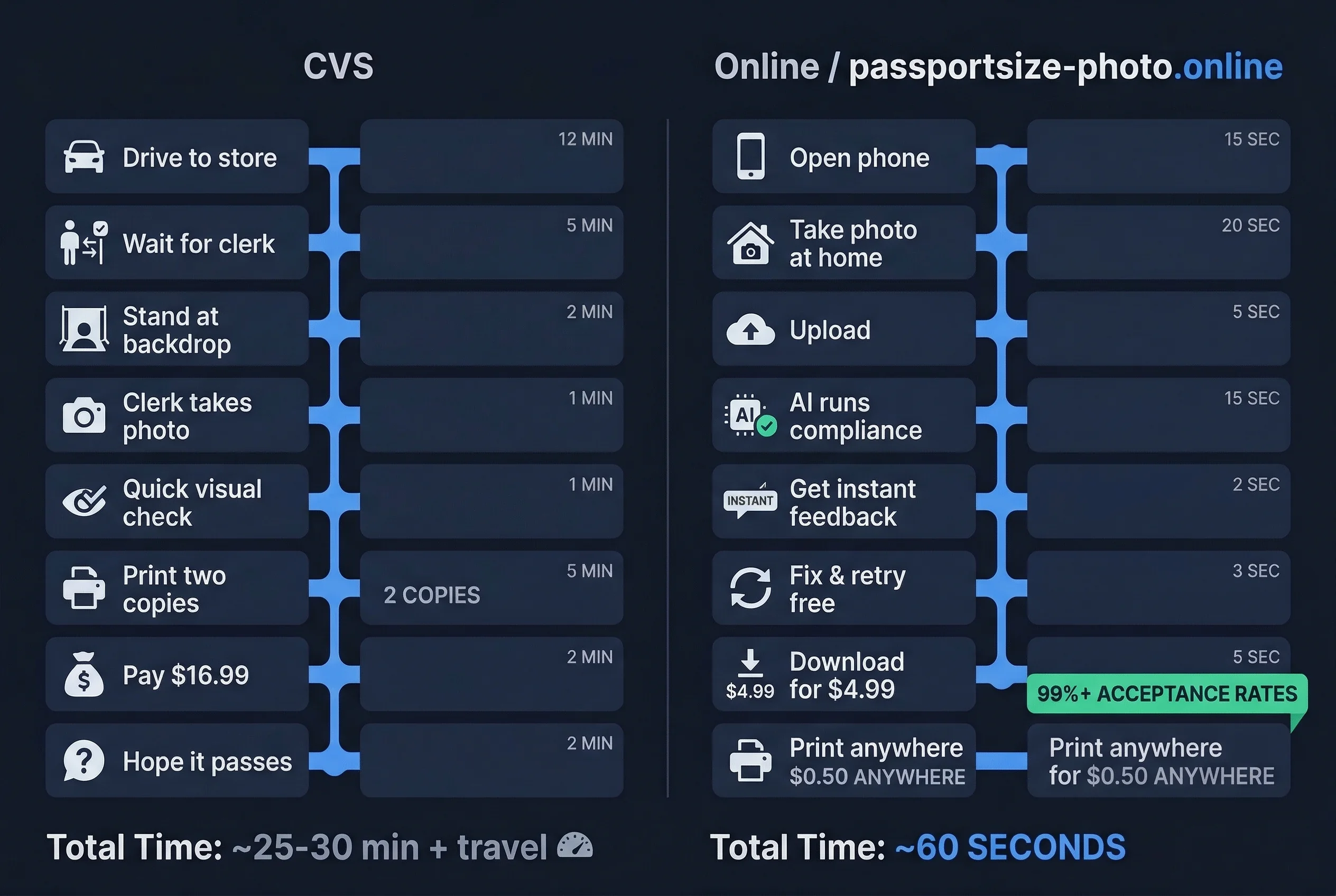
CVS charges $16.99 for a set of two printed passport photos. Here is what the process typically looks like:
- Go to the store. Not every CVS has passport photo service. You may need to call ahead or check online to confirm your local branch offers it.
- Wait for the photo counter. Passport photos are handled at the pharmacy photo area. If the counter is busy, you wait.
- The employee takes your photo. They use a point-and-shoot camera or smartphone against a white background screen. There is usually one attempt, sometimes two.
- Minimal compliance checking. The employee does a visual check — roughly correct framing, white-ish background, eyes open. There is no automated measurement of head height percentage, pixel dimensions, or background color purity.
- Photos are printed on site. You walk out with two 2 × 2 inch prints, usually within 10–15 minutes.
What CVS Does Well for Passport Photos
- You get physical prints immediately, ready to attach to a mail-in application.
- No technology required on your end — no phone, no file management, no uploads.
- If you are uncomfortable taking your own photo, someone else handles the camera.
What CVS Does Not Do Well for Passport Photos
- No digital file. CVS gives you prints only. If you are filing a DS-160 online visa application or a digital passport renewal, you still need a digital JPEG. CVS does not provide one.
- No automated compliance verification. The employee does their best, but there is no software measuring head height at exactly 50–69%, checking pixel resolution at 600 × 600, or validating that the background is pure white (255, 255, 255) rather than off-white or gray.
- Limited retakes. If you do not like the photo or it gets rejected by the State Department, you have to go back to the store, wait again, and pay again.
- Inconsistent quality. The result depends heavily on which employee is working, which camera they use, and how well their white backdrop is lit. Some locations produce excellent photos. Others produce photos with visible shadows, uneven backgrounds, or slightly off-center framing.
The Online Passport Photo Experience
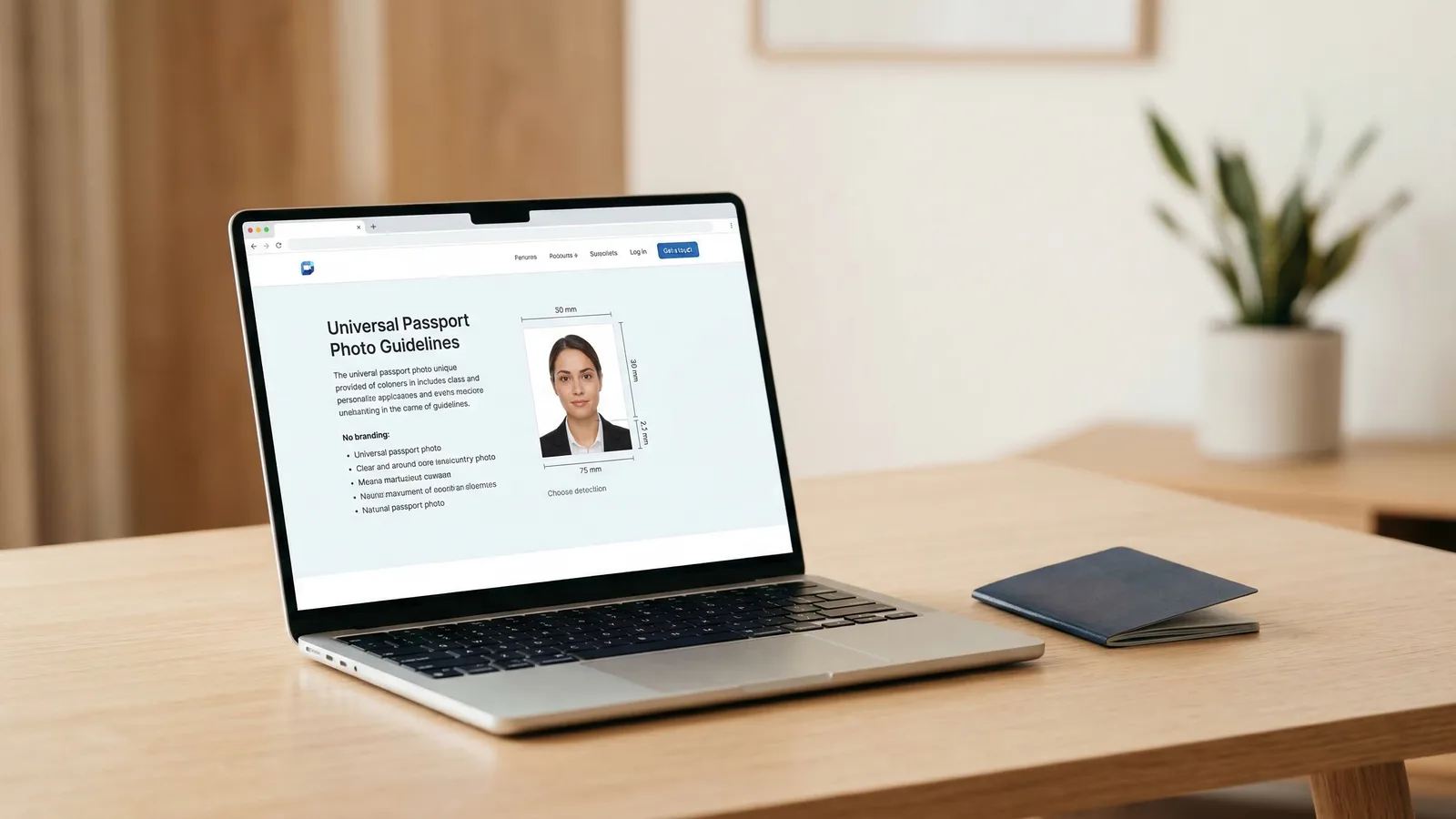
Online passport photo services like passportsize-photo.online work differently. Instead of going to a store, you take a photo yourself with any smartphone or camera, upload it, and the software handles the rest. Typical pricing starts around $4.99 per photo, and you receive a digital download.
- Take a photo at home. Stand in front of a plain, light-colored wall. Use your phone camera in good natural light. Face the camera directly.
- Upload the photo. The service accepts your image and processes it automatically.
- AI compliance checking runs. The software validates against the exact State Department specifications: 2 × 2 inch framing, 600 × 600 pixel resolution, white background, correct head height between 50% and 69%, no glasses, proper expression, and adequate lighting.
- Download your compliant photo. You receive a digital JPEG file that meets the 240 KB maximum. You can submit it directly for online applications, or print it at any pharmacy kiosk for under $1 if you need physical copies.
What Online Passport Photo Services Do Well
- Cost. Roughly 70% cheaper than CVS when you factor in digital delivery, and dramatically cheaper if you need multiple photos for a family.
- Digital file included. You get the JPEG file you need for DS-160, online passport renewals, and any other digital submission.
- Automated compliance. Instead of relying on a human visual check, software measures head height, pixel dimensions, background color, and other specifications against exact thresholds. Issues are flagged before you download, not after the State Department reviews your application.
- Unlimited retakes. If your first upload does not pass the compliance check, you just take another photo and re-upload. No trip back to the store.
- Speed. The entire process takes a few minutes. No driving, no waiting in line.
What Online Passport Photo Services Don't Do Well
- You take the photo yourself. If you are not comfortable with selfies or phone cameras, the initial photo quality depends on your setup. Good natural light and a clean background make a big difference.
- No immediate physical prints. You get a digital file. If you need prints for a mail-in application, you need to print them separately — at a pharmacy kiosk, a home printer, or a print shop.
- You need a device. A smartphone, tablet, or computer with a camera is required.
CVS vs Online Passport Photo Cost Comparison
The price difference is substantial, especially for families or anyone who needs multiple photos:
| Scenario | CVS | Online + self-print |
|---|---|---|
| One person, two prints | $16.99 | ~$5.99 ($4.99 + ~$1 kiosk print) |
| One person, digital only | Not available | $4.99 |
| Family of four, prints | $67.96 | ~$23.96 |
| Retake after rejection | $16.99 again | Free (re-upload) |
For a family of four, the difference is roughly $44. And if any photo gets rejected, CVS charges full price again while most online services allow free retakes from the same session.
Passport Photo Compliance and Rejection Risk
This is the factor that matters most. A rejected photo means your application is delayed — sometimes by weeks — and you may need to resubmit with a new photo.
At CVS, compliance depends on the employee. Some are well-trained and consistently produce good photos. Others may not know the current rules (for example, that glasses have been prohibited since 2016). There is no software layer catching errors before the photo is printed.
With online services, compliance checking is automated. The software measures specific values — pixel dimensions, head-to-frame ratio, background RGB values — against the published State Department thresholds. If something is wrong, the tool tells you what to fix before you download. This does not guarantee 100% acceptance (no service can), but it eliminates the most common rejection causes: wrong dimensions, off-white backgrounds, head too large or too small, and shadow interference.
When to Choose CVS for Passport Photos
CVS is the better option if:
- You need physical prints in the next 15 minutes and have no way to print a digital file
- You are not comfortable operating a smartphone camera
- Your closest pharmacy is easier to reach than setting up a photo at home
- You do not need a digital file for any online application
In practice, this scenario is increasingly rare. Most passport and visa applications now accept or require digital uploads, and pharmacy self-service kiosks make printing a digital photo trivial.
When to Choose an Online Passport Photo Service
An online service is the better option if:
- You want the digital JPEG file for a DS-160, online passport renewal, or other electronic submission
- You want automated compliance checking before you submit
- You are applying for a family and want to minimize cost
- You prefer not to make a special trip to a store
- You want the ability to retake for free if the first attempt has issues
The Verdict: CVS or Online for Passport Photos?
For most applicants in 2026, an online passport photo service is the stronger choice. The cost is lower, you get both digital and printable files, and automated compliance checking catches errors that a quick visual inspection at a pharmacy counter might miss. The only meaningful advantage CVS holds is immediate physical prints — and even that advantage shrinks when you can print a digital photo at any kiosk for under a dollar.
If you already know you need a digital file for an online application, CVS literally cannot help you — they do not provide one. Start with an online service, get your compliant digital photo, and print it yourself if you also need paper copies.