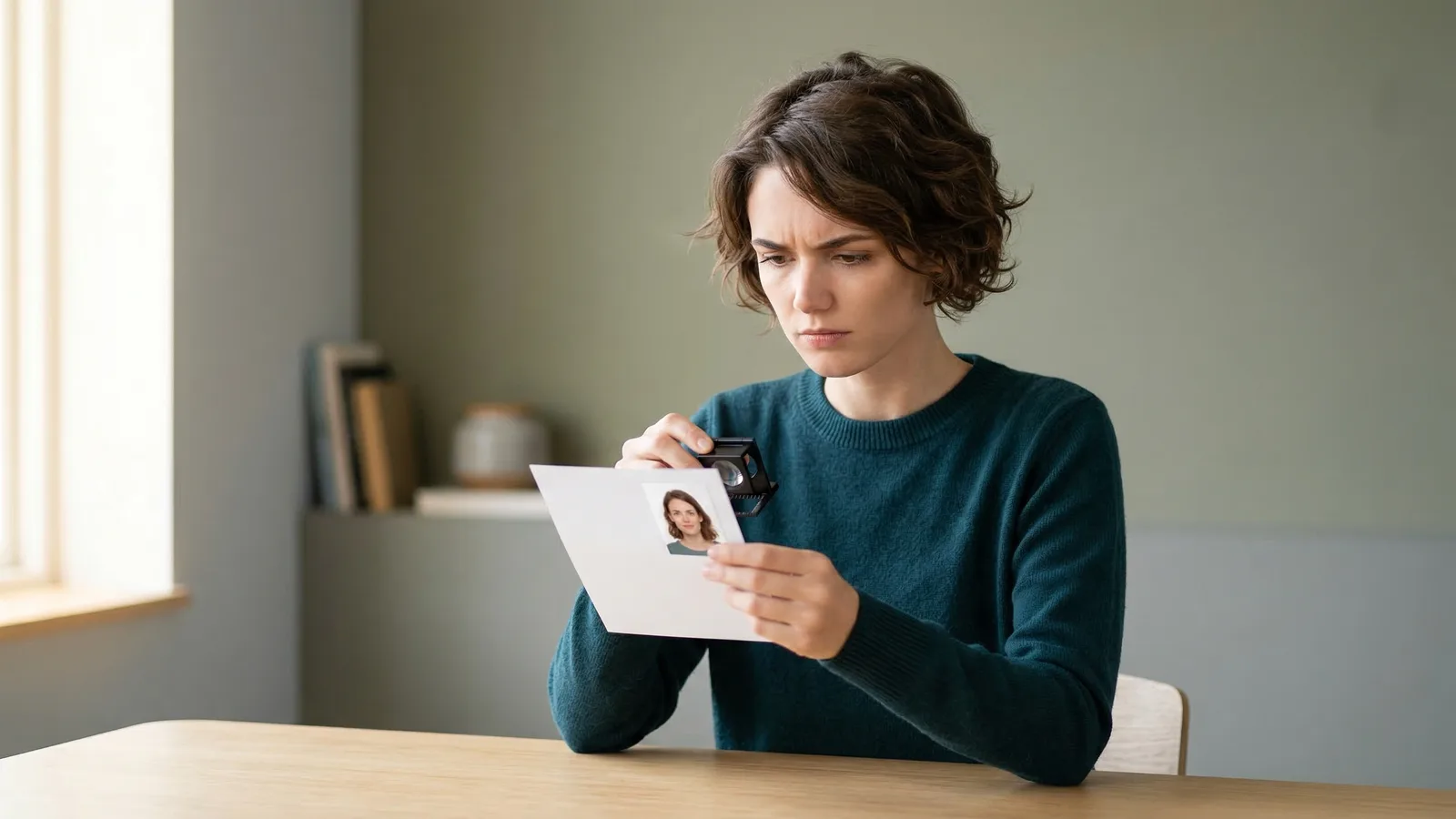
Yes — the US State Department accepts photos taken at home as long as they meet all the official specifications. There's no requirement that a professional take your picture. Millions of people have successfully submitted DIY passport photos over the years.
The challenge is that "meeting specifications" is stricter than most people realize. The State Department rejects roughly 20% of submitted photos for technical issues. A poorly taken DIY photo can delay your application by weeks and force you to get new photos anyway. The rejection rate is much higher for DIY photos than for professionally taken ones.
This doesn't mean you shouldn't try. It means you should understand what you're getting into and prepare accordingly. A well-executed DIY photo saves money and time; a poorly executed one costs more in the long run.
What You Need for a Compliant DIY Passport Photo
Taking a valid passport photo at home requires attention to four key areas:
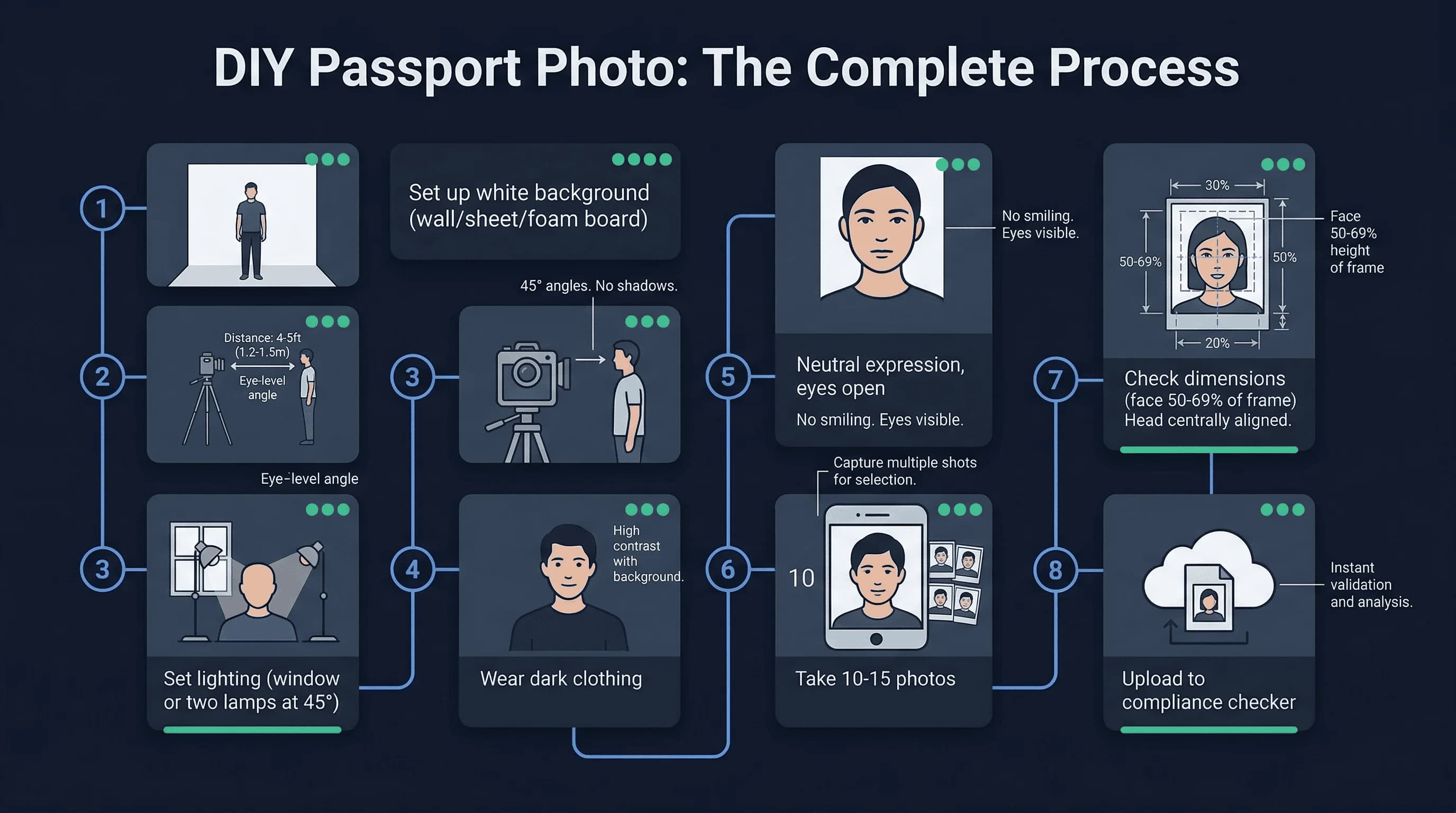
White background. Your background must be plain white — not off-white, not cream, not gray. A white bedsheet, wall, or foam board works. The key is even lighting with no shadows blending into the background. Even slight color variations can cause rejection. The official specification calls for "plain white" and the automated systems are literal about this.
Correct distance and framing. Your face must fill 50-69% of the photo vertically. For US passports, the head should measure 1 to 1.38 inches from chin to the top of the head (50–69% of the 2-inch frame). Position the camera at eye level, about 4-5 feet away. If you're too close, your face distorts; too far, and you don't meet the size requirements.
Even lighting. Use natural light from a window or multiple artificial lights positioned at 45-degree angles to your face. Avoid harsh direct sunlight (creates squinting and shadows) and backlighting (leaves your face in shadow). The goal is flat, even light with no highlights or shadows on your face.
Neutral expression. Look straight at the camera with both eyes open. A natural smile — not a grin, not a frown — is acceptable. Your features must be clearly visible. Both eyes need to be at the same level, and your face must be centered.
Get a compliant passport photo online
Equipment You Need to Take a Passport Photo at Home
A modern smartphone is perfectly capable of producing a compliant passport photo. The camera should be at least 12 megapixels, which most phones have been for years. The key isn't the camera quality — it's your technique.
A tripod helps but isn't essential. What matters more is having someone take the photo rather than trying to position yourself with a timer or mirror. A helper can ensure your face is centered and your eyes are at the right level.
The best lighting typically comes from a large window on a cloudy day or during the "golden hour" (just after sunrise or before sunset). Direct sunlight creates harsh shadows; overcast days provide soft, even light that works beautifully for passport photos.
Step-by-Step: How to Take Your Own Passport Photo
Start by setting up your background. A white wall works best. If you don't have one, stretch a white bedsheet across a frame or have someone hold it behind you. Ensure there are no wrinkles, folds, or textures showing.
Position yourself 4-5 feet from the camera. Your face should be centered and fill about two-thirds of the frame vertically. Use a mirror or have a helper check your positioning before each shot.
Set your camera or phone to its highest resolution. Many phones default to compressed formats that lose quality; choose the highest quality setting available.
Take at least 10-15 photos. Your first attempts will probably have issues. Look at each one critically: Is the background truly white? Are your eyes at the same level? Is there any shadow on your face? Is your face the right size in the frame?
Upload each promising candidate to a passport photo checker tool. These services use the same automated systems that passport offices use, so they can identify potential issues before you submit.
Common DIY Passport Photo Mistakes That Lead to Rejection
Shadows are the most frequent killer of DIY passport photos. Even slight shadows on one side of your face or under your nose can trigger rejection. The background must be perfectly uniform, too — any texture, fold, or uneven lighting gets flagged.
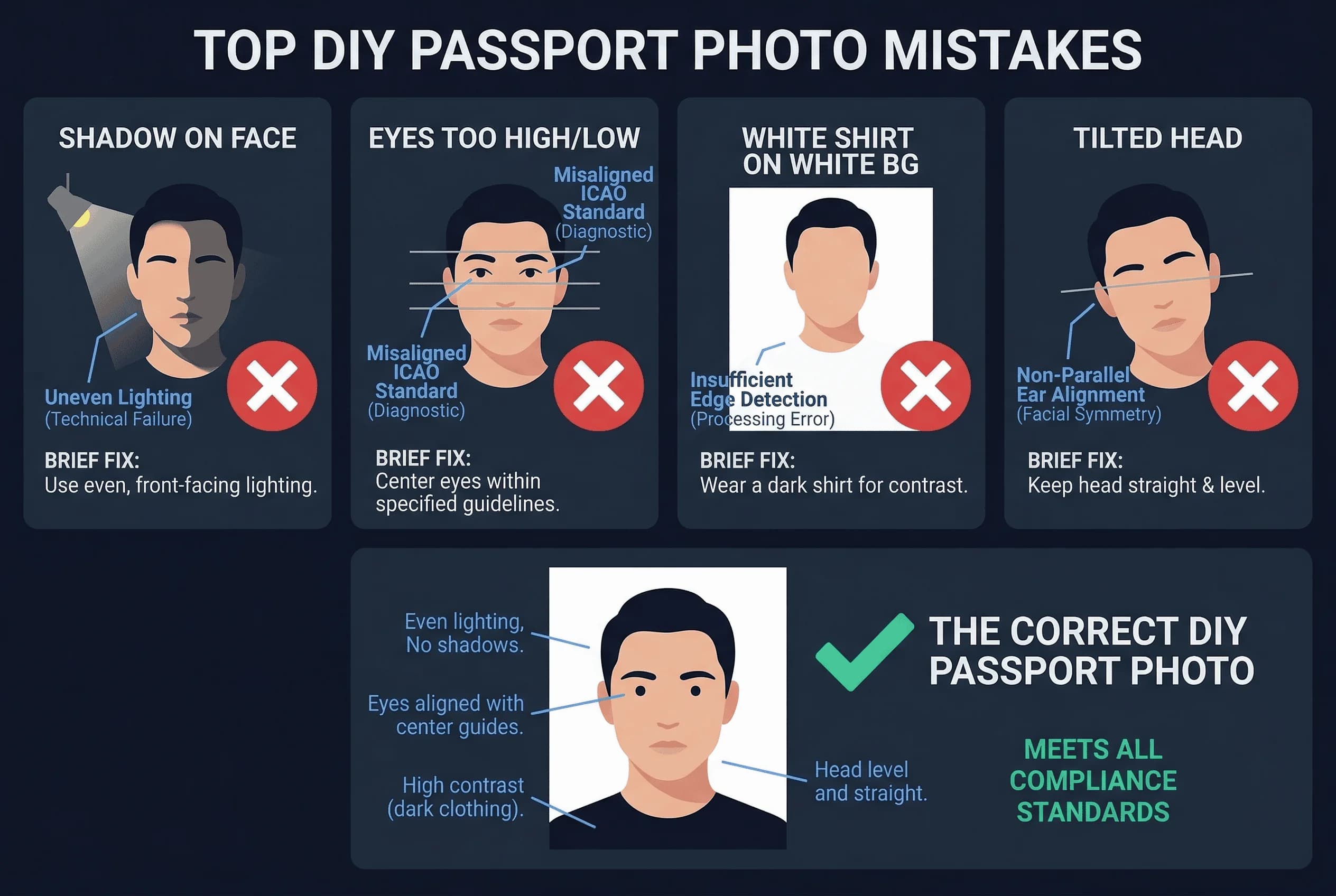
Another common issue is incorrect eye position. The State Department requires your eyes to be between 1 1/8 and 1 3/8 inches from the bottom of the photo. Amateur shots often have eyes positioned too high or too low. This is one of the most common reasons for rejection, and it's easy to get wrong without a reference point.
White clothing that blends into a white background is another problem. If you wear a white shirt against a white wall, the software can't distinguish where your face ends and your clothes begin. Always wear dark colors for DIY passport photos.
Tilted head position trips up many DIY photographers. Both ears should be at the same level, and your face should be perfectly straight on. It's harder to achieve than it sounds, which is why professionals use specialized equipment.
Red-eye or glare on glasses, even from prescription lenses, causes immediate rejection. If you wear glasses, remove them for the photo. This is mandatory in the US.
How to Verify Your DIY Passport Photo Before Submitting
Before you submit, run your photo through a passport photo checker. These tools use the same automated detection that the State Department employs, so they'll flag issues before you pay for the application. Think of this as a practice round.
Take multiple photos. You might need 10-15 attempts to get one that passes. Review each one carefully, comparing it against the official requirements for your country. The official State Department requirements document is available online and worth reading before you start.
Print a test copy before submitting your application. Physical prints sometimes look different than digital previews. Check that the dimensions are exactly right and the image is sharp. For more tips, see our guide comparing passport photos at home vs professional studios.
When to Skip DIY and Use a Professional Passport Photographer
If you've been rejected before, or if you don't have access to good lighting and a proper white background, pay the $10-$17 for a professional. The cost is worth avoiding the frustration of a rejected application and the weeks of delay it causes. A rejected application doesn't just waste money — it delays your travel plans significantly.
Some situations almost always require a professional. If you have very dark skin, lighting becomes much harder to control without creating shadows or color casts. If you're taking a photo of an infant, getting a proper expression is nearly impossible DIY — babies can't follow instructions. If you wear religious headwear that requires precise positioning, a professional understands the rules.
For most adults with a smartphone and decent lighting, a DIY photo is achievable. Just be honest with yourself about whether your setup is truly up to standard. Check the US requirements before attempting DIY. If you're not confident, the professional option is there.
The key is knowing your limits. A professional photo costs $10-17 and takes 15 minutes. A DIY photo is free but requires more effort and carries rejection risk. For some people, the DIY route works perfectly; for others, it's a false economy.