Lighting is the single most important factor in DIY passport photo quality. Even the best camera can't compensate for bad lighting. Shadows, hot spots, color casts, and grain all stem from improper lighting—and these are the top reasons DIY passport photos get rejected.
Here's how to set up perfect lighting every time.
Best Passport Photo Lighting: Indirect Daylight
Overcast daylight through a window is the ideal light source for passport photos. It's soft, even, and produces accurate skin tones.
How to Set Up Window Light for Passport Photos
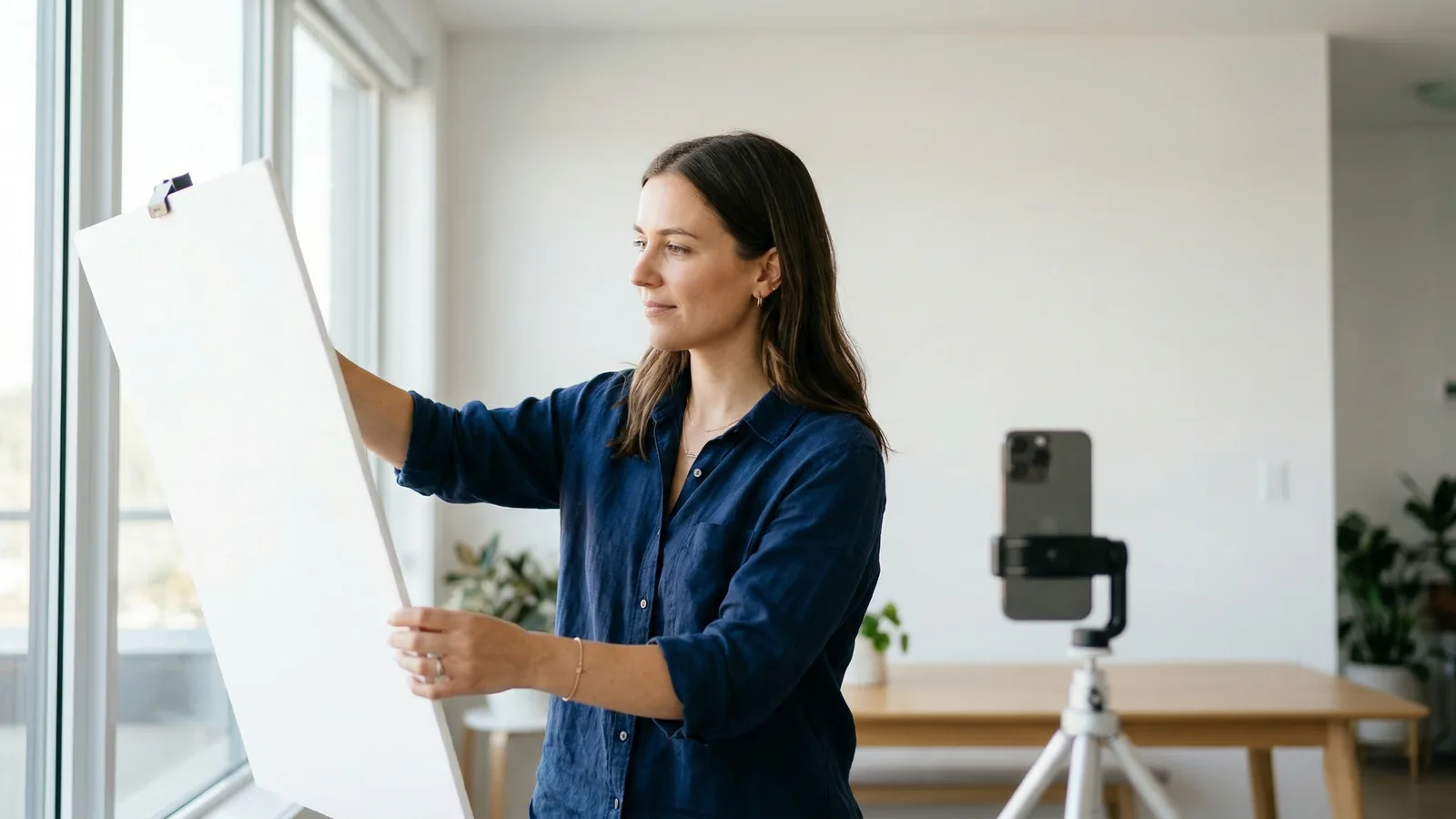
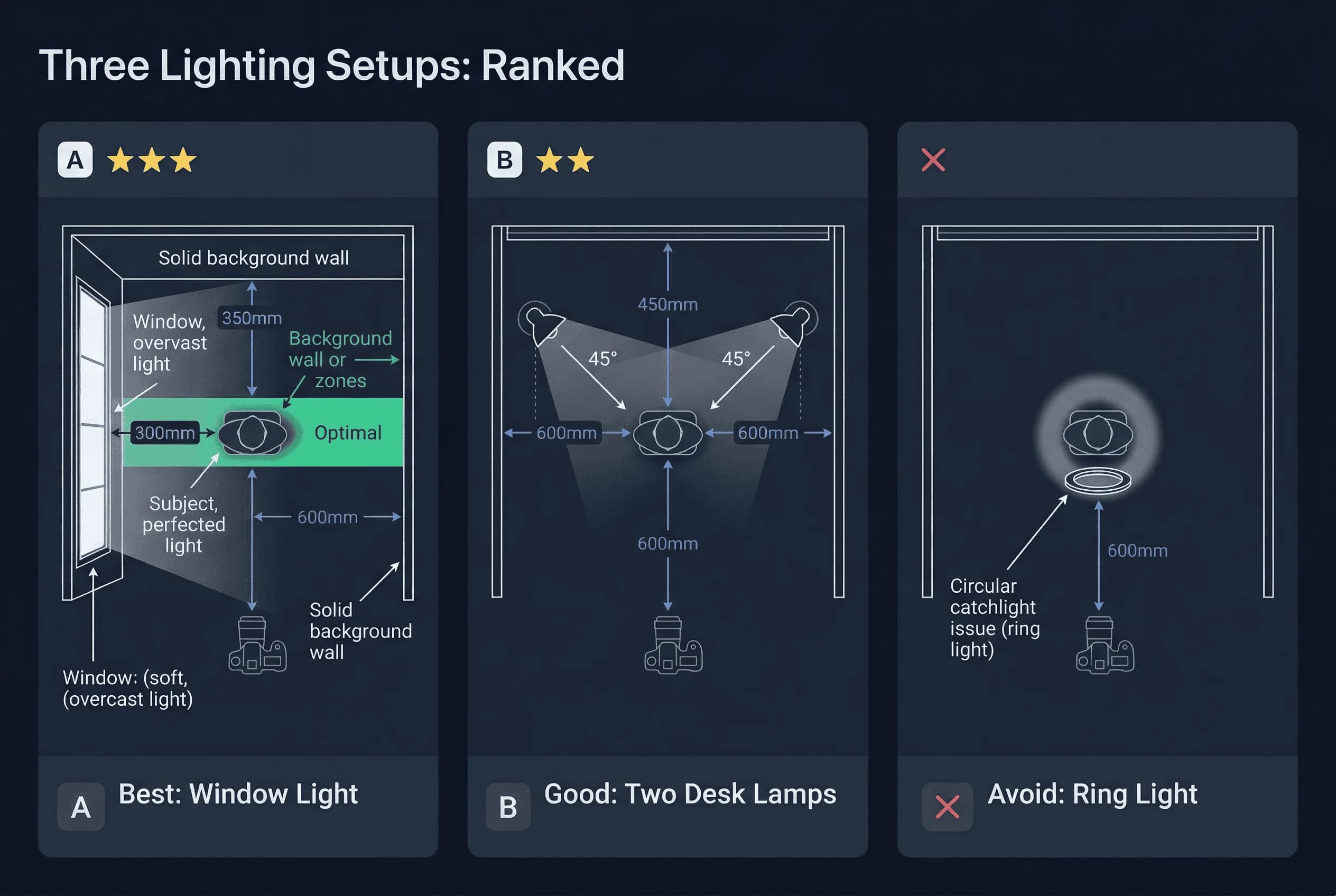
- Find a large window that receives indirect light. An overcast day is perfect because clouds diffuse sunlight. If it's sunny, use a north-facing window (which receives less direct sun) or draw a sheer curtain.
- Position your white background near the window, perpendicular to the glass.
- Position yourself 4-6 feet from the camera, between the window and the camera.
- The window should be to your side or slightly in front of you, not directly behind you (which creates a silhouette) or directly in front (which creates squinting and hot spots).
Why Window Light Works for Passport Photos
Window light on an overcast day is soft and diffused. It wraps around your face without creating harsh shadows. It illuminates your background evenly. It produces the most natural, accurate skin tones of any lighting option.
Get a compliant passport photo online
Second Best Passport Photo Lighting: Two Desk Lamps
If you can't use daylight, two desk lamps work well.
How to Set Up Two-Lamp Passport Photo Lighting
- Place one lamp on your left, one on your right.
- Angle both lamps toward your face at 45-degree angles.
- Use bulbs of the same type and wattage in both lamps. Mixed lighting (one warm bulb, one cool bulb) creates uneven color.
- The lamps should be bright—60 watts or equivalent LED.
- Your white background needs its own light source. A third lamp pointing at the background, or the ambient light from your face lamps, should illuminate it.
Why Two Lamps Eliminate Passport Photo Shadows
One lamp creates shadows on one side of your face. Shadows under the nose, on one cheek, or under the chin are common problems that get photos rejected. Two lamps at equal angles balance the lighting.
Passport Photo Lighting Mistakes to Avoid
Why Fluorescent Lights Ruin Passport Photos
Fluorescent lights create green or blue color casts and cast shadows under your eyes and chin. The shadows under your eyes make you look tired and can sometimes resemble red-eye.
If your only option is fluorescent, position yourself directly under the lights and use the camera's white balance correction. But expect mixed results.
Why Camera Flash Fails for Passport Photos
Never use your camera's flash for passport photos. Flash creates:
- Harsh shadows behind your head onto the background
- Hot spots (bright reflections) on your forehead and nose
- "Red eye" effect in your pupils
- A flat, unflattering look
Flash was common in older passport photo setups. With modern smartphones and good ambient lighting, flash is unnecessary and harmful.
Why Direct Sunlight Creates Harsh Shadows
Bright sunlight through a window creates harsh contrast. You'll have bright areas and deep shadows with no middle ground. It's actually worse than overcast light.
Why Ring Lights Don't Work for Passports
Ring lights (the circular LED lights popular for selfies) create a distinctive circular catchlight in glasses and an even, unnatural look. Some countries specifically note that ring light photos are not acceptable. Avoid them.
How to Check for Shadows in Passport Photos
Before you take your photo, do a shadow check:
- Look at your face in the camera preview.
- Check both sides of your nose. Are they equally lit?
- Look under your chin. Is there a shadow?
- Look at your ears. Are they both equally visible?
- Check the background. Is there a shadow from your head?
If you see any shadows, move your lights or reposition yourself until the shadows disappear.
Passport Photo Lighting Setup by Situation
Daytime Passport Photo Setup (Best)
- Overcast window light
- No additional lamps needed
- Window to the side, not behind or in front
- White background near window
Nighttime Passport Photo Lighting Setup
- Two desk lamps on either side, equal distance from your face
- Both lamps at 45-degree angles
- Third lamp illuminating background if needed
- Bulbs should match (same color temperature)
Minimal Passport Photo Light Setup (Last Resort)
- One bright lamp directly in front of you
- White wall as background (reflects some light)
- Expect shadows; take multiple shots and hope for the best
Lighting the Passport Photo Background Separately
Most DIY passport photo failures come from background issues, not face lighting. Your face may look perfectly lit while the background has shadows, uneven brightness, or a grey cast.
The background needs its own light. Here's how to achieve it:
Stand 12–18 inches away from the background. This prevents your body from casting a shadow onto the wall behind you. The farther you stand from the background, the less shadow falls on it.
Light the background directly. If you're using lamps, angle one lamp partially toward the background. The background should appear uniformly white (or grey for UK/German passports) across the entire area behind your head and shoulders.
Check for hot spots. A lamp aimed directly at the background from close range creates a bright circle with darker edges. Move the lamp farther back or bounce it off the ceiling to spread the light more evenly.
Watch for colour contamination. If your background is a white bedsheet and you're standing on a coloured carpet, the carpet can reflect its colour upward onto the sheet. Similarly, wearing a brightly coloured shirt can cast colour onto a nearby white wall. Wear a neutral-coloured top (white, light grey, or black) and make sure the floor near the background isn't casting colours upward.
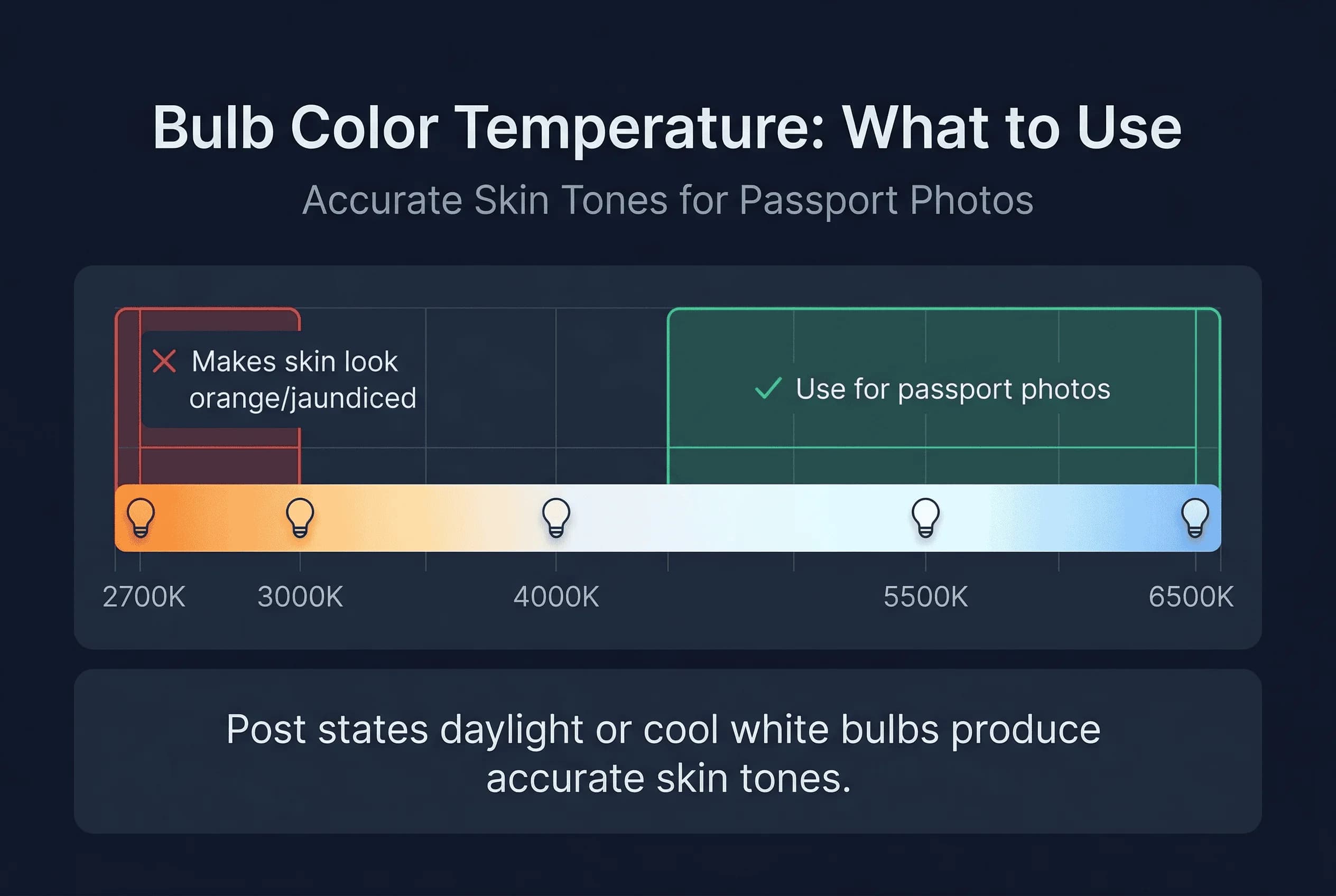
Color Temperature: What Bulbs to Use for Passport Photos
Light has color, measured in Kelvin (K):
- Daylight (5000-6500K) — Matches natural daylight, accurate colors
- Cool white (4000-5000K) — Slightly blue, still acceptable
- Warm white (2700-3000K) — Yellow/orange, changes skin tone
For passport photos, use daylight or cool white bulbs. Warm bulbs make skin look orange or jaundiced.
Common Passport Photo Lighting Mistakes
Only one light source. Creates uneven shadows.
Standing too close to the background. Your shadow falls on the background behind you.
Mixed bulb types. One warm and one cool bulb create two different skin tones on each side of your face.
Not checking preview. Always review your photo before saving to catch lighting issues. Zoom in to check for subtle shadows under the chin and around the nose — these are easy to miss on a small phone screen but obvious to automated compliance systems.
How to Verify Your Passport Photo Lighting
After taking your photo, upload it to passportsize-photo.online's free passport photo checker. It detects shadows, color casts, and lighting issues that might cause rejection.
Lighting determines whether your DIY passport photo passes or fails. Overcast daylight through a window is the gold standard—it's free, it's beautiful, and it produces the most accurate results. If you're shooting at night, two balanced lamps eliminate shadows. Once your lighting is set up correctly, your photo's chances of approval go up dramatically. For more tips on setting up your space, see our guide to white backgrounds for passport photos.