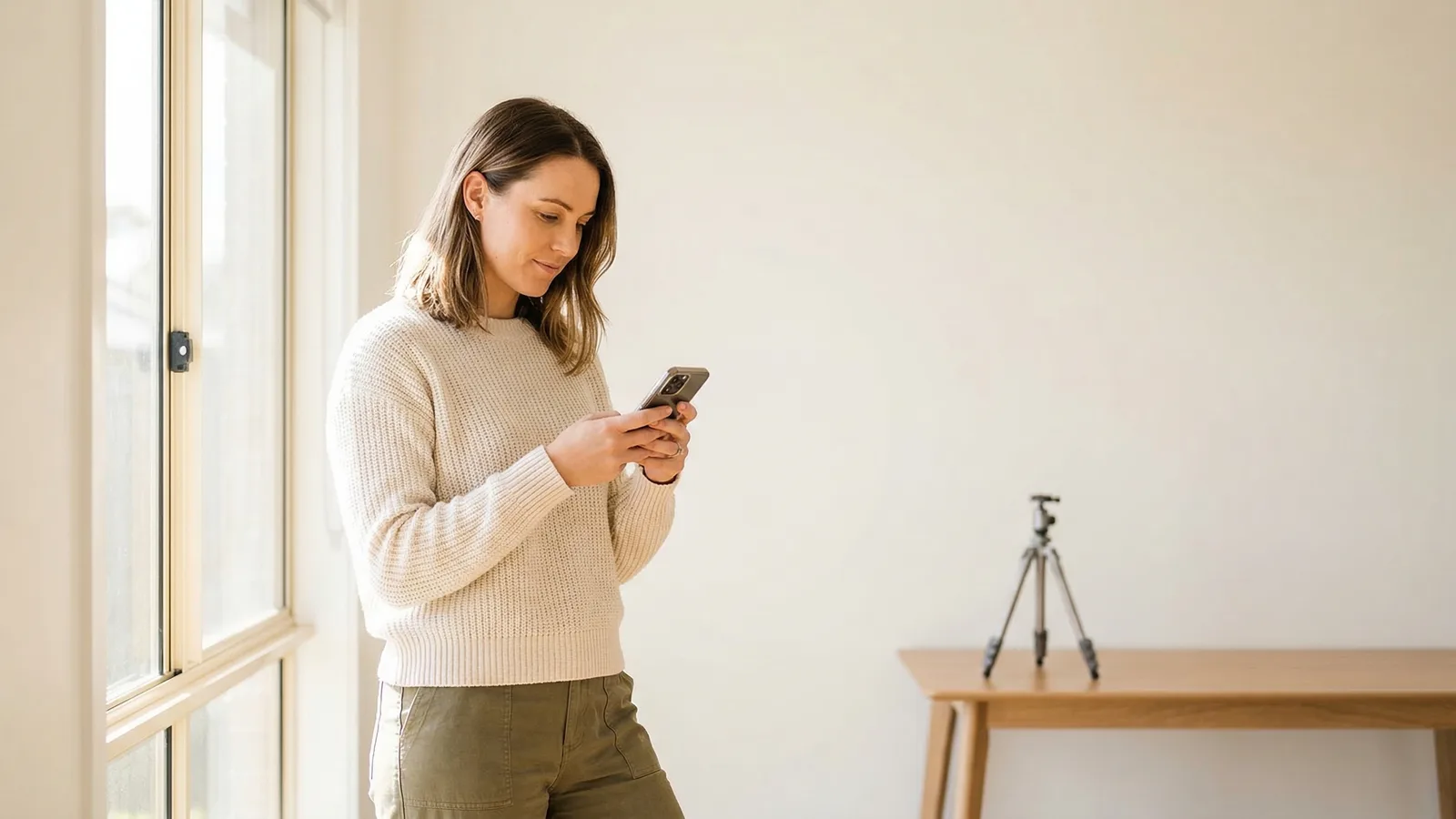
Creating an Australian passport photo at home is possible, but you must account for Australia's unique requirements. The key challenges are the strict expression rules and guarantor requirement.
This guide walks through each step.
Key Australian Passport Photo Requirements
Know these before starting:
- Dimensions: 35×45mm (standard)
- Background: White or light grey
- Face ratio: 60-80% of frame
- Expression: Neutral, mouth closed (strictly enforced)
- No glasses: All eyewear banned since 2018
- Eyes: Open, visible
The expression and glasses rules are your primary challenges.
Get a compliant passport photo online
Equipment Needed for DIY Australian Passport Photos
Camera: Any smartphone from the last 5 years (12+ megapixels). Use the rear camera, not the selfie camera — it produces sharper images with less distortion.
Background: White foam board (available at Officeworks or similar for AUD $5–10), white bedsheet ironed flat, or a clean white wall. Light grey is also accepted.
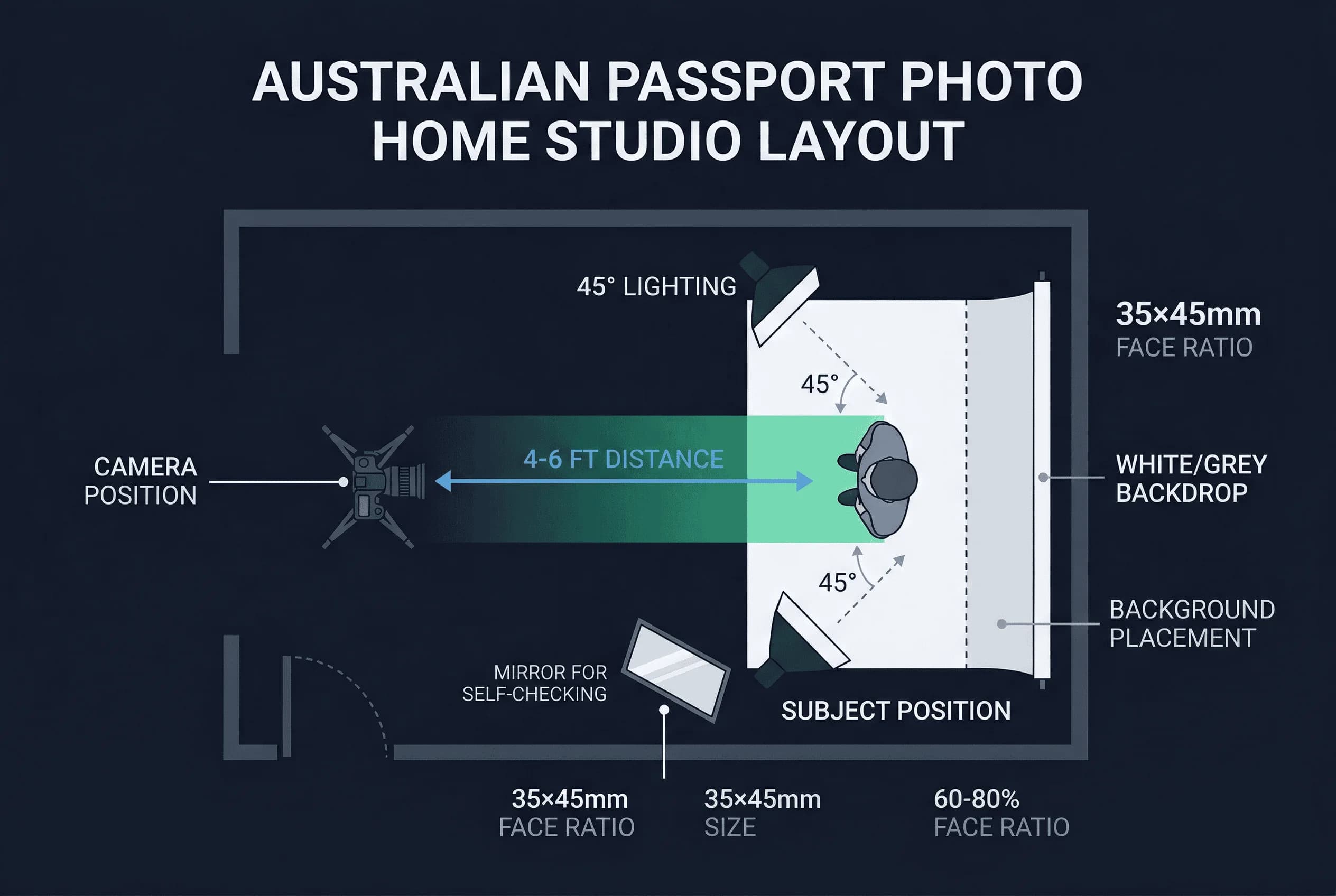
Lighting: Natural window light is ideal. If using artificial light, position two identical lamps at 45° angles with daylight bulbs (5000K–6500K).
Stability: A tripod or phone propped on a stable surface. Never hold the phone in your hand — it introduces blur and distortion.
Timer: Use your phone's built-in timer (3 or 10 seconds) or ask someone to take the photo.
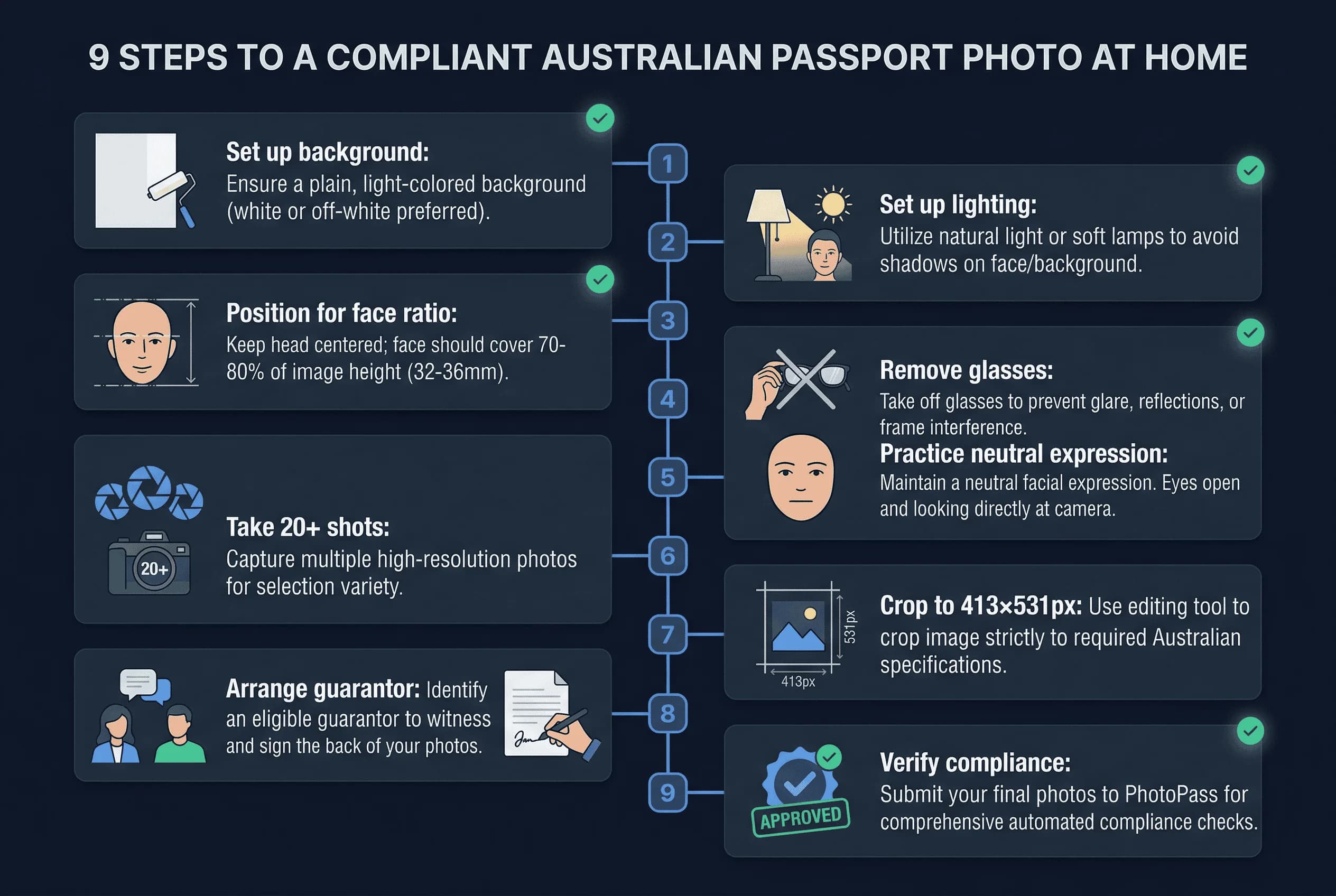
Step 1: Set Up a White Background for Your Photo
Australia accepts white or light grey backgrounds. White is easier to source at home.
For white backgrounds: use foam board, a white bedsheet ironed flat and pinned taut, or a clean white wall. For light grey: grey foam board or light grey fabric stretched flat.
The background must be perfectly even — no gradients, no shadows, no texture. Stand 12–18 inches away from the wall to prevent your body from casting shadows onto it. Take a test photo of just the background to verify it's clean.
Step 2: Set Up Even, Shadow-Free Lighting
Even, shadow-free lighting is essential. Australia's automated processing system is sensitive to shadows.
Natural light: Face a large window with indirect light. Overcast days are ideal. Avoid direct sunlight — it causes harsh shadows and squinting. In Australia's bright climate, hang a sheer curtain to diffuse intense light.
Artificial light: Two identical lamps at 45° angles. Match bulb colour temperature. This setup eliminates one-sided shadows that trigger rejection.
Test for shadows before shooting by taking a photo of yourself against the background. Check the screen carefully for any shadow under the chin, beside the nose, or on the wall behind you.
Step 3: Position for the 60–80% Face Ratio
Australia allows 60–80% face-to-frame ratio. Aim for approximately 70% — this gives you margin on both sides.
Position the camera at eye level, 4–6 feet (1.2–1.8m) away. Too close causes barrel distortion (nose appears larger, ears smaller). Too far makes the head too small in the frame. Use a mirror beside your camera to preview framing before shooting.
Frame from the shoulders up with space above your head. Leave enough margin for cropping — you can always crop tighter, but you can't add space that wasn't captured.
Step 4: Remove All Glasses (Banned Since 2018)
Australia banned all glasses in passport photos in 2018. Remove prescription glasses, sunglasses, and reading glasses before taking the photo. There are no medical exceptions for the photo itself.
If you wear contact lenses, keep them in. If you don't have contacts, your passport will show you without glasses — this is standard.
Step 5: Nail the Strict Neutral Expression
This is where many applicants fail. Australia is extremely strict.
Your expression must be:
- Mouth closed, lips touching lightly
- No smile whatsoever
- No hint of happiness
- Relaxed, neutral face
Even slight smiles get rejected. This is one of the most strictly enforced rules in the world.
Practice in a mirror. Find your natural neutral face. Think "resting face." Don't force it.
Step 6: Take at Least 20 Shots in Burst Mode
Take at least 20 photos. Use burst mode if available. Review each on a larger screen — phone screens hide subtle problems.
Eliminate any shot where:
- You detect even a hint of a smile or lip movement
- Background has shadows, gradients, or discoloration
- Eyes are partially closed or looking away
- Head is tilted, turned, or angled
- Hair covers the forehead, eyes, or eyebrows
- Glasses are visible (easy to forget if you normally wear them)
Australia's expression enforcement is strict enough that you should critically assess every frame. When in doubt, discard it.
Step 7: Crop to 35×45mm and Finalize
Crop to 35×45mm aspect ratio (7:9).
Set your cropping tool to 413×531 pixels at 300 DPI.
Step 8: Arrange the Australian Guarantor Requirement
After taking your photo, arrange the guarantor requirement. This is unique to Australia and catches many DIY applicants off guard.
A guarantor must:
- Certify the photo is a true likeness of you
- Write their name, signature, phone number, and passport number on the back of one printed photo
- Have known you for at least 12 months
- Hold a current Australian passport themselves
For online applications, you enter the guarantor's details digitally. For paper applications, physical photos with the guarantor's written details on the back are required. Start identifying your guarantor early — finding someone who meets all criteria can take longer than expected.
Step 9: Verify Your Australian Photo Meets All Rules
Before submitting, check:
- Dimensions: 35×45mm
- Background: white or light grey
- Face ratio: 60-80%
- Expression: neutral, mouth closed
- No glasses
- Eyes: open
- Guarantor arranged
Common DIY Mistakes for Australian Photos
Slight smile. The most common rejection reason. Even a faint upturn at the corners of your mouth will be flagged. Australia's system is stricter than most countries on this point.
Shadows. Any shadow on the background or face triggers rejection. Two light sources and distance from the wall are the fix.
Glasses. Australia banned all glasses in passport photos in 2018. If you normally wear them, it's easy to forget. Remove them before every shot.
Wrong face ratio. Head too small (standing too far from camera) or too large (standing too close). Preview your framing before shooting.
Warm-toned walls. Walls that look white to your eye but register as cream or pale yellow. Test by photographing the wall alone.
Printing and Submitting Your Australian Passport Photo
Print at 300 DPI on photo paper. You can fit multiple 35×45mm photos on a 4×6 sheet. Print at Officeworks, Australia Post, or at home with a photo-quality printer. Cost is typically AUD $0.20–2 per print depending on the service.
For online applications through the Australian Passport Office, you'll upload the digital file directly. The system runs automated checks — having your photo pre-validated reduces the chance of rejection at upload.
Taking an Australian Passport Photo at Home Abroad
If you're an Australian citizen abroad, the same 35×45mm requirements apply at Australian embassies and high commissions. Photo studios overseas may not know Australian expression rules are stricter than average — specify "Australian passport photo, strictly neutral expression, no glasses."
Verify your photo meets all Australian requirements with the passportsize-photo.online checker. For size details, see the Australia passport photo size guide. For full Australian passport rules, visit the Australia hub.