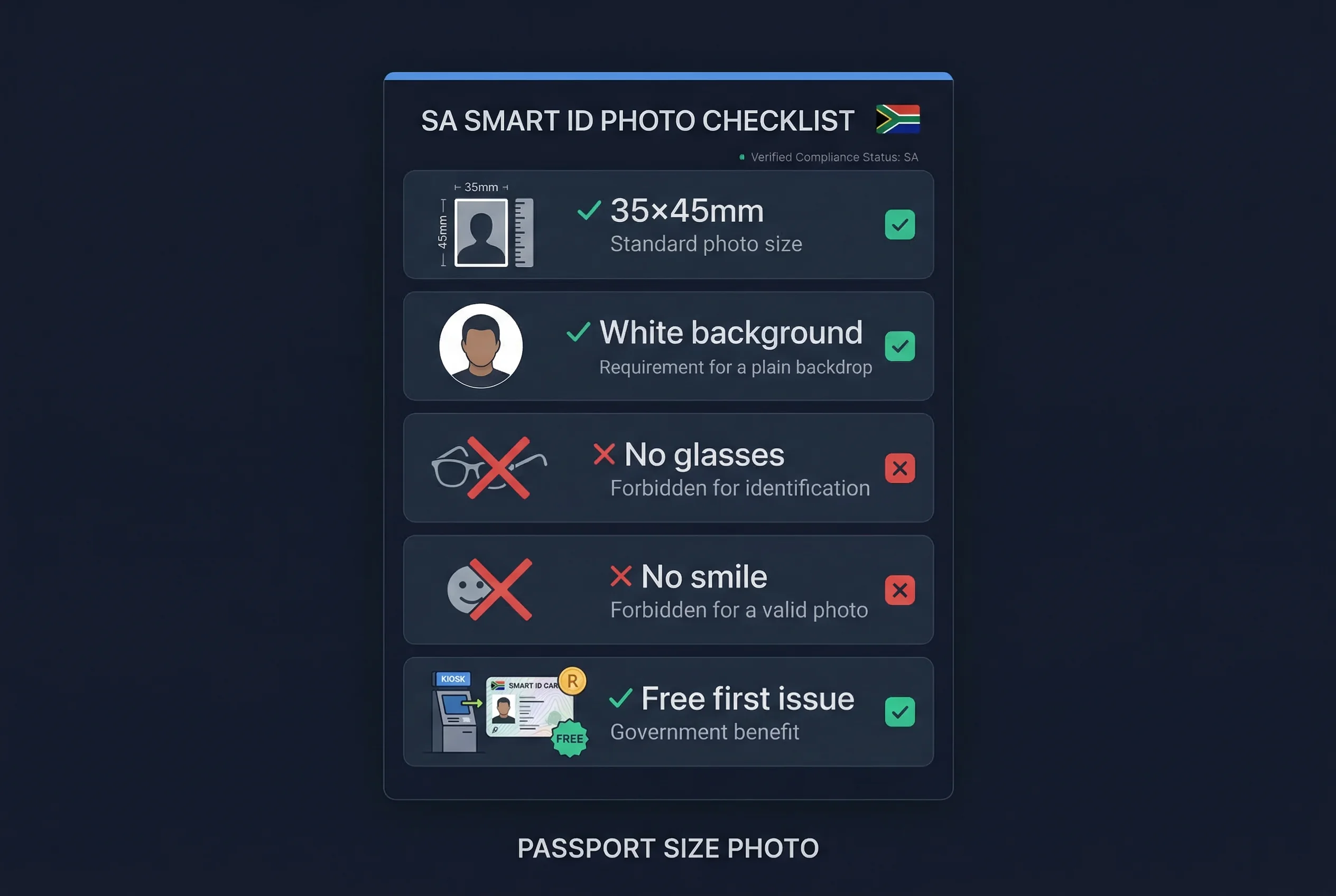
South Africa's Smart ID Card photo must be 35×45mm — the same specification as a South African passport photo. Plain white background. No glasses. Neutral expression with mouth closed. The card is issued by the Department of Home Affairs (DHA) and carries no expiry date. The first issue is free. If yours is lost or damaged, a replacement costs ZAR 140.
South Africa Smart ID Card Photo Specifications (35×45mm)
| Requirement | Specification |
|---|---|
| Print size | 35×45mm |
| Digital equivalent | 413×531 pixels |
| Background | Plain white |
| Glasses | Not allowed |
| Expression | Neutral, mouth closed |
| Head covering | Allowed for religious reasons; face must be fully visible |
| Photo recency | Within 6 months recommended |
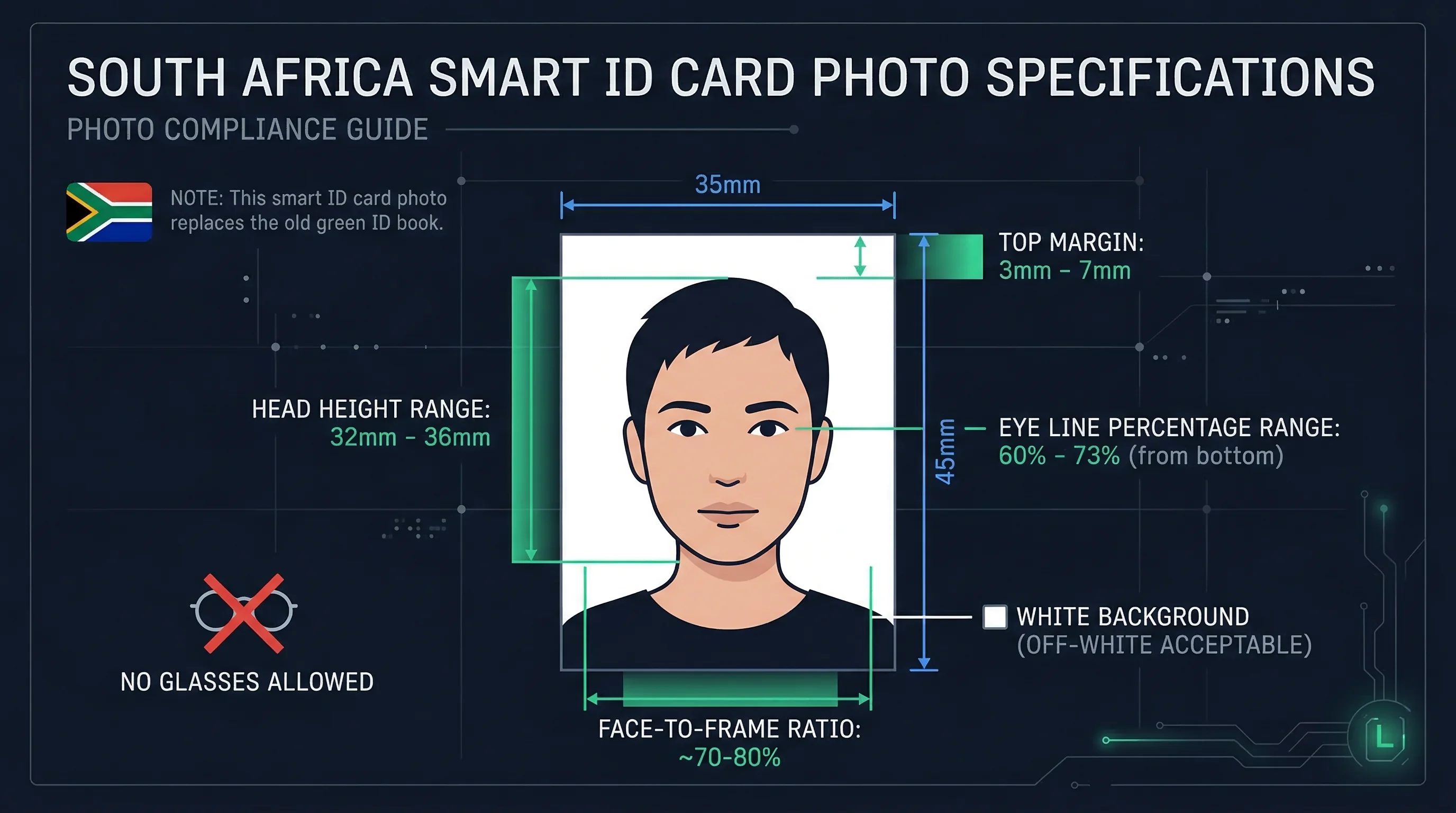
The Smart ID Card uses the same photo standard as the South African passport because DHA administers both documents under a unified biometric identity system. A recent compliant passport photo will meet the Smart ID specification. Same dimensions, same background, same rules.
Get a compliant passport photo online
What the South African Smart ID Card Replaced
South Africa used a green barcoded ID book for decades. That document served its purpose, but it was paper-based, relatively easy to forge, and couldn't carry biometric data reliably. The Smart ID Card replaced it.
The Smart ID Card is a polycarbonate card — same form factor as a credit card — with an embedded microchip. The chip stores the cardholder's fingerprints, photograph, and personal details. DHA uses that biometric data for identity verification across government services, banking, SIM card registration, and border crossings.
South African citizens aged 16 and over are eligible to apply. DHA has been progressively replacing green barcoded ID books, and citizens are encouraged to upgrade. The old green ID book remains legally valid for now, but the Smart ID Card is the current standard.
The DHA Application Process for South African Smart ID Cards
Applications are made in person at a DHA office. You cannot apply entirely online for a first-time Smart ID Card — the initial application requires your physical presence for fingerprint capture.
Step 1 — Visit a DHA office. Home Affairs offices are located in all major cities and towns. Many DHA applications can also be submitted through designated South African banks — Absa, FNB, Nedbank, and Standard Bank all have Home Affairs service points at selected branches. The bank route often has shorter queues.
Step 2 — Complete the form. Fill in the BI-9 application form. DHA staff at the office can assist if needed.
Step 3 — Submit your photograph. Bring two identical 35×45mm prints to your appointment. The photo must have a plain white background, no glasses, and a neutral expression. DHA staff review photos at the counter.
Step 4 — Biometric capture. DHA captures your fingerprints at the counter on the day of application. This ties the physical card to your biometric identity.
Step 5 — Pay (or confirm free status). First-time applicants pay nothing. If you are applying for a replacement — lost, damaged, or stolen card — the fee is ZAR 140.
Step 6 — Wait for your card. Processing takes 1–3 months. DHA issues an SMS notification when the card is ready. Collection is from the same office where you applied.
Can You Wear Glasses in a South African Smart ID Photo?
DHA does not allow glasses in Smart ID Card photos. Prescription glasses, reading glasses, sunglasses — none of them are permitted. This is consistent with the South African passport standard and aligns with South Africa's biometric identity framework, which uses facial recognition for verification.
Glasses cause reflections on the lens surface that distort the captured image, and they create partial shadows around the eye region. Both reduce biometric matching accuracy. Remove eyewear before the photo is taken.
South African Smart ID Card Fees and Validity
| Application Type | Fee |
|---|---|
| First issue | Free |
| Replacement (lost, damaged, stolen) | ZAR 140 |
The Smart ID Card carries no expiry date. Once issued, it is valid indefinitely. DHA may reissue a card if your appearance changes significantly — this is treated as a replacement.
South African Smart ID Card Processing Time (1-3 Months)
Current DHA processing for Smart ID Cards runs 1–3 months from application date. This figure has been known to extend during high-volume periods — ahead of elections, for example, when large numbers of citizens apply simultaneously.
Apply as early as possible if you have a specific deadline. The DHA track-and-trace service on the Home Affairs website allows you to check your card's status using your ID number.
What to Wear for a South African Smart ID Card Photo
Clothing choices affect the final image more than most people expect.
Avoid white or very light tops. Against a white background, pale clothing dissolves the edge between you and the backdrop, which produces a flat, poorly defined image. Plain shirts or blouses in mid to dark tones — navy, charcoal, forest green, burgundy — create the contrast that makes a good ID photo.
No uniforms. DHA requires civilian attire for identity document photos. Police, military, and other uniform-bearing professions must apply in plain clothes.
Avoid heavy patterns, busy prints, or anything with bold logos. The face is the subject. Everything else should recede into the background.
Getting a Compliant South African Smart ID Card Photo
Photo studios across South Africa — particularly those near DHA offices — know the 35×45mm South African passport standard. Tell the operator it's for a Smart ID Card or a passport; the spec is the same. Ask for two identical prints. DHA requires duplicates and will check them at the counter.
Before your appointment, confirm your photo meets spec with the passportsize-photo.online checker. It checks background colour, head size, expression, and lighting. A rejected photo at the DHA counter means rescheduling your appointment — processing queues at Home Affairs can run several weeks.
Expression and Appearance Rules for SA Smart ID Photos
- Neutral expression — mouth closed, no smile, no frown
- Eyes open — both eyes fully visible, looking directly at the camera
- No glasses — all types banned, including clear prescription lenses
- Hair away from face — forehead and both ears visible
- Head coverings — only for religious or medical reasons; face from chin to forehead must remain visible
- Civilian attire — no uniforms, no military clothing
- Contrasting clothing — avoid white or pale tops that blend into the backdrop
- No heavy makeup — the photo should represent your everyday appearance
South African Documents Compared: Smart ID vs Passport vs DL
| Document | Size | Background | Glasses | Fee |
|---|---|---|---|---|
| Smart ID Card | 35×45mm | White | Not allowed | Free (first issue) |
| SA Passport | 35×45mm | White | Not allowed | ZAR 400 |
| Driver's Licence | 35×45mm | White | Not allowed | ZAR 140 |
| Visa | 35×45mm | White | Not allowed | Varies |
All four South African identity documents share the same 35×45mm white-background specification with no glasses. One photo session covers every document.
Common South African Smart ID Card Photo Rejections
- Background not pure white — off-white, cream, or grey tones fail
- Glasses visible — any eyewear triggers rejection
- Expression not neutral — even a slight smile is grounds for rejection
- Photo too old — must be taken within 6 months
- Flat image from white clothing — creates poor definition against the white backdrop
- Creased, blurry, or low-contrast prints — DHA needs sharp images for chip encoding
Quick Checklist for South Africa Smart ID Card Photos
- Size: 35×45mm (413×531px at 300 DPI)
- Background: white
- Expression: neutral, mouth closed
- No glasses (any type)
- Two identical prints
- Photo taken within 6 months
- Civilian clothing with contrast
- BI-9 form completed
- Fee: free (first issue) or ZAR 140 (replacement)
For the full range of South African identity documents and their requirements, the South Africa documents page is the reference point. Verify your photo before your DHA appointment with the passportsize-photo.online checker.