
Singapore Work Pass Photo Requirements (EP/S Pass)
Singapore work pass photos are assumed to follow the standard 35×45mm passport specification — white background, no glasses, neutral expression. However, MOM's official documentation does not confirm photo dimensions for the physical card. For many work pass holders, the photo is captured on-site at MOM during fingerprint registration, not submitted in advance.
Here's what the process actually looks like, and what you should know before your card registration appointment.
The Honest Answer on Singapore Work Pass Photo Dimensions
MOM's official guidance for Employment Pass (EP), S Pass, and Work Permit applications focuses heavily on online documents, educational certificates, and personal particulars. The physical card photo specification — dimensions, DPI, pixel count — is not explicitly stated in publicly available MOM documentation.
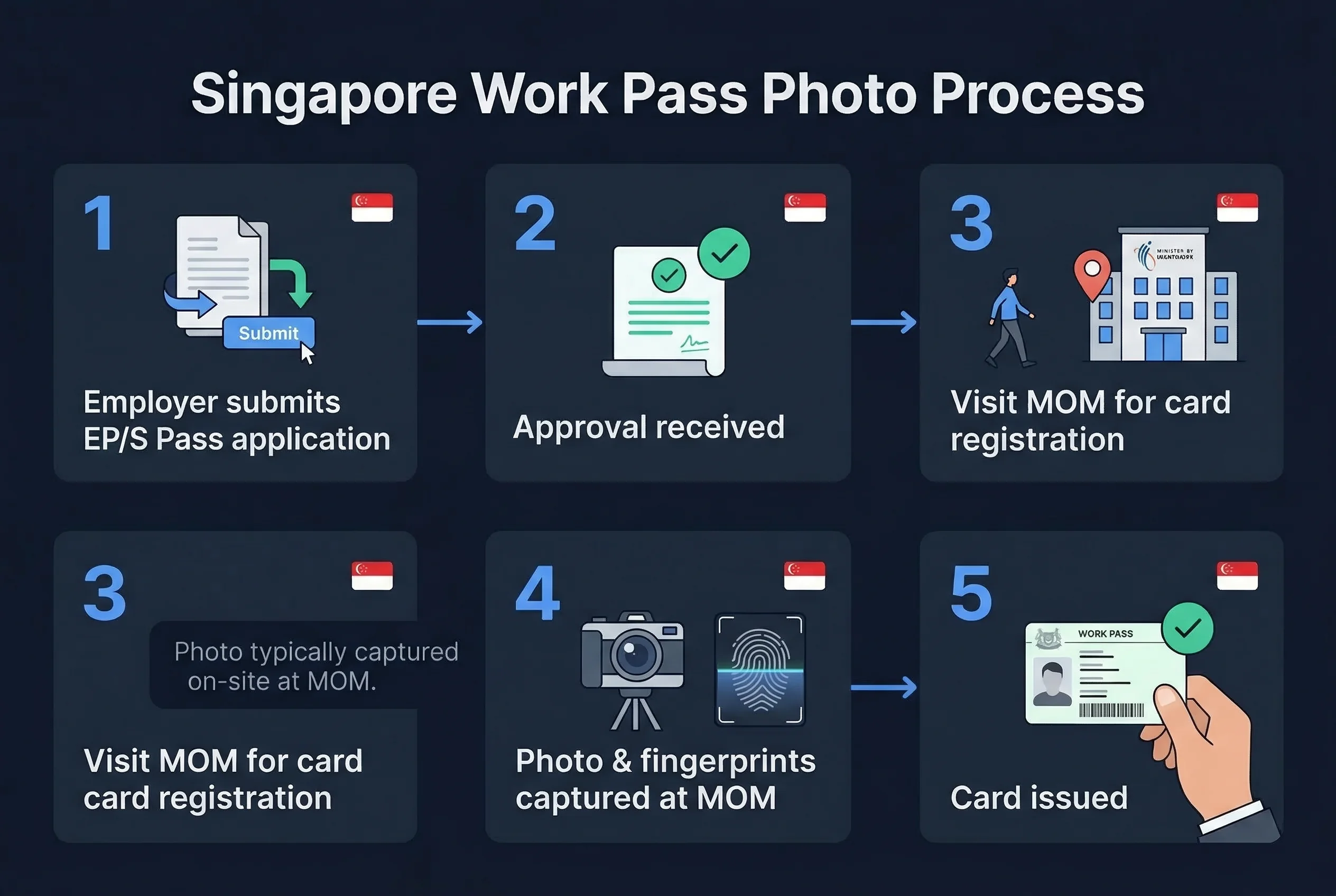
What MOM does confirm: work pass holders must attend an in-person appointment to register their fingerprints and photo. That wording — "register fingerprints and photo" — strongly suggests the photo is captured on-site at MOM's Card Registration Centre rather than submitted by the applicant.
Working assumption: If you're asked to submit a digital photo for the application portal, use 35×45mm (413×531px) with a plain white background — the Singapore national standard. If your employer or a work pass agent asks for a specific dimension, follow their guidance. The 35×45mm assumption is reasonable but not officially confirmed.
Get a compliant passport photo online
How Singapore Work Pass Card Registration Works at MOM
Once your Employment Pass or S Pass is approved, MOM will send a notification to attend card registration. The process:
- Book an appointment via MOM's website or your employer's HR department may coordinate this.
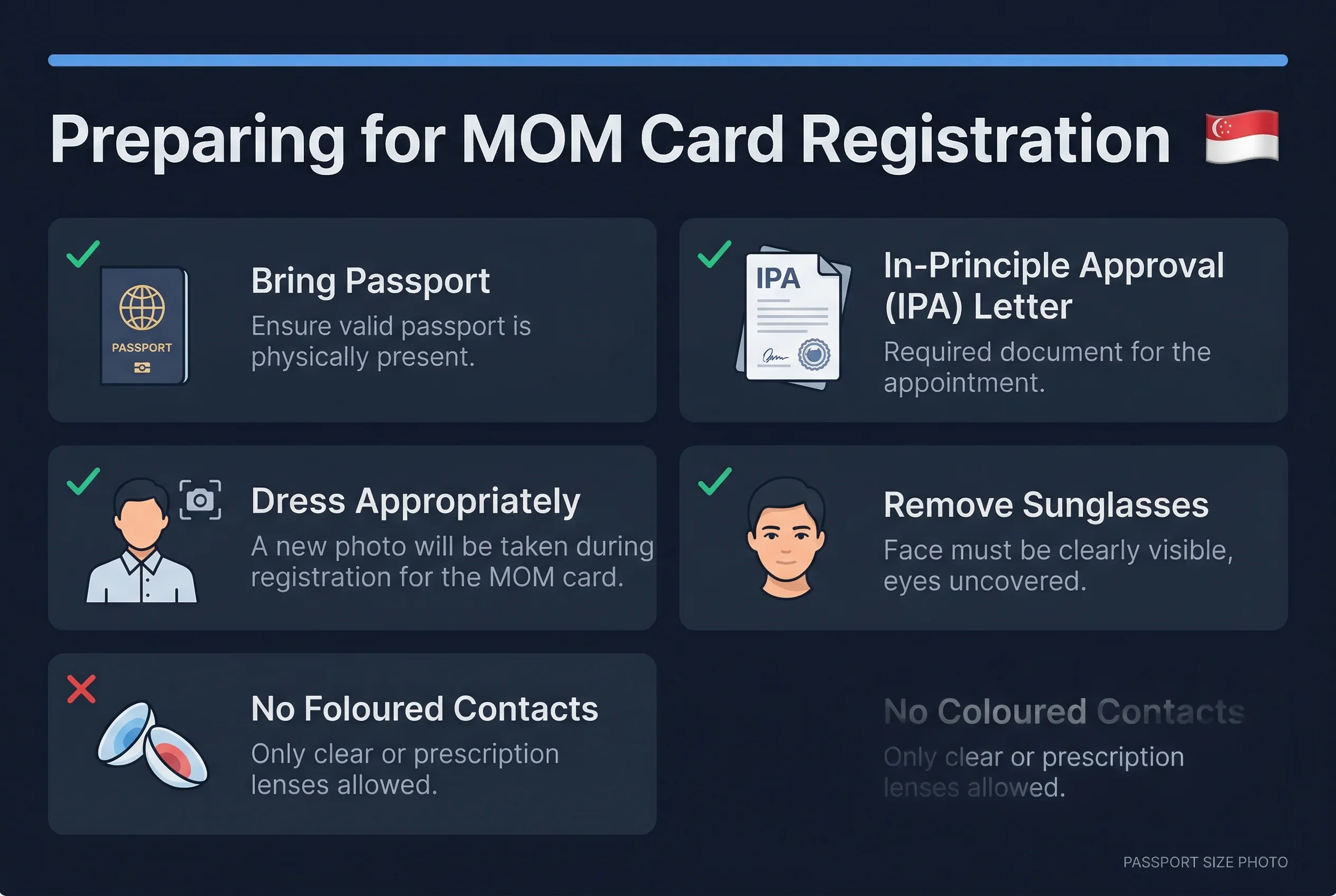
- Attend the Card Registration Centre at MOM Services Centre, 1500 Bendemeer Road. Bring your notification letter and your original passport.
- On-site photo and fingerprints — MOM staff will photograph you and capture fingerprints digitally. You don't bring a physical photo print.
- Card collection — The physical work pass card is typically ready within a few working days and can be collected or mailed.
For Work Permit holders, the process is similar but is often coordinated through the employer or an employment agent.
This on-site capture system means most EP and S Pass holders never need to worry about photo specifications at all. MOM controls the photo at the point of registration.
EP vs S Pass vs Work Permit: Same Process
All three pass types go through the same card registration process at MOM. There's no difference in photo requirements between:
- Employment Pass (EP): For professionals earning above the minimum salary threshold (currently SGD 5,000/month for new applicants; higher for financial services roles).
- S Pass: For mid-skilled workers earning above SGD 3,150/month.
- Work Permit: For semi-skilled workers in construction, marine, process, and domestic sectors.
All three result in a physical work pass card. All three require the same in-person card registration appointment.
If You're Submitting a Work Pass Photo Online
Some applications, especially through corporate HR systems or work pass agents, may ask for a digital photo to be uploaded as part of the application or renewal. If that's the case:
- Size: 35×45mm equivalent — use 413×531 pixels at 96 DPI, or higher resolution at the same aspect ratio.
- Background: Plain white. No shadows, no gradients.
- Glasses: Not allowed (following Singapore's standard biometric photo guideline).
- Expression: Neutral, mouth closed.
- File format: JPG, typically under 2MB.
These are the Singapore passport photo standards, applied here by assumption. If an agent or MOM portal specifies different dimensions, those take precedence.
What to Bring to MOM Card Registration
Your MOM appointment notification letter will list required documents. Generally:
- Original passport
- Approval notification letter
- For Work Permits: employer's details
You don't need to bring physical passport photos. MOM photographs you there.
Dress professionally. Your work pass photo is not a casual snapshot — it'll appear on an official Singapore government-issued document you'll carry for the duration of your employment here.
Renewing Your Singapore Work Pass and Photo
EP and S Pass cards are valid for 1–3 years. On renewal, the card registration process repeats — another appointment, another on-site photo capture. Your appearance on the updated card will reflect the photo taken at that renewal appointment.
If your appearance has changed significantly between your original application photo (uploaded during the online application) and the card registration photo (taken on-site), MOM staff will verify your identity with your passport. This is routine.
Practical Advice for Singapore Work Pass Photos
If your employer's HR team is managing your work pass application, let them guide the photo submission process. Most established HR departments and work pass agents have handled hundreds of these applications and know exactly what MOM's portal accepts.
If you're applying independently, the Singapore passport photo spec is your safe baseline. Use passportsize-photo.online if you need a verified, compliant digital photo ready for upload.
One thing worth saying clearly: don't overprepare for the physical card photo. MOM takes it on-site. The appointment is short, the staff are efficient, and the photo quality is standardised. Your job is to show up with the right documents, on time, professionally dressed.
Appearance Rules for MOM On-Site Photo Capture
Even though MOM captures the photo, how you present yourself matters — this photo goes on your official work pass card.
- Neutral expression — mouth closed, no smile, no frown
- Eyes open — both eyes fully visible, looking directly at the camera
- No glasses — remove all eyewear before the photo. Singapore enforces a categorical no-glasses rule across all identity documents
- Hair away from face — forehead and both eyes clearly visible
- Head coverings — permitted for religious reasons (tudung, turban); full face from chin to forehead must remain visible
- Professional dress — while not a formal requirement, your work pass photo appears on an official government document. Business or smart-casual attire photographs better than casual wear
- No accessories that obscure the face — no oversized earrings, headphones, or items that block the jawline or cheeks
Singapore Documents Compared: Work Pass vs Passport vs NRIC
All Singapore identity documents share the same biometric standard. If you need photos for multiple applications, one session covers everything.
| Document | Size | Background | Glasses | Smile |
|---|---|---|---|---|
| Work Pass (EP/S Pass) | 35×45mm | White | Not allowed | Not allowed |
| Singapore Passport | 35×45mm | White | Not allowed | Not allowed |
| NRIC | 35×45mm | White | Not allowed | Not allowed |
| Driving Licence | 35×45mm | White | Not allowed | Not allowed |
Singapore has a fully unified photo standard — 35×45mm, white background, no glasses, neutral expression — across every document type. A single compliant photo works for passport, NRIC, driving licence, and work pass submissions.
Quick Checklist for Card Registration
- MOM appointment booked
- Passport (original) packed
- Approval notification letter printed
- Glasses removed before entering the centre
- Professional attire worn
- Employer details available (for Work Permit holders)
Quick Checklist for Work Pass Digital Photo Submission
- Size: 413×531 pixels (35×45mm at 300 DPI)
- Background: white
- Expression: neutral, mouth closed
- No glasses
- File format: JPEG, under 2MB
- Photo taken within 3 months