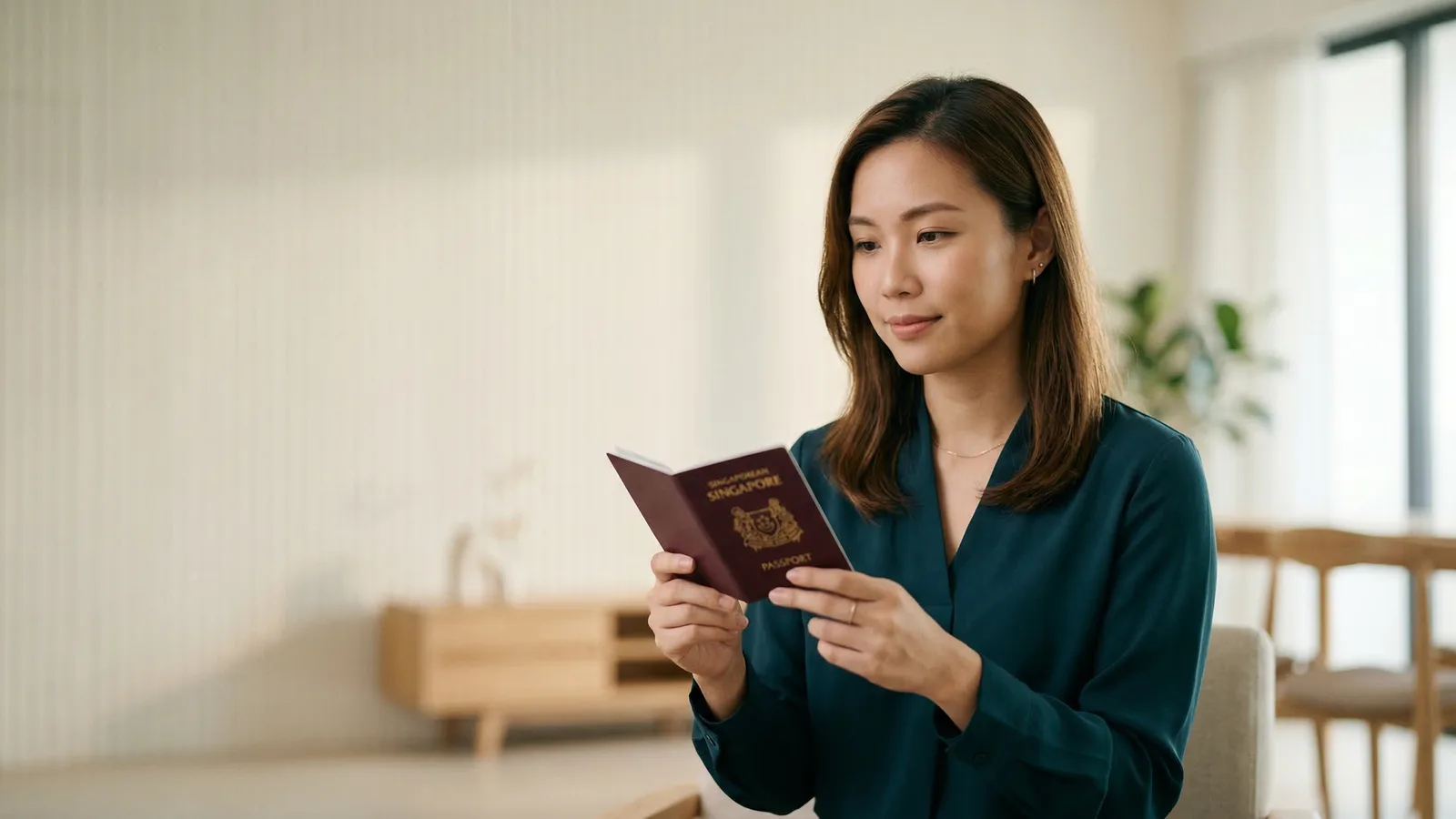
Singapore mandates a pure white background — hex code #FFFFFF — for all passport photographs submitted to the Immigration & Checkpoints Authority (ICA). This requirement ensures proper functioning of biometric facial recognition systems used at Singaporean border controls.
The white backdrop must be completely uniform from edge to edge. Any shadows, gradients, or subtle color variations — even those invisible to casual observation — can trigger rejection. Modern facial recognition technology detects background inconsistencies that the human eye might miss.
Understanding Pure White Background for Singapore Photos
Pure white in digital terms means RGB values of 255, 255, 255 — the brightest possible white with zero tint. This creates maximum contrast with your face, which is essential for accurate biometric matching.
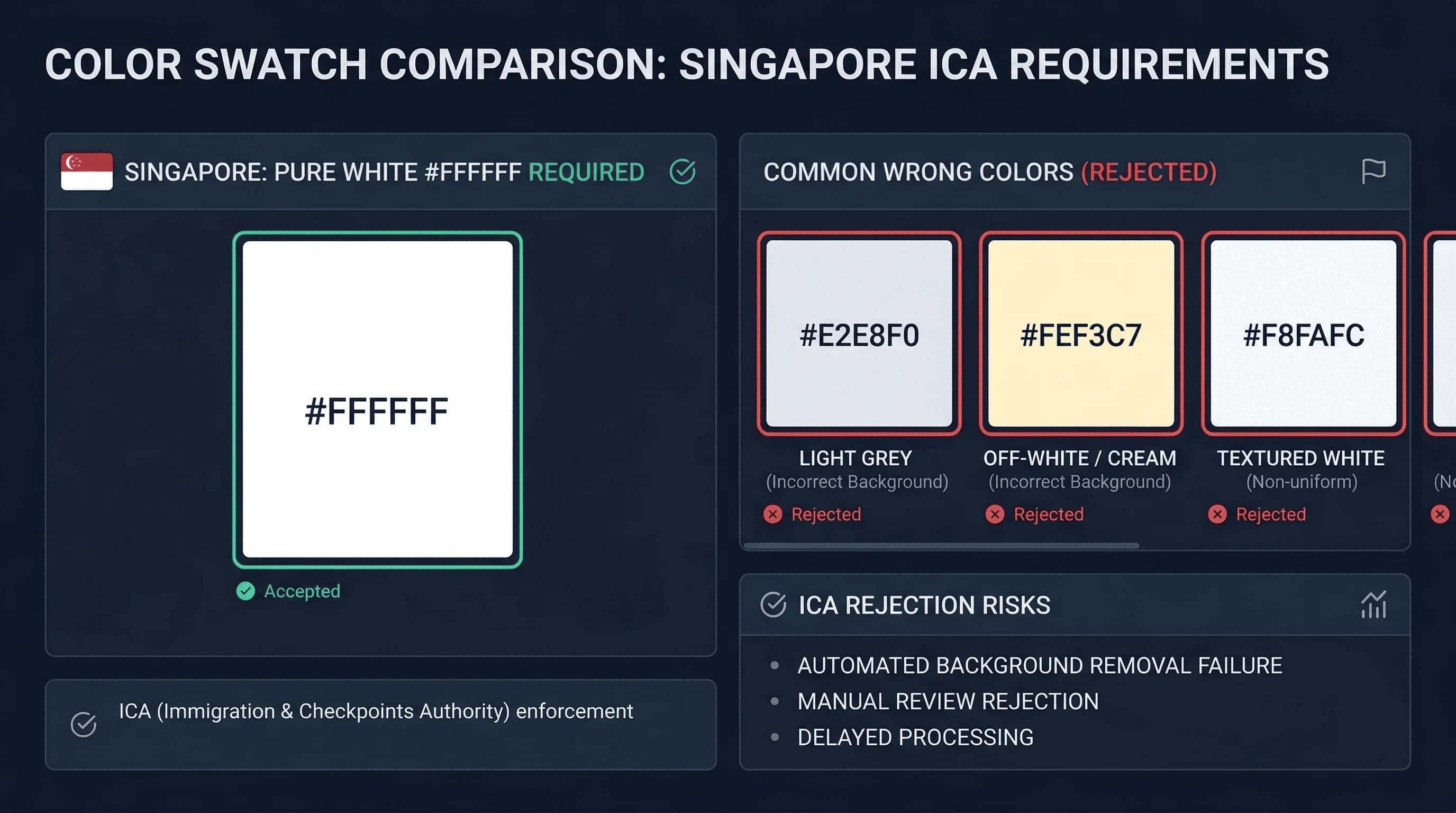
In practice, achieving true #FFFFFF requires attention to:
- Wall color (most "white" walls contain subtle gray or warm tones)
- Lighting setup (shadows create false gradients)
- Camera settings (different devices render white differently)
Get a compliant passport photo online
How to Create a White Background for Singapore Passport Photos
Several approaches work for DIY passport photos:
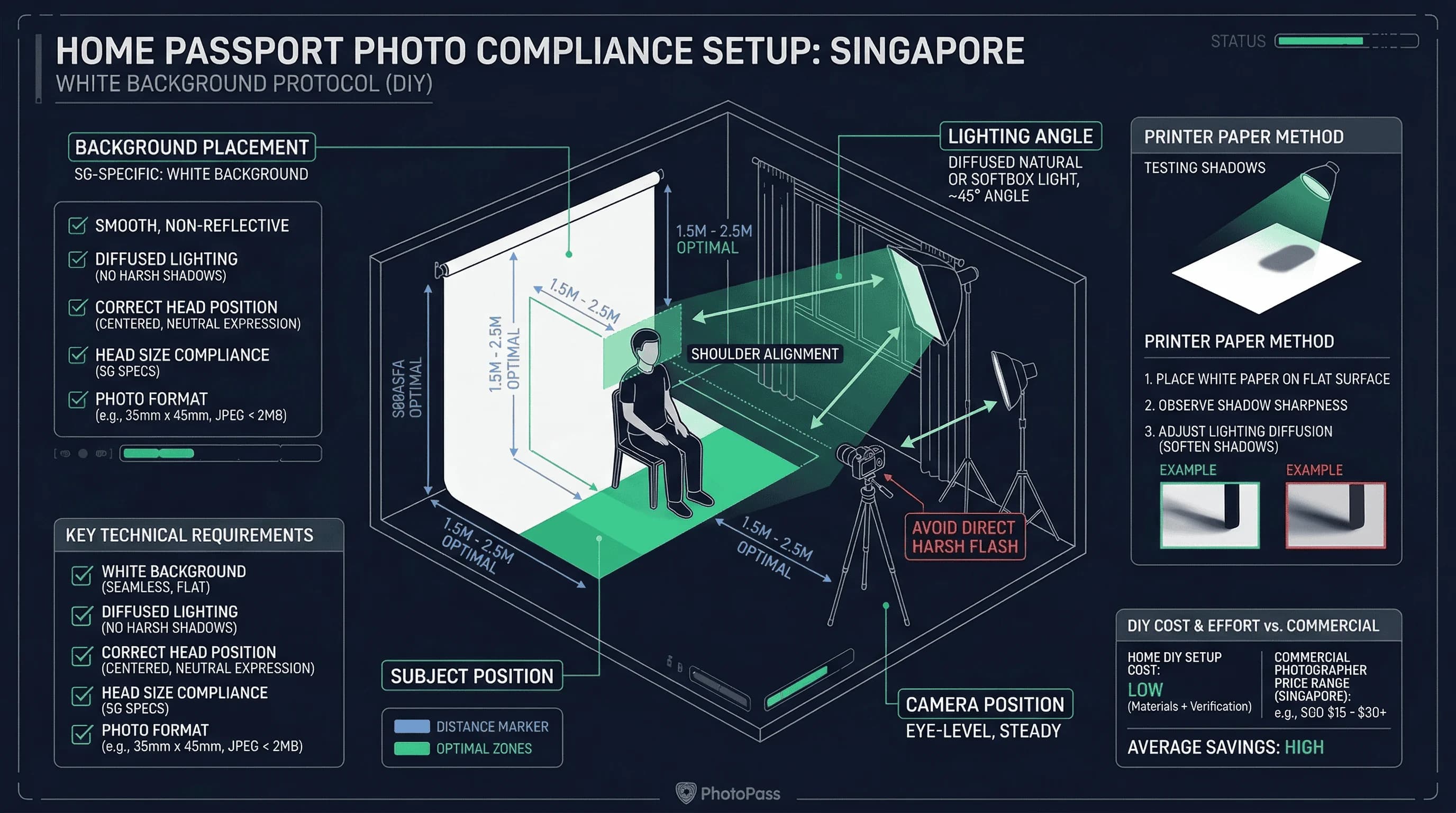
Test your walls. Photograph a pure white object — a sheet of printer paper works well — against your wall. If the wall appears different from the paper on screen, it's not white enough.
Use a white backdrop. Photography supply stores sell solid-white backdrops. These provide guaranteed compliance.
White bedsheets work. A clean, white bedsheet pressed flat against a wall offers a simple solution. Ensure the sheet is ironed smooth — creases cast shadows.
White poster board. Large white foam core boards from office supply stores (Popular, Art Friend) provide an affordable backdrop. Size A1 or larger is sufficient.
Avoid HDB flat walls. Most HDB walls are not pure white — they often have a slightly warm or grey tone. Test by photographing a sheet of printer paper against the wall. If the wall looks different from the paper on screen, it's not white enough. Use a separate backdrop instead.
Lighting Setup for Singapore Passport Photo Backgrounds
Proper lighting eliminates background problems:
Avoid overhead fixtures. Ceiling lights create shadows between your body and the wall. These shadows appear as dark bands in the final image.
Use diffused front lighting. Position a light source in front of you, slightly to one side. This illuminates both your face and the background evenly.
Natural light is ideal. A large window on a cloudy day provides beautiful, even illumination. Position yourself perpendicular to the window. Avoid direct sunlight.
Check the background on screen. Before finishing your session, examine the background on your camera display. Any visible shadow or color variation means retake.
Where to Get Singapore Passport Photos with White Background
ICA Building photo services. The ICA Building at 10 Kallang Road has photo services that guarantee compliance. Cost: SGD $10–15. This is the most reliable option — staff know the exact requirements.
Professional studios (摄影社). Studios in Chinatown, Bugis, and other commercial areas produce compliant photos. Cost: SGD $15–40. Useful if you need specific accommodations or multiple formats.
Mall photo kiosks. Self-service photo booths in shopping centres (VivoCity, ION Orchard, Tampines Mall, Jurong Point) offer passport photos. Cost: SGD $8–20. Backgrounds are standardised white. Check the preview carefully.
SingPost locations. Selected SingPost branches offer passport photo services. Convenient if combining with other errands.
Singaporeans abroad. Singapore embassies and consulates can direct you to approved local photographers. Specify "white background, Singapore passport" and check the output carefully. In cities with Singaporean communities — London, Melbourne, New York — studios near the embassy may know the requirements.
Singapore Passport Photo Background vs Regional Countries
| Country | Background | Notes |
|---|---|---|
| Singapore | White | Plain white required |
| Malaysia | White | Same as Singapore |
| Indonesia | White | Same as Singapore |
| Thailand | White | Same as Singapore |
| Japan | White | Same as Singapore |
| South Korea | White | Same as Singapore |
| China | White | Same as Singapore |
| India | White | Same as Singapore |
| Germany | Light grey | Different — will fail in Singapore |
| United Kingdom | Light grey | Different — will fail in Singapore |
Singapore shares its white background requirement with all ASEAN neighbours and most Asian countries. A white-background photo taken for Malaysia, Japan, or China will have the correct background for Singapore (verify size and other rules separately). Photos taken for Germany or the UK (light grey) will not pass ICA requirements.
Common Singapore Passport Photo Background Rejection Causes
Gradient from white to grey. This appears at the frame edges when lighting fails to reach the background uniformly. The centre may look white, but the edges darken.
Shadows from the subject. Where your shoulders meet the background, your body casts a shadow. Standing too close to the wall makes this worse.
Non-white wall showing. If your backdrop doesn't fully fill the frame, your actual wall colour appears at the edges.
Off-white or cream walls. Most HDB flat walls are not pure white. They often contain warm or grey tones that fail the automated check.
Patterned or textured backgrounds. Any texture — even subtle — fails. This includes fabric weave from bedsheets.
Yellow lighting. Warm-tone bulbs (2700K) make white surfaces photograph as cream.
Singapore Passport Photo Background Rules for Babies
Infants and young children must meet the same white background requirement.
Newborns and infants (under 1). Lay the baby on a plain white sheet on a flat surface and photograph from directly above. The white sheet becomes the background. Ensure it is smooth with no wrinkles.
Toddlers (1–5). Seat the child against a white background. An assistant can hold the child's attention with a toy above the camera — the toy must not appear in the photo.
Children's passports in Singapore are valid for 5 years (vs 10 for adults). A new photo is required at each renewal.
The Shadow Problem in Singapore Passport Photo Backgrounds
Shadows are the most common background issue in DIY passport photos.
The fix: distance. Stand 40–60cm from the wall. The gap gives the shadow space to fall below the frame.
Phone flash creates the worst shadows. The built-in flash casts a sharp shadow directly behind your head. Disable the flash and use room lighting or natural light.
Two lights eliminate most shadows. Position lamps at 45 degrees on each side. If a faint shadow remains, add a third light aimed at the background.
Verifying Your Singapore Passport Photo Background
Before submitting, check:
- Background is white across the entire frame
- No visible shadows behind you
- No texture, pattern, or seam visible
- Background extends beyond all edges
- Lighting is even from top to bottom, left to right
Open the photo on a computer screen (not your phone — phone screens can be misleading) and zoom into the background areas. If you see any grey patches, cream tones, or shadows, retake. Use the colour picker tool in any image editing software — all background readings should be at or near RGB 255, 255, 255.
Use our passport photo checker to verify compliance with ICA standards. For Singapore passport photo size requirements, see the Singapore passport photo size guide. View the complete requirements on the Singapore hub page.