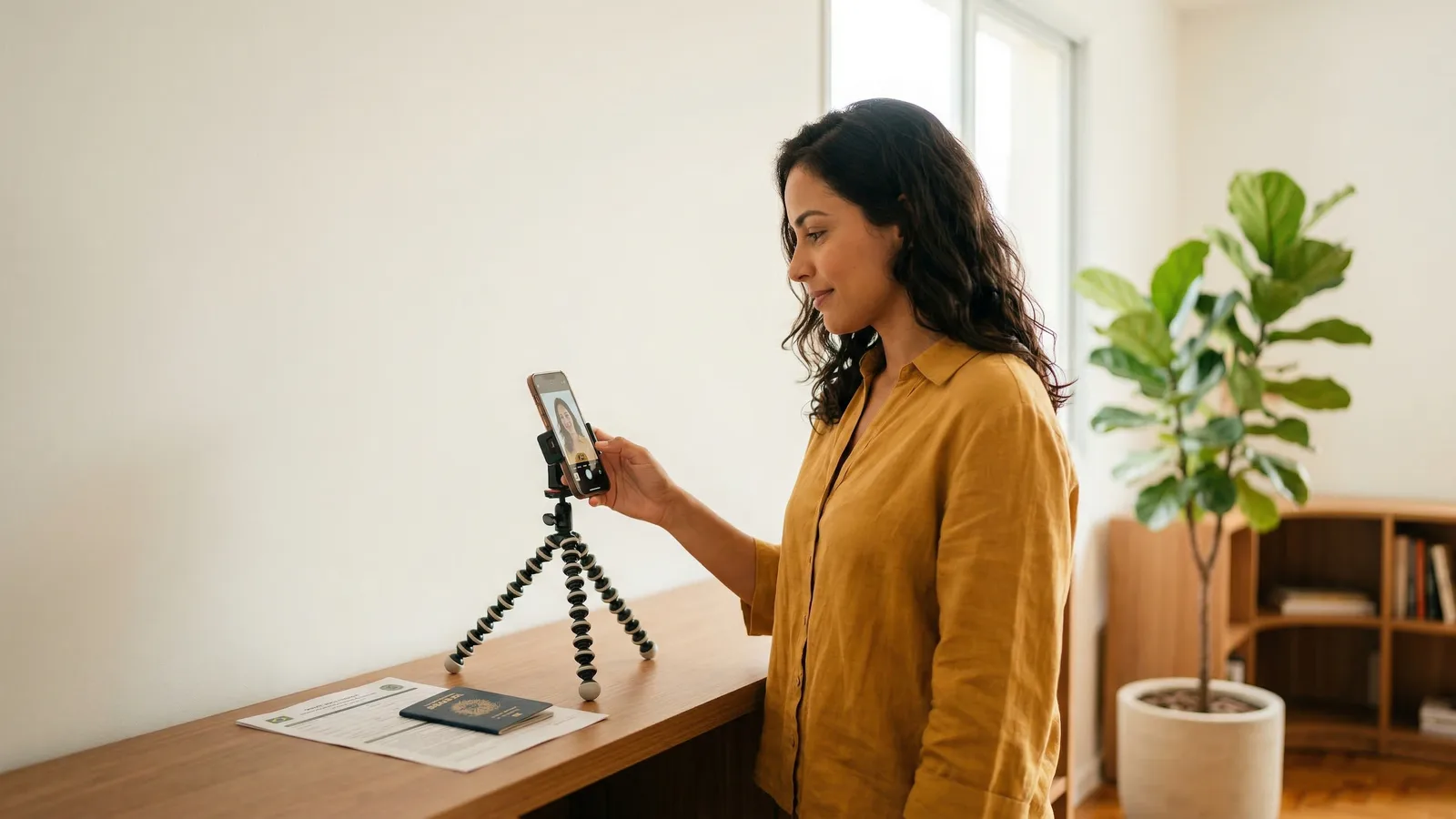
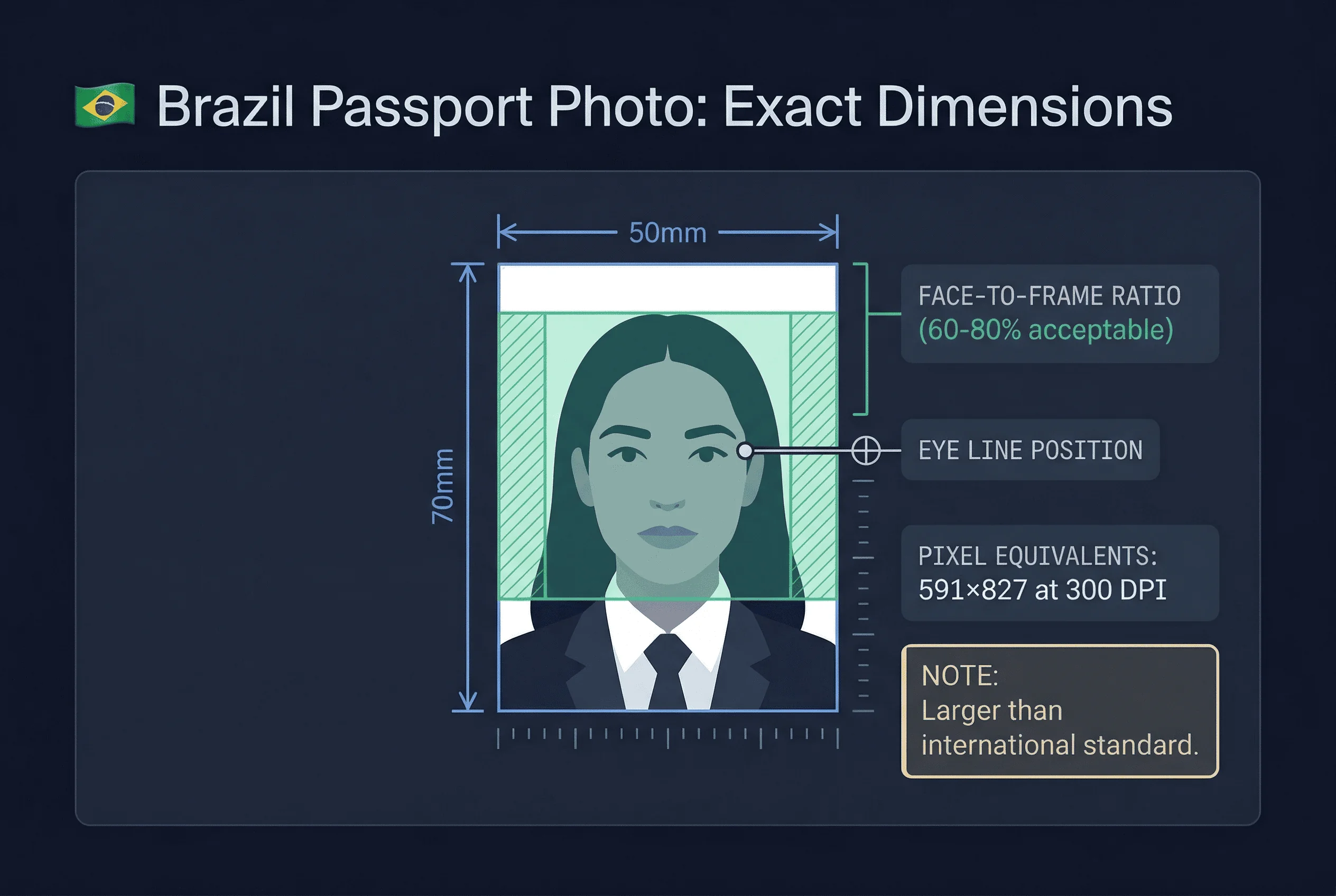
Creating a Brazilian passport photo at home requires attention to the country's unique 50×70mm sizing. Unlike most countries, Brazil uses a larger format. Getting this right is the key to approval.
This guide walks through each step.
Key Brazilian Passport Photo Requirements
Know these specifications before starting:
- Dimensions: 50×70mm (not standard 35×45mm)
- Background: Pure white (#FFFFFF)
- Face ratio: 60-80% of frame height
- Expression: Neutral, mouth closed
- Glasses: Not allowed — remove all glasses
- Eyes: Open and visible
- DPI: 300 minimum
The size is your primary consideration. Brazil's 50×70mm format is shared with Canada but uncommon globally.
Get a compliant passport photo online
Equipment Needed for DIY Brazilian Passport Photos
Camera options
- Smartphone (12+ megapixels — any iPhone from the last 5 years or mid-range Android)
- Digital camera (DSLR or mirrorless gives more control but is not required)
Setup supplies
- White background (foam board from a papelaria, white bedsheet ironed flat, or a clean white wall)
- Even lighting (natural window light or two identical lamps at 45° angles)
- Tripod or stable surface (a stack of books works as a phone stand)
- Timer or remote shutter (to avoid holding the phone)
For post-processing
- Any photo editing tool that allows precise pixel cropping (built-in phone editors, Photoshop, GIMP, or Canva)
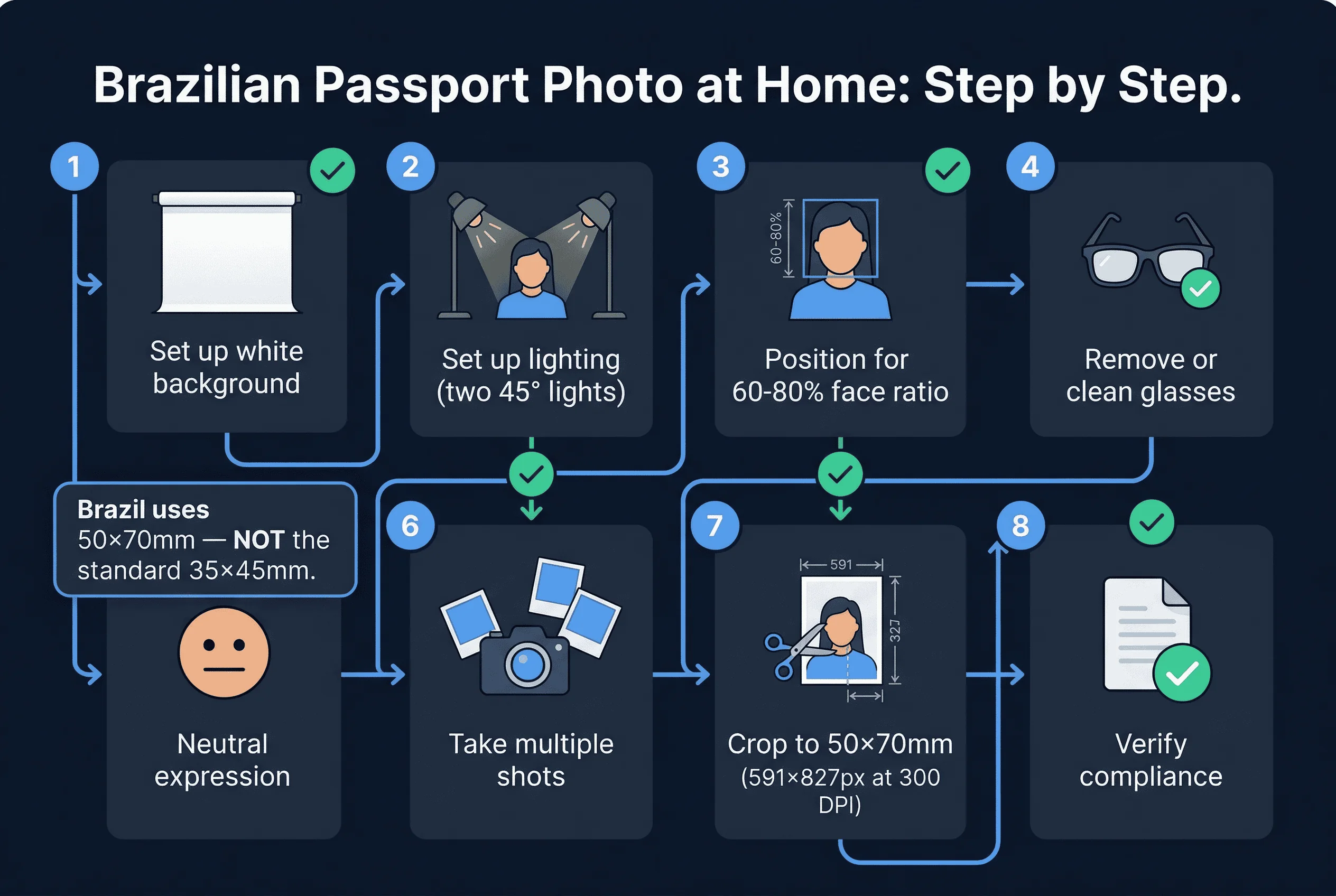
Step 1: Set Up a Pure White Background for Your Photo
Brazil requires pure white (#FFFFFF). This is non-negotiable — off-white, cream, or light grey backgrounds will be rejected.
At home, your best options are:
- White foam board — cheapest and most reliable. Available at any papelaria for R$5–10.
- White bedsheet — iron it flat and pin it taut. Any wrinkle creates a micro-shadow.
- Clean white wall — inspect for scuff marks, nail holes, or slight yellowing.
Ensure the background fills the entire frame behind you with generous margin for cropping. Stand 12–18 inches away from the background to prevent your body from casting shadows onto it.
Step 2: Set Up Even, Shadow-Free Lighting
Even, shadow-free lighting is essential.
Natural light
- Face a large window
- Light should be in front, not behind
- Use diffused light through curtains
Artificial light
- Use two softboxes or LED panels
- Position at 45-degree angles
- This eliminates shadows
Test your lighting. Check for shadows on background and face.
Step 3: Position for the 60–80% Face Ratio
Brazil allows 60-80% face-to-frame ratio. This is more flexible than many countries.
Position yourself to achieve approximately 70% face coverage. Use a mirror beside your camera to preview framing.
Adjust distance to achieve the desired ratio.
Step 4: Achieve a Strict Neutral Expression
Brazil requires a neutral expression. Mouth closed, no smile, both eyes open. Do not clench your jaw — let your face relax naturally.
Practice in a mirror before the session. The goal is your natural resting face, not a forced blank stare. Take several shots — minor variations in expression between frames mean some will look more natural than others.
Step 5: Remove All Glasses (Not Allowed in Brazil)
Brazil bans all glasses in passport photos. Remove prescription glasses, sunglasses, and reading glasses before taking the photo. This is a hard rule — there are no medical exceptions for the photo itself.
Step 6: Take at Least 15–20 Shots
Take at least 15–20 photos in quick succession. Use burst mode if available. Review each on a larger screen (computer monitor or tablet) rather than the phone screen — small screens hide problems.
Eliminate any shot where:
- Background has visible shadows or discoloration
- Face is not perfectly centred
- Eyes are partially closed or looking away
- Expression looks forced or tense
- Glasses are still on (easy to forget)
- Hair covers the forehead or eyes
Select your 2–3 best frames for cropping.
Step 7: Crop to 50×70mm (591×827 Pixels)
Crop to 50×70mm aspect ratio (5:7).
Set your cropping tool to 591×827 pixels at 300 DPI. This is the critical step. Your photo must be exactly 50mm wide by 70mm tall when printed.
Step 8: Verify Your Brazilian Photo Meets All Rules
Before submitting, check everything:
- Dimensions: 50×70mm
- Background: pure white (#FFFFFF)
- Face ratio: 60-80% of frame
- Expression: neutral, mouth closed
- Eyes: open, visible
- Glasses: removed (not allowed)
- Format: JPEG, proper file size
Common DIY Mistakes for Brazilian Photos
Wrong aspect ratio. The most common error. People crop to 35×45mm (the global standard) instead of Brazil's 50×70mm. The 5:7 ratio is taller and narrower than it looks.
Off-white background. Walls that look white to the naked eye often register as cream, ivory, or pale yellow in photos. Test your wall by taking a photo of it alone — if it looks warm-toned on your phone screen, find a different wall or use foam board.
Shadows on the background. Stand far enough from the wall (12–18 inches minimum) so your body doesn't cast a shadow. Two light sources at 45° angles eliminate this.
Head too small or too large. Brazil's 60–80% face-to-frame ratio is generous, but at the larger 50×70mm size, it's easy to misjudge. Preview your crop before finalising.
Wearing glasses. Brazil bans all glasses. If you're used to wearing them, it's easy to forget. Double-check before every shot.
Lighting Tips for Brazilian Conditions
If you're taking the photo in Brazil, the tropical light can be both an advantage and a challenge.
Morning light (7–9am). Softest window light. Ideal if your window faces east.
Midday. Intense direct sun. Close curtains to diffuse. Never shoot in direct sunlight — it creates harsh shadows and squinting.
Overcast days. Perfect natural diffusion. Position facing the window and shoot freely.
Air conditioning vents. Hair movement from AC causes blur. Turn off the unit before shooting.
Printing Your Brazilian Passport Photo
After cropping to 591×827 pixels:
- Print at 300 DPI on 4×6 photo paper. You can fit two 50×70mm photos on one 4×6 sheet.
- Use matte or glossy paper. Both are accepted.
- Print at a papelaria (stationery shop) or print shop if you don't have a photo-quality printer at home. Cost is typically R$2–5 per sheet.
- Check the printed size with a ruler. The photo must measure exactly 50mm × 70mm.
Submitting Your DIY Photo to the Polícia Federal
Brazilian passport applications are processed through the Polícia Federal. You can schedule an appointment online through the Polícia Federal website. Bring two identical printed photos. The same photo can be used for digital upload during the online application.
Photos taken at home are fully accepted — there is no requirement to use a professional studio. As long as the photo meets all technical specifications, the Polícia Federal will approve it.
Taking a Brazilian Passport Photo at Home Abroad
If you're a Brazilian citizen abroad and need to renew your passport, the same 50×70mm requirements apply at Brazilian consulates worldwide. Photo studios abroad may not stock the 50×70mm size — taking it at home and printing to the correct dimensions is often the easiest option.
Verify your photo meets all Brazilian requirements with the passportsize-photo.online checker. For complete size details, see the Brazil passport photo size guide. For full Brazilian passport photo rules, visit the Brazil hub.