
For a new Australian driver's licence, the photo is taken at the counter when you visit your state's licensing centre. You don't submit a photo — the operator captures it on-site using a standardised camera system. There is no size specification to comply with, no background requirement to meet beforehand, and no file to upload for first-time applications.
Renewals are a different story. Several states now offer online renewal where you upload a digital photo from home. When that applies, the spec mirrors the Australian passport standard: 35×45mm equivalent, plain white background, neutral expression, no glasses.
Australian Driver's Licence Photo Rules by State
Each state and territory administers its own driver's licencing system. The photo process varies.
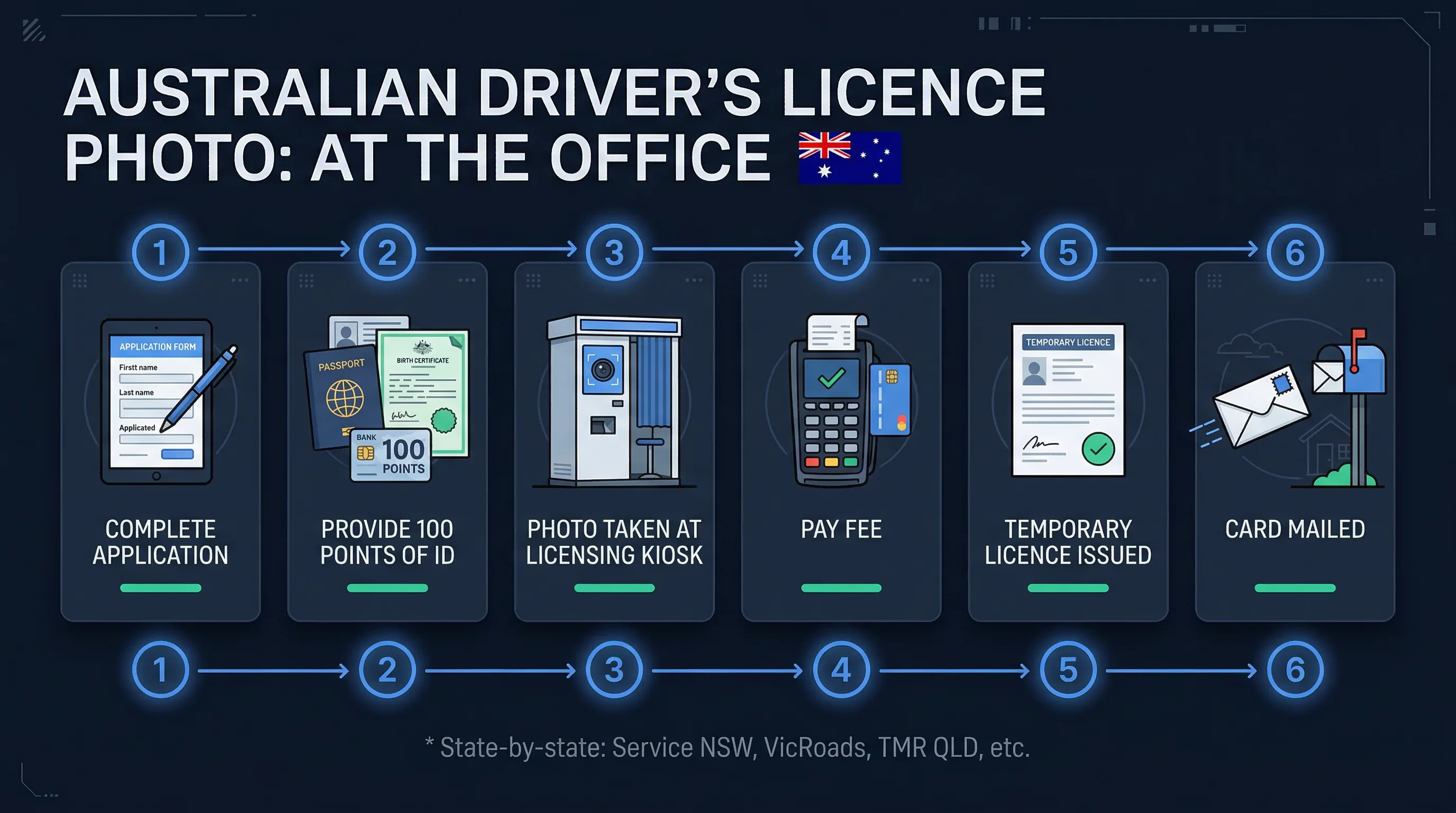
New South Wales — Service NSW
New licences: photo taken at a Service NSW centre. Online renewal through MyServiceNSW is available for eligible customers; it requires uploading a digital photo. Glasses are not permitted in NSW licence photos.
Victoria — VicRoads / Service Victoria
New licences and renewals both require a visit to a VicRoads service centre. The photo is captured at the counter. VicRoads has been progressively moving some renewal functions online, but in-person photo capture remains the standard as of 2026.
Queensland — Department of Transport and Main Roads (TMR)
New licences require visiting a Queensland Transport and Motoring service centre. Some renewals can be processed online but photo capture is typically in-person at a Customer Service Centre.
Western Australia — Department of Transport
In-person photo capture at a Driver and Vehicle Services centre. WA also offers online licence renewal for eligible customers, which involves uploading a photo meeting the departmental requirements.
South Australia — Service SA
In-person at a Service SA centre. Photo taken at the counter for new licences and most renewals.
Tasmania — Service Tasmania
In-person at a Service Tasmania shopfront.
ACT — Access Canberra
In-person at an Access Canberra service centre.
Northern Territory — MVR (Motor Vehicle Registry)
In-person at an MVR office.
The practical takeaway: if you're applying for a new licence anywhere in Australia, go in person. If you're renewing, check your state's website — online renewal with photo upload may be available and will save you the visit.
Get a compliant passport photo online
Preparing for Your On-Site Driver's Licence Photo
The camera at a Service NSW or VicRoads counter is a fixed, standardised unit. You sit or stand in front of a white or off-white backdrop, look at the camera, and the operator captures the image. The whole thing takes about 30 seconds.
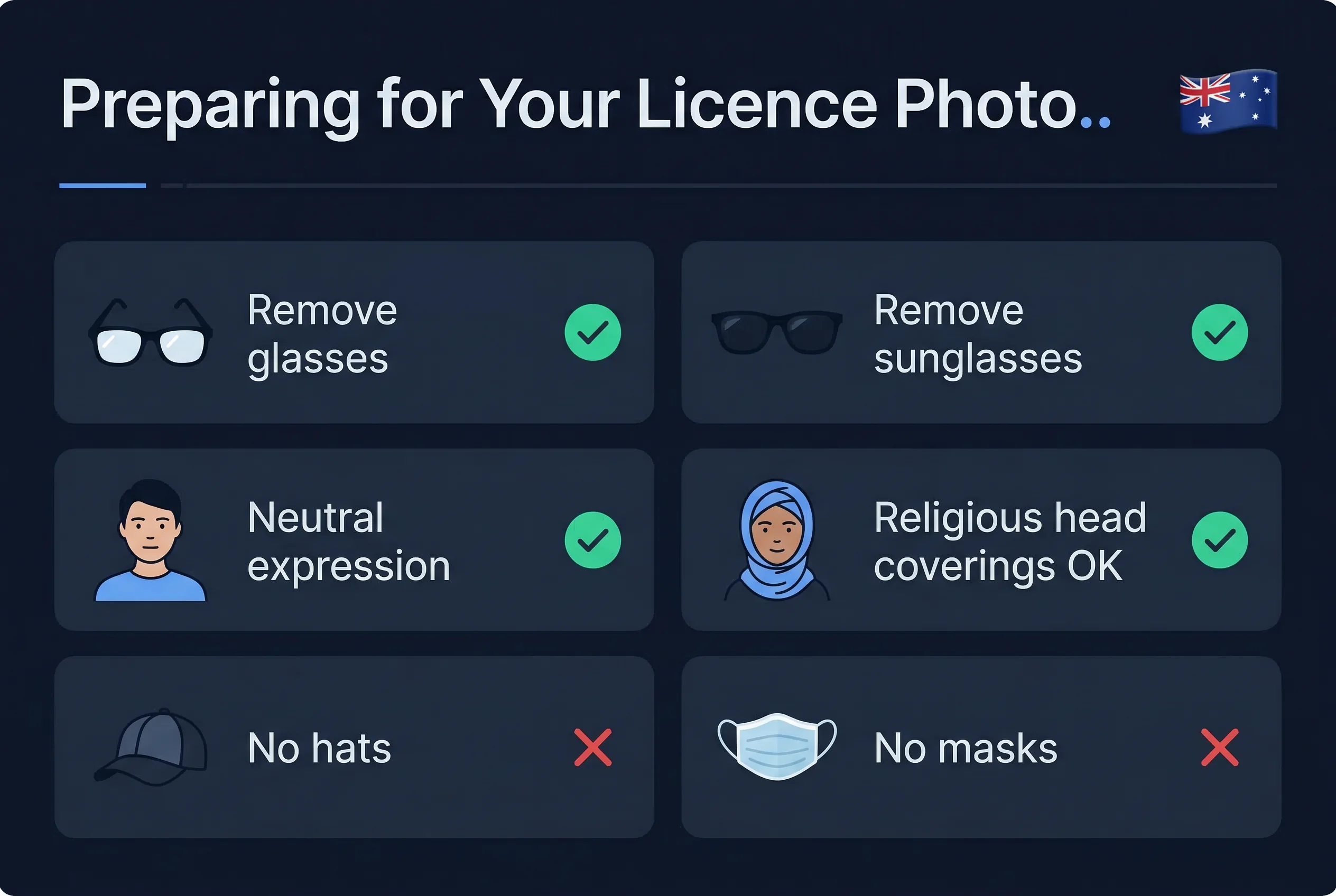
What to wear. Avoid white or very pale tops — they blend into the background and create a flat, poorly defined image. A plain coloured shirt or blouse with contrast works well.
Glasses. Most states do not allow glasses in driver's licence photos. This aligns with the Australian passport standard. Remove glasses before sitting for the photo regardless of whether the operator asks.
Hair and face. Your full face needs to be visible from hairline to chin and ear to ear. Pulled-back hair if it falls across the face. Hats and caps are not permitted unless worn for religious or medical reasons, in which case the face must remain fully visible.
Expression. Neutral, mouth closed. Not a smile, not a frown. Look directly at the camera. If you blink or close your eyes, the operator will retake the image — don't worry about getting one chance.
Lighting. The centre's camera handles lighting automatically. You don't need to worry about shadows, flash, or exposure. These are controlled by the equipment.
When You Upload a Photo for Online Renewal
Some states permit online renewal where you submit a digital photo. The requirements when this applies:
| Requirement | Specification |
|---|---|
| Background | Plain white |
| Expression | Neutral, mouth closed |
| Glasses | Not allowed |
| Photo recency | Within 6 months |
| File format | JPEG |
| Head position | Straight, eyes open, looking at camera |
The spec is consistent with the Australian passport standard because state licensing authorities adopted the same framework. If you have a recent compliant passport photo and your appearance hasn't changed, it may satisfy the upload requirements — check the specific state portal.
For digital uploads, the passportsize-photo.online checker verifies background colour, head position, and lighting compliance before you submit. A rejected photo in an online renewal workflow means starting over or going in person — the check takes 30 seconds and removes the uncertainty.
Driver's Licence Fees and Validity by State
Driver's licence fees and validity periods vary by state, licence class, and age.
| State | Approximate Fee | Typical Validity |
|---|---|---|
| NSW | AUD 77–184 | 1, 3, or 5 years |
| VIC | AUD 77–95 | 1, 3, or 10 years |
| QLD | AUD 54–93 | 1, 3, or 5 years |
| WA | AUD 55–130 | 1–5 years |
| SA | AUD 80–140 | 1, 3, or 5 years |
| TAS | AUD 40–70 | 1 or 5 years |
| ACT | AUD 66–114 | 1–5 years |
| NT | AUD 50–100 | 1–5 years |
Fees above reflect standard Class C (car) licences. Heavy vehicle and motorcycle licences carry different schedules.
What If the Licence Photo Needs Updating
If your appearance has changed significantly — major change in weight, facial hair, or other features — you can request an early licence renewal at your state authority's service centre. The photo is recaptured at the counter. The existing expiry date typically resets when a new card is issued.
Appearance Guidelines for Australian Licence Photos
Whether the photo is captured on-site or uploaded for online renewal, these rules apply:
- Neutral expression — mouth closed, no smile, no frown
- Eyes open — both eyes fully visible, looking directly at the camera
- No glasses — all types banned, including clear prescription lenses
- Hair away from face — forehead and both ears visible
- No hats or caps — religious or medical head coverings permitted (face must remain visible)
- Contrasting clothing — avoid white tops that blend into the white backdrop
- No heavy makeup — the photo should represent your everyday appearance
Australian ID Document Photo Standards Compared
| Document | Photo source | Size | Background | Glasses |
|---|---|---|---|---|
| Driver's Licence | On-site (new) / Upload (renewal) | 35×45mm | White | Not allowed |
| Australian Passport | User-submitted | 35×45mm | White | Not allowed |
| Proof of Age Card | User-submitted | 35×45mm | White | Not allowed |
| Citizenship Certificate | User-submitted | 35×45mm | White | Not allowed |
| Australian Visa | User-submitted | 35×45mm | White | Not allowed |
All Australian identity documents share the same 35×45mm white-background specification with no glasses. For online renewal uploads, the same compliant photo works across all documents.
Quick Checklist (Online Renewal Upload)
- Size: 35×45mm (413×531px at 300 DPI)
- Background: white
- Expression: neutral, mouth closed
- No glasses (any type)
- Photo taken within 6 months
- File format: JPEG
- Check your state portal for online renewal eligibility
Quick Checklist (In-Person Visit)
- Wear contrasting clothing (not white)
- Remove glasses before photo
- Hair away from face
- Bring current licence or other photo ID
- Bring payment for renewal fee
For the full range of Australian ID documents and their photo requirements, the Australia documents overview covers passports, proof of age cards, and more. Verify your photo with the passportsize-photo.online checker before uploading for online renewal.